SCPC System • Replacing components
54 CP_SEM_60-03-00.002
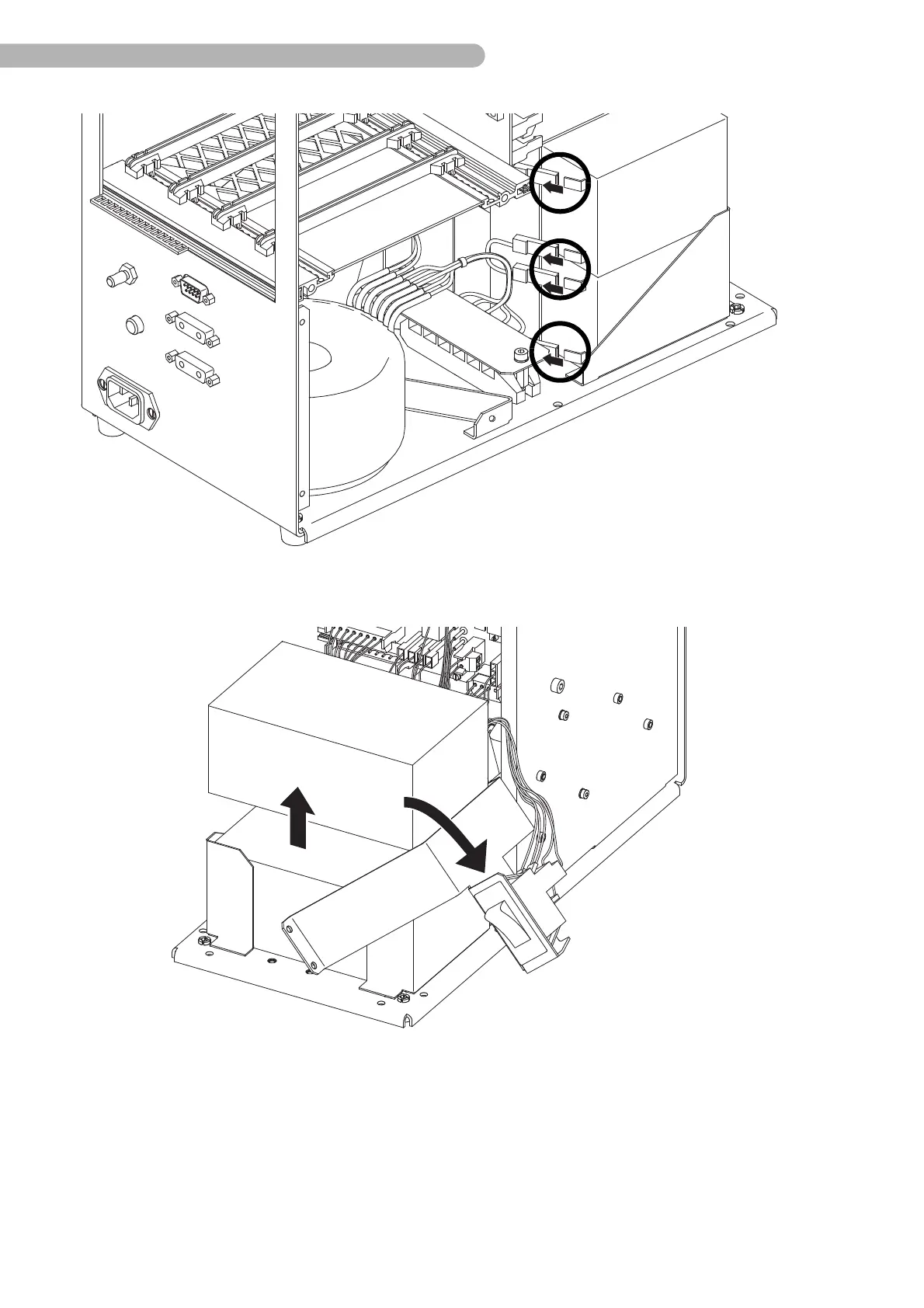
fig. 24: Removing the batteries 2
◗ Unfasten the four connectors on the rear side of the batteries.
fig. 25: Removing the batteries 3
◗ Tilt the clip using the toggle switch on the side.
!
◗ Lift the batteries out of the casing vertically one by one. Ensure that the bare contacts do not touch
any other components (risk of short-circuits).
The new batteries are installed by following the same steps, in reverse order.



 To Next Page