LUMIPro 2017
2
Quick Start Tutorial—Part II
Now that you’re getting comfortable with basic lighting and posing, we’re going to add a couple things into the mix. e rst thing to look at is the Sit Ball. is makes it super easy to
control where in space your model resides (at least physically). at control is all contained in the Toolbox, so let’s focus on that for a moment, and see how it works.
Step 6. If you’re continuing from the rst section, the Sit
Ball should be what’s showing in the Toolbox Joystick
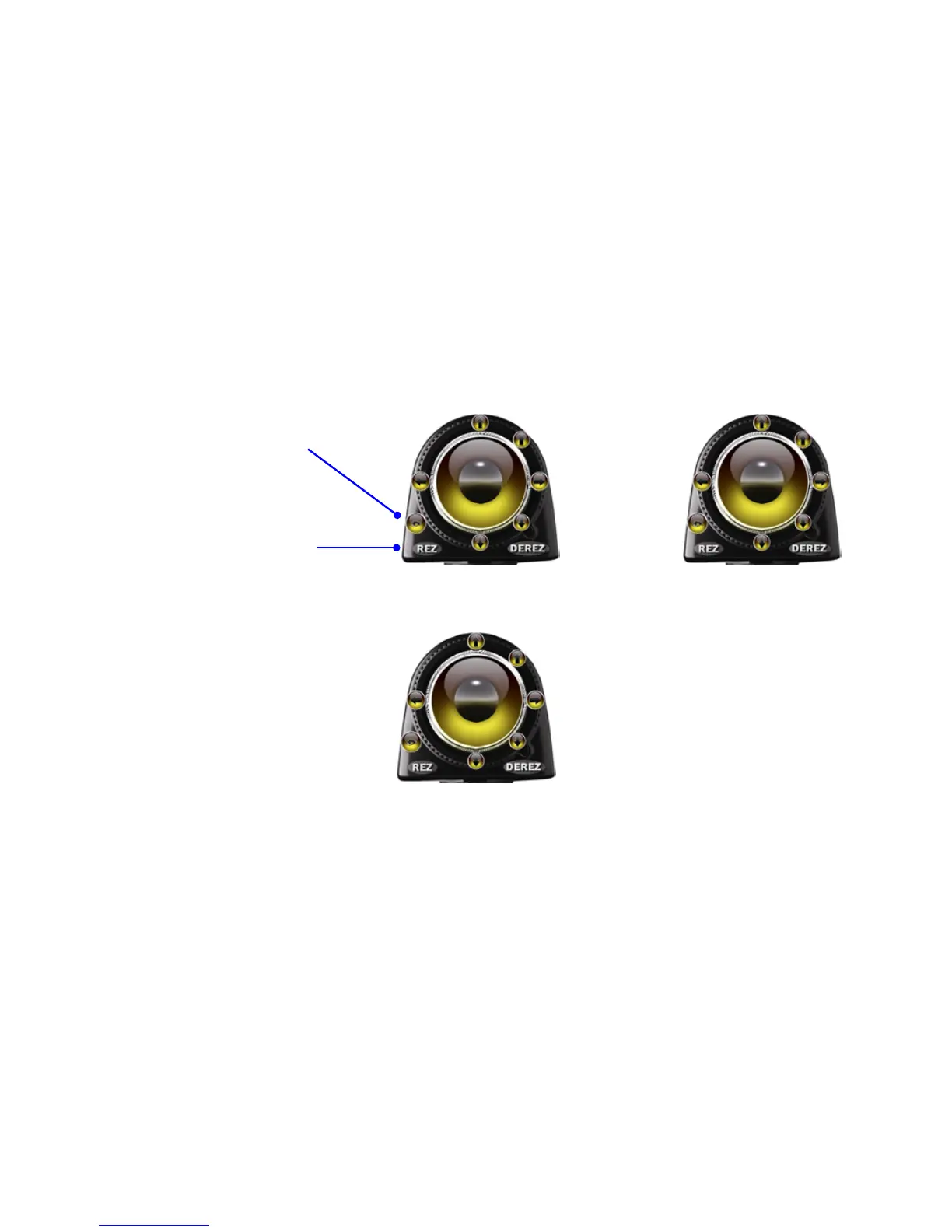
area. If not, click the Flipper button until the Toolbox
looks like shown:
Step 9. Clicking anywhere inside the Joystick moves the
Sit Ball around an imaginary sphere centered on you,
the photographer. e closer to the center you click, the
smaller the movements; the closer to the edge, the greater
the movements. Try it out. If things get crazy, have your
model get o the Sit Ball, then click their name on the
HUD. e Sit Ball will jump to their current location.
Are you getting the feel for this now? ere might be
a lot of little buttons, but they all do pretty much what
you would expect them to do. e beauty of LUMIPro is
that you can focus on your picture, not on all the ddly
bits you need to manage to light and place them. When
you’re done experimenting, place your model where
would like them, and them move to Part III, where we’ll
adjust the lights and focus the eyes. Take your time: the
page will still be there when you return!
Step 7. Rez a Sit Ball. Click the REZ button, and from the
menu click the Sit Ball button. A LUMIPro Sit Ball will
be rezzed in front and above your selected model; have
them le-click and sit on it. ey’ll be sitting in mid air.
If you had already posed them, click Right Wheelie and
then Le Wheelie to get back to the original pose.
Step 8. Adjust their position. Surrounding the Joystick are
four primary arrows: Up, Down, Le, and Right. ese
will move the Sit Ball on the Z axis. e Up and Down
arrows, move as you would expect: up and down. e Le
and Right arrows spin the Sit Ball in place, like a top (only
not quite as fast).
e secondary arrows at the 2:00 and 4:00 positions move
the Sit Ball along the X axis, front to back: away from you
(up arrow) and towards you (down arrow). Play with the
buttons now, and get a feel for how they behave.
Move Up
Move Away
Rotate CCW Rotate CW
Move Towards
Move Down


 To Next Page