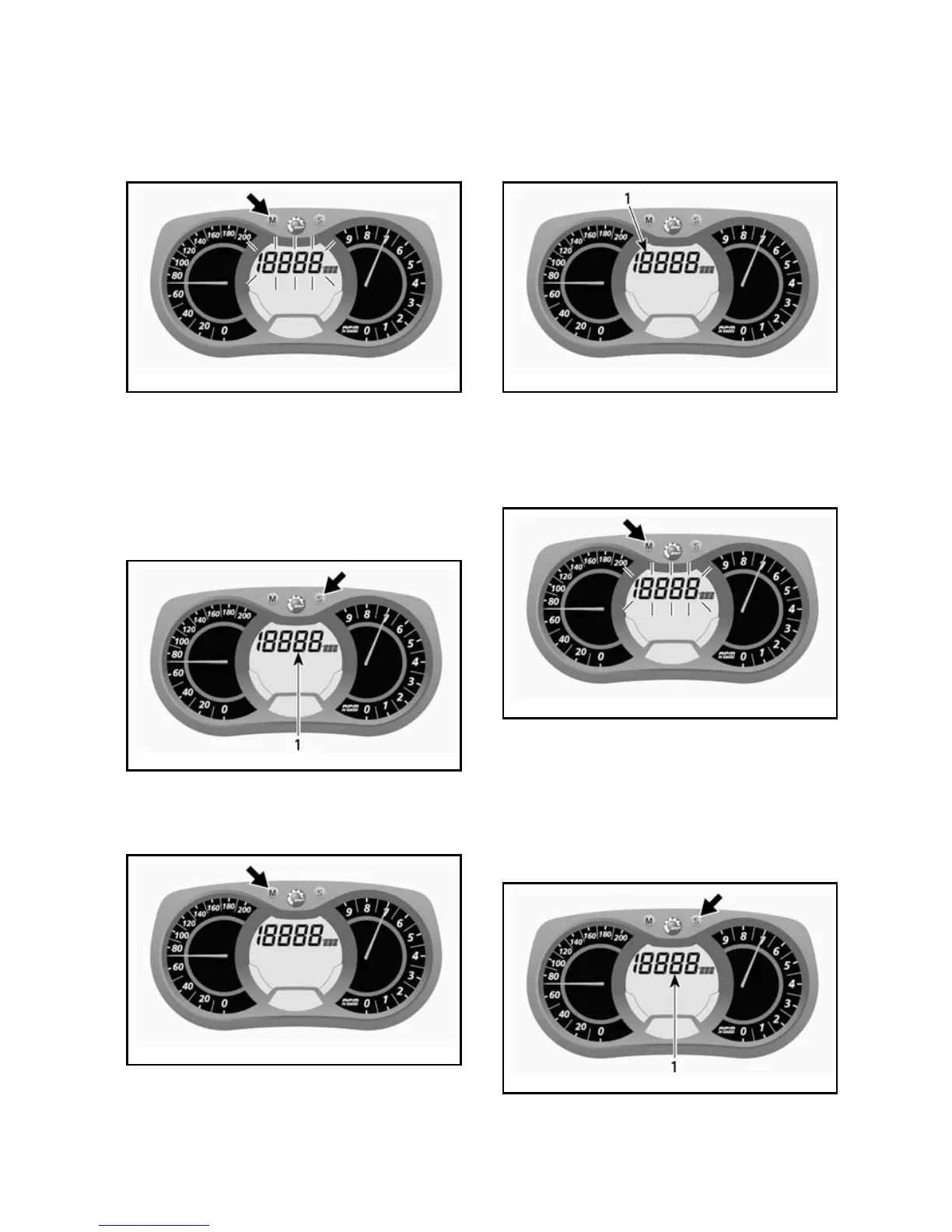
To display vehicle speed, proceed as
follow.
Push the MODE (M) button to select
display.
mmo2007-009-066_m
NOTE: Display will flash for approxi-
mate ly 5 sec onds, then will retur n to
the previously selected mode if dis-
play is not changed.
Push the SET (S) button to select
speedometer (Km/h/MPH) mode.
mmo2007-009-066_n
1. S peedometer (Km/h/MPH) mode
Push the MODE (M) button to confirm
selection or wait 5 seconds.
mmo2007-009-066_o
B) Tachometer (RPM)
In ad ditio n of the analog t ype tach om e -
ter, RPM can also be displayed via the
multifunction display.
mmo2007-009-066_b
1. RPM display
To display RPM, p roceed as follow.
Push the MODE (M) button to select
display.
mmo2007-009-066_m
NOTE: Display will flash for approxi-
mate ly 5 sec onds, then will retur n to
the previously selected mode if dis-
play is not changed.
Push SET (S) button to s elect RPM
mode.
mmo2007-009-066_n
1. RPM mode
_____________________
37



 To Next Page