EasyManua.ls Logo

MacDon 5000 - Safety Signs

MacDon 5000
82 pages
Print Icon
To Next Page IconTo Next Page
To Previous Page IconTo Previous Page
Loading...
SAFETY
SA
FE
TY
SIGNS
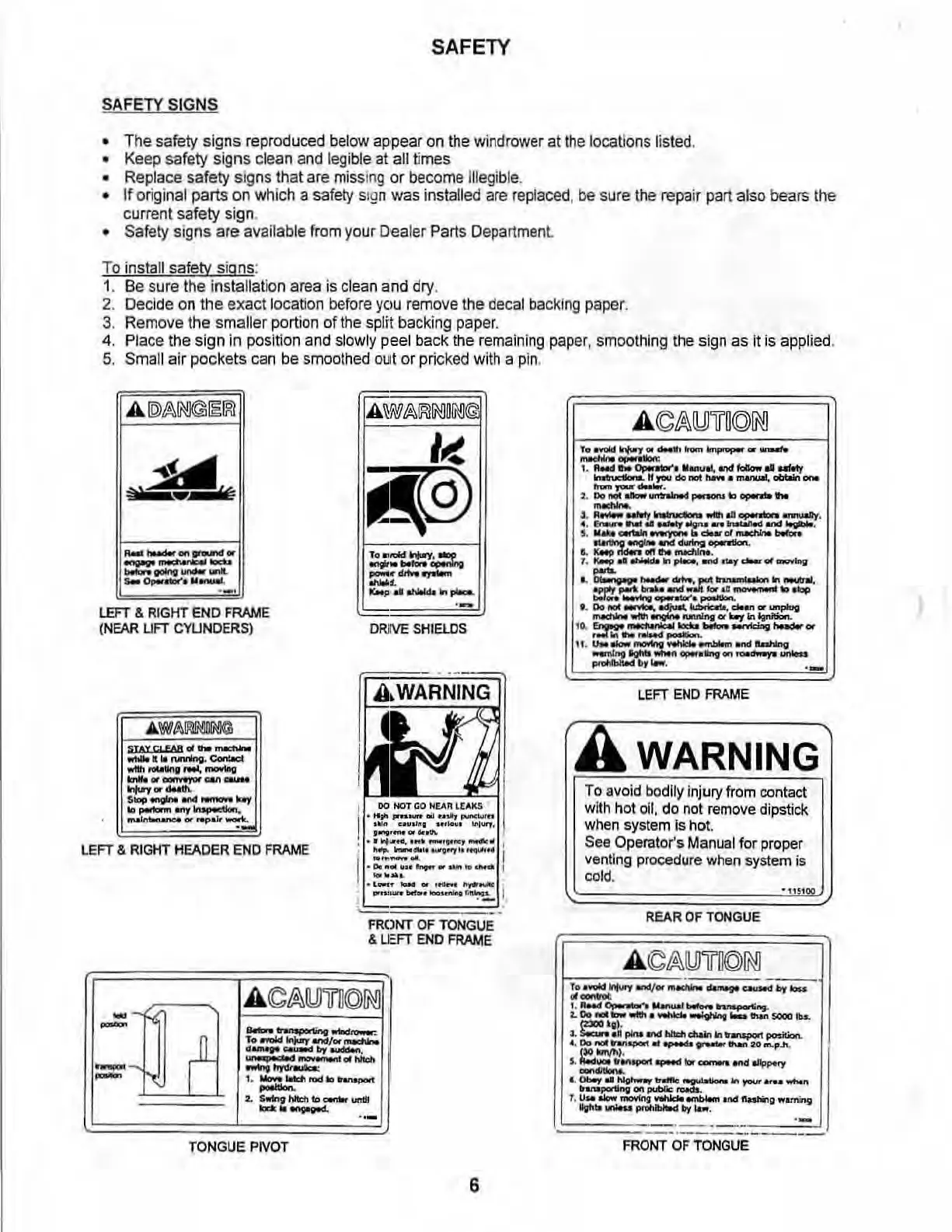
The
safety signs reproduced
below
appear
on
the
windrower
at
the
locations li
sted
.
Keep safety signs cl
ean
and
legible
at
all
times
Replace safety signs that
are
miss
ing or
become
illegible.
If
original parts
on
which a
safety
s
ig
n was inst
alled
are
r
ep
l
aced,
be sure
the
repair part also bears the
current safety sign.
Safety sIgns are available
from
your
Dea
ler Parts De
pa
rt
men
t.
To
install safety signs:
1.
Be
sure
the installation area
is
clean
and
dry
.
2.
Decide
on
the
exact
location
before
YCIU
remove
the
decal
ba
c
king
paper
.
3.
Remove
the
smaller
portion
of
the
sp
lit
backing
paper.
4.
Pl
ace
the sign
in
position
and
slowly
pee
l back the
remaining
paper
, smoothing the
sign
as
it
is
applied.
5.
Small air pockets
can
be
smoothed
out or pricked
with
a pin.
A
\il7~~~n~@
I~
i{9)
,
....
I<IId~~
-.
.....
_
......
.,-
-,
IIMto
..
"""""'"
In
,....
.-
LEFT
&
RIGHT
EN
D
FRAME
(NEAR
UFT
CY
U
ND
ER
S)
ORJIVE
SH
l
aoS
LEFT
&
RIGHT
HEADER
ENO
F
RAME
, '
_
..
_-
I
FRONT OF TONGUE
& U:
FT
END
FRAM
E
:utl
A
~t%
IWTI
©
1MJ
_~...w--
, • ..-old
Iopy
1II'tdj.
-..
..
.....
-""-.
.......---
.....
--
1.
_!oWl
rod
10
hnapoo'I
--
:to
s-..""""",
__
-'-
..
-
TONG
UE
PIVOT
6
_
.....
~
.
.........
obtoiri _
kEFT
END
FRAME
A WARNING
To
avoid bodily injury from contact
with h
ot
oil,
do
not
remove
di
pstick
when
system
is
hot.
See
Operator's
Manual
for
proper
ven
t
ing
procedure
when
system is
cold,
-"'00
REAR
OF
TONGU
E
'-
fRONT OF TONGUE

Table of Contents

Related product manuals