3 Wizard Setup
The wizard will start once the device has loaded, which will guide you through some
important settings of your device. You can follow its instructions to set. However, you can
skip this wizard by clicking “Exit” button and then go to the setup interface to do detailed
setup. To set up the wizard, follow the steps as below:
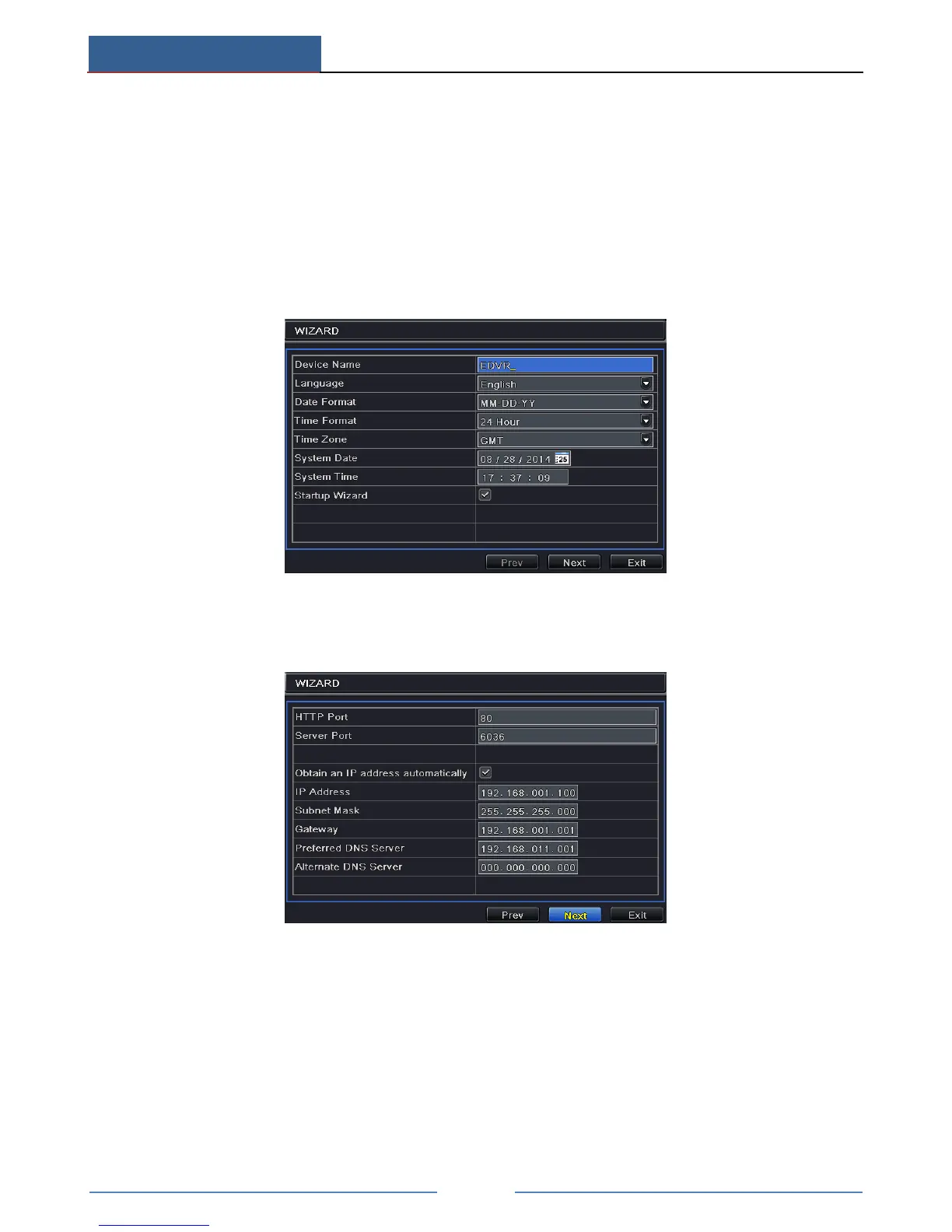
① Set device name, language, data format, time format, time zone, system date, etc. Then
click “Next” button to continue.
② Set network. Please set the network according to the actual network situation. Then click
“Next” button to continue.
③ Set the disk management. You can format the HDDs and set their properties. Then click
“Next” button to continue.



 To Next Page