10 P.T.Z
Before you control the speed dome, please make sure the speed dome is well connected to the
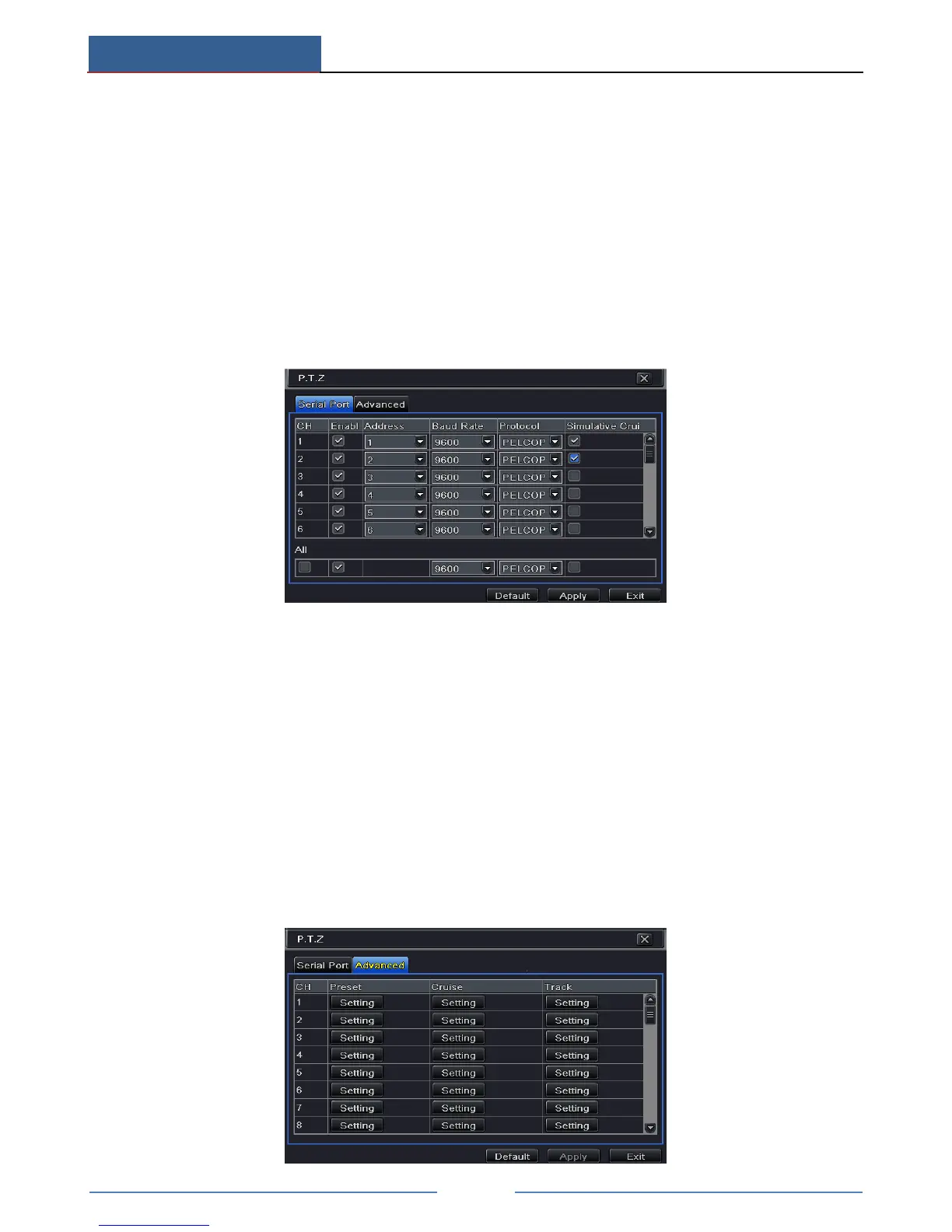
device. P.T.Z configuration includes two submenus: serial port and advanced.
Serial port settings are as follows:
① Go to Main MenuSetup P.T.ZSerial Port interface.
② Select “Enable” and set up the value of address, baud rate and protocol according to the
settings of the speed dome.
③ Select “All” to set the same settings for all channels.
【Address】: The address of the PTZ device.
【Baud rate】: Baud rate of the PTZ device. Range form: 110, 300, 600, 1200, 2400, 4800,
9600, 19200, 34800, 57600, 115200, 230400, 460800, 921600.
【Protocol】: Communication protocol of the PTZ device. Range from: NULL, PELCOP,
PELCOD, LILIN, MINKING, NEON, STAR, VIDO, DSCP, VISCA, SAMSUNG, RM110,
HY, N-control.
【Simulative Cruise】: If enabled, no matter whether the PTZ device supports cruise or not,
the presets will cruise.
Advanced settings include preset setting, cruise setting and track setting.
Go to Main MenuSetup P.T.Z Advanced.



 To Next Page