AHD Hybrid DVR User Manual
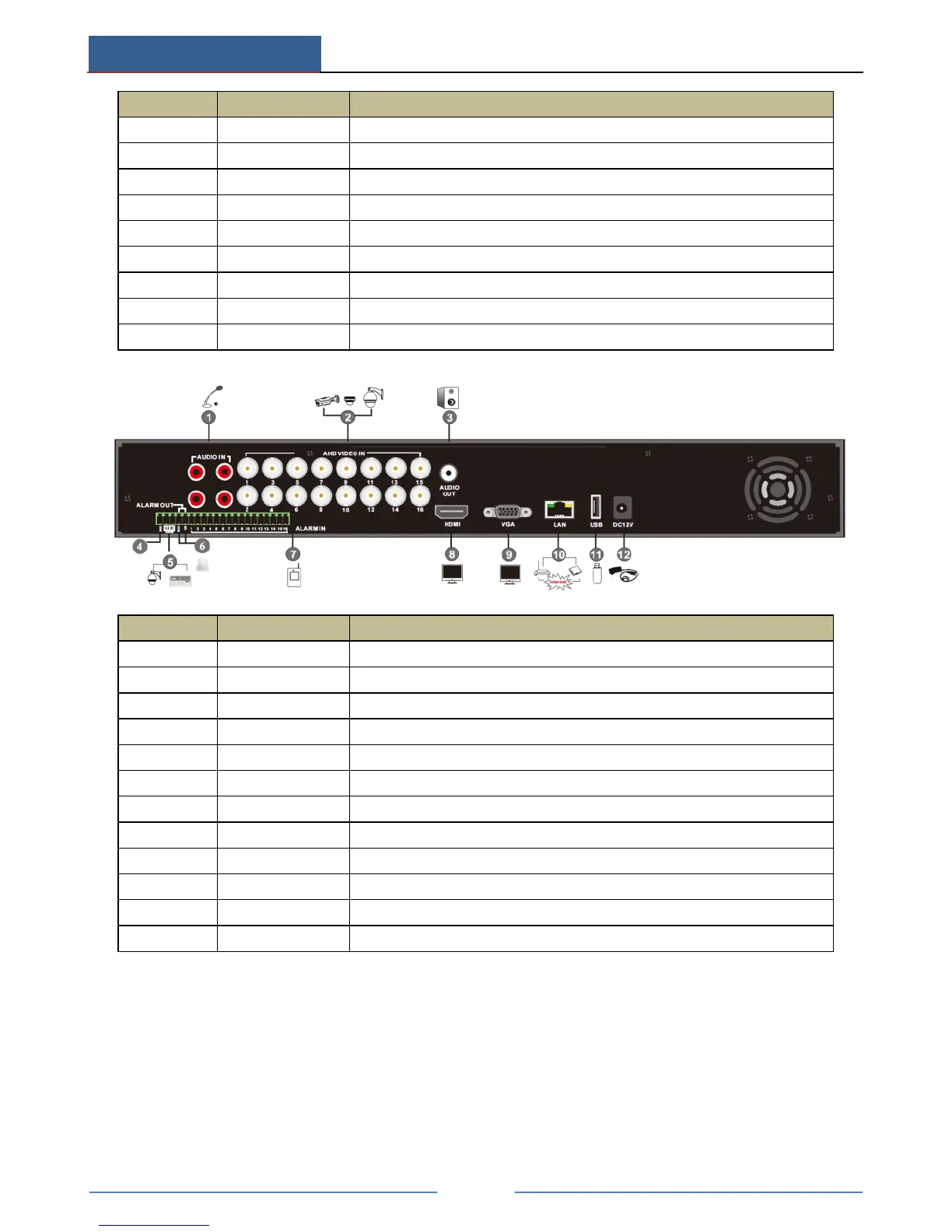
Audio input; connect to audio input device, like microphone, pickup, etc
Audio output; connect to sound box
Connect to keyboard or speed dome. A is TX+; B is TX-
Connect to high definition display device
Connect USB storage device or USB mouse
Audio input; connect to audio input device, like microphone, pickup, etc
Audio output; connect to sound box
Connect to keyboard or speed dome. A is TX+; B is TX-
Relay output; connect to external alarm
Alarm inputs for connecting sensors
Connect to high definition display device
Connect USB storage device or USB mouse
1.4 Connections
Video Connections
Video Input: The interfaces of video inputs are BNC interfaces. The input signal is PAL/NTSC
(1.0Vp-P,75Ω).
Video Output: Supports VGA/HDMI video output. You can connect to monitor through these
video output interfaces simultaneously or independently.



 To Next Page