device (see Chapter 8 Backup for more details).
【Exit】: Exit the current interface.
【Move tool】: Click and hold this button. Then drag the mouse to move this toolbar.
7.2 Playback by Time Search
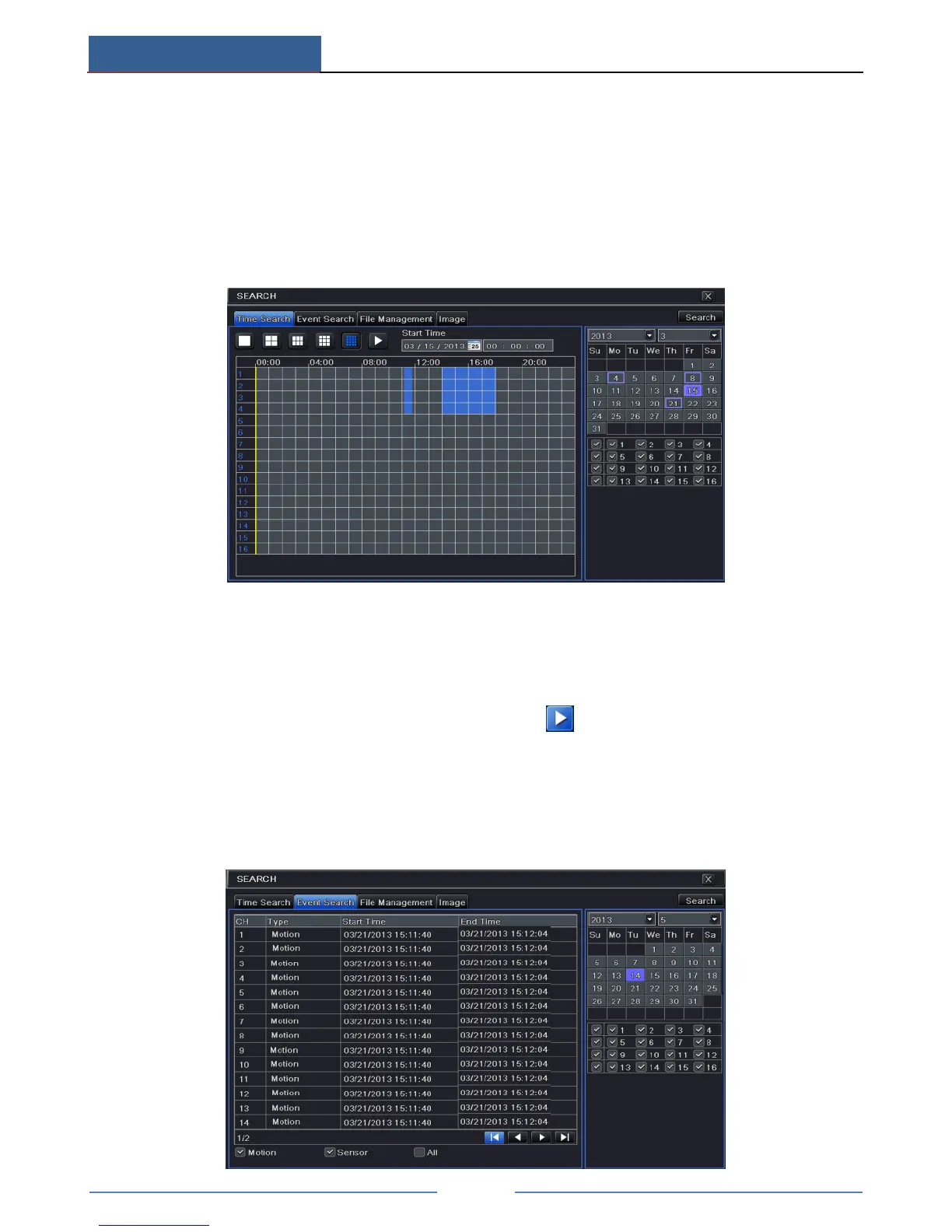
① Go to Main MenuSearchTime Search.
② Select date and channels on the right hand side and press the “Search” button. A date
with highlighted borderline indicates presence of data.
③ Set the start time by clicking a particular grid or by entering the specific value in the
start time field.
④ Select the channel display mode and click Play button to play record. Use the
playback toolbar to control the playback.
7.3 Playback by Event Search
① Go to Main MenuSearchEvent Search button.



 To Next Page