AHD Hybrid DVR User Manual
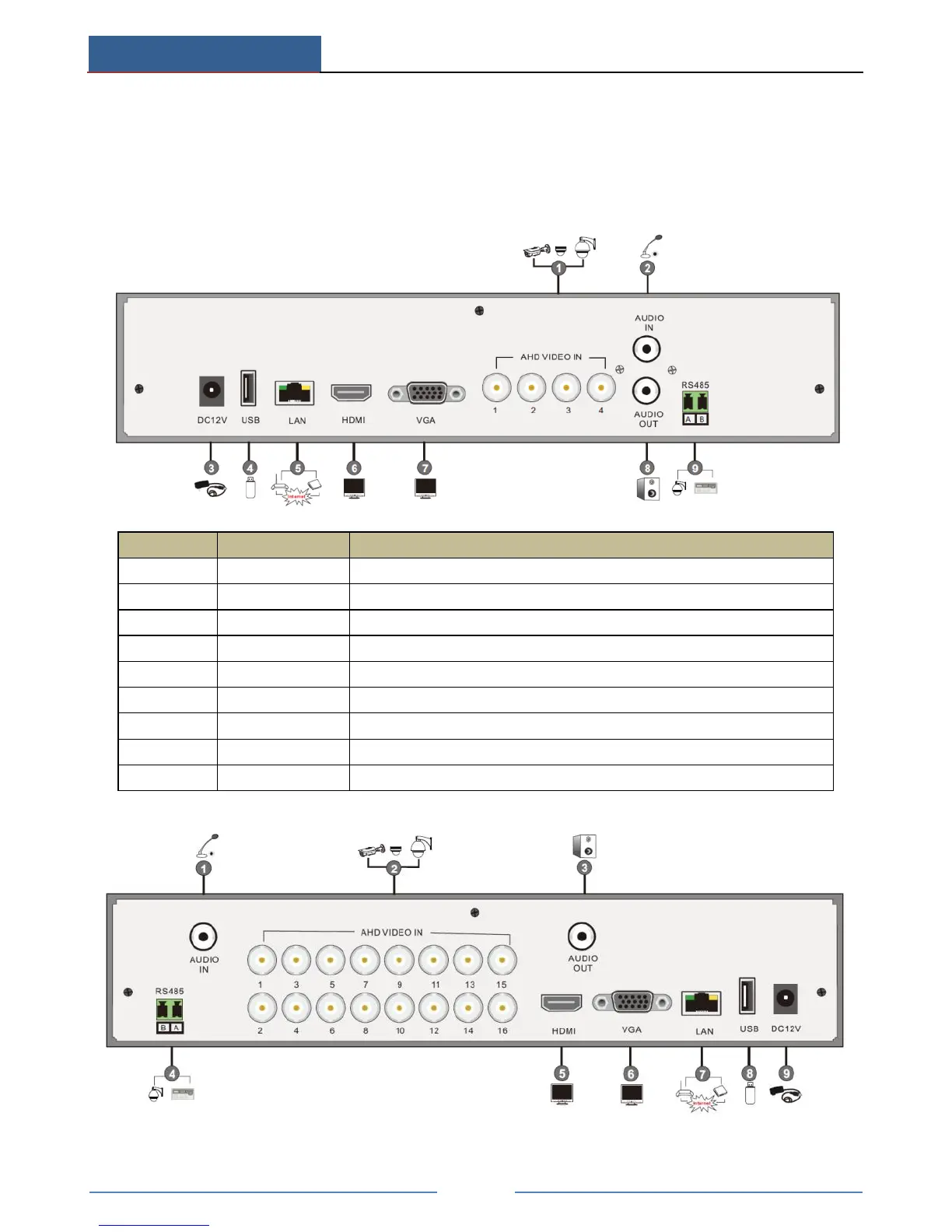
1.3 Rear Panel Descriptions
Here we only take a part of real panels for example to introduce their interfaces and
connections. The interfaces and locations of the interfaces are only for references. Please take
the real object as the standard. The adjacent odd and even channels must be connected to the
same video source.
Audio input; connect to audio input device, like microphone, pickup, etc
Connect USB storage device or USB mouse
Connect to high definition display device
Audio output; connect to sound box
Connect to keyboard or speed dome. A is TX+; B is TX-



 To Next Page