【Refresh】: Refresh the current online user.
【Disconnect】: Set the time, choose the online user and click “Disconnect” button. Then this
user will be prohibited accessing the device within the set time. After that time, the user can
access the device by clicking “Refresh” button or logging in again.
13.1.3 Logoff
If you want to change the login account, you can click Main MenuLogoff.
13.2 Disk Management
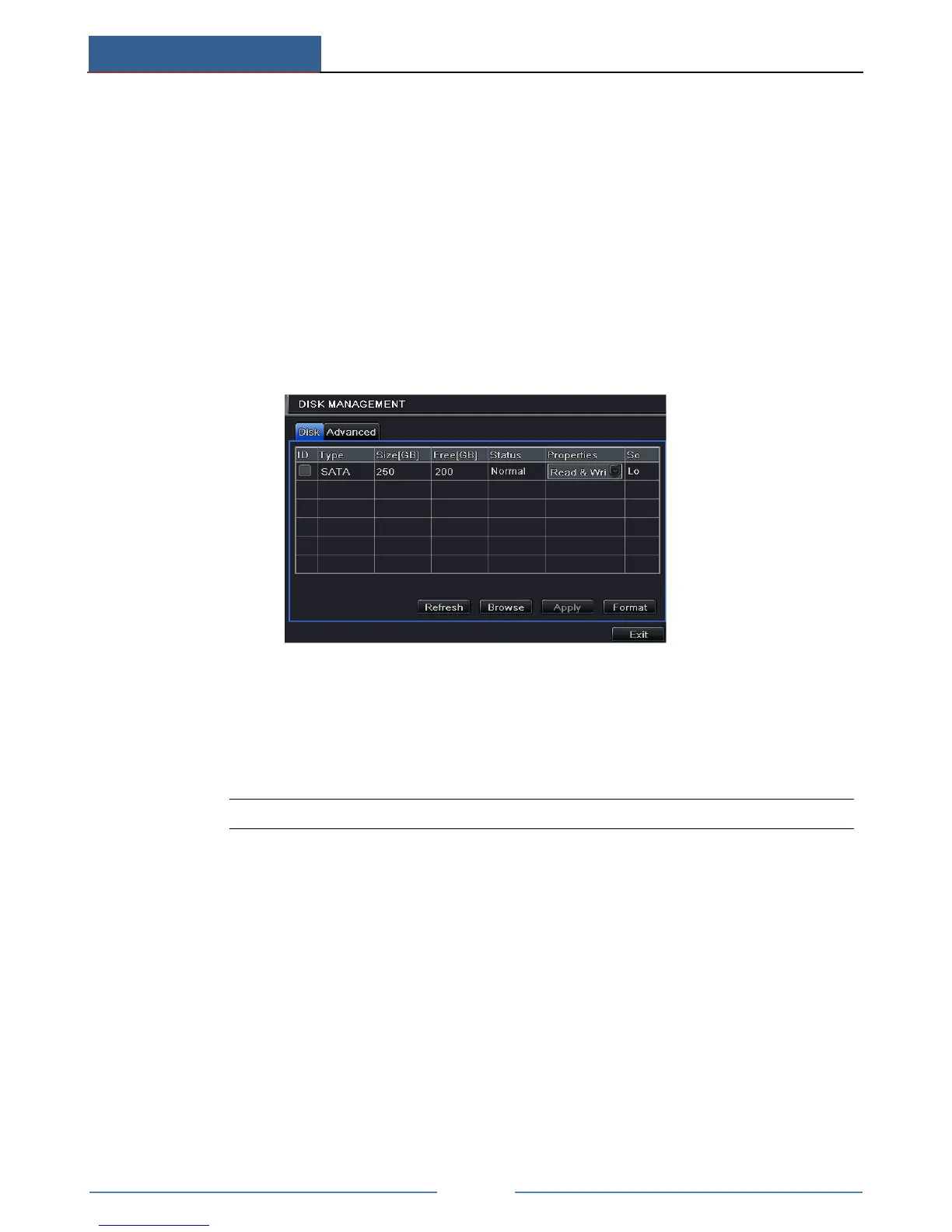
Click Main MenuDisk Management to go to disk management as shown below.
To format the disk:
① Go to disk management interface.
② Click “Refresh” button to refresh the disk information in the list box.
③ Select a hard disk and click Format button to start format.
Note: All recorded files in the hard disk will be lost after formatting.
To check other information of disk:
After you go to Disk ManagementAdvanced tab, you can check model, S/N, firmware,
health status of the disk in this interface. You also can monitor the temperature, internal circuit,
dielectric material of the disk, analysis the potential problems of the disk and warn so as to
protect its data.
13.3 View Information
Go to Main MenuInformation interface as shown below. In this interface, you may check
the information of system, event, log, network, online users, record and QRCODE.



 To Next Page