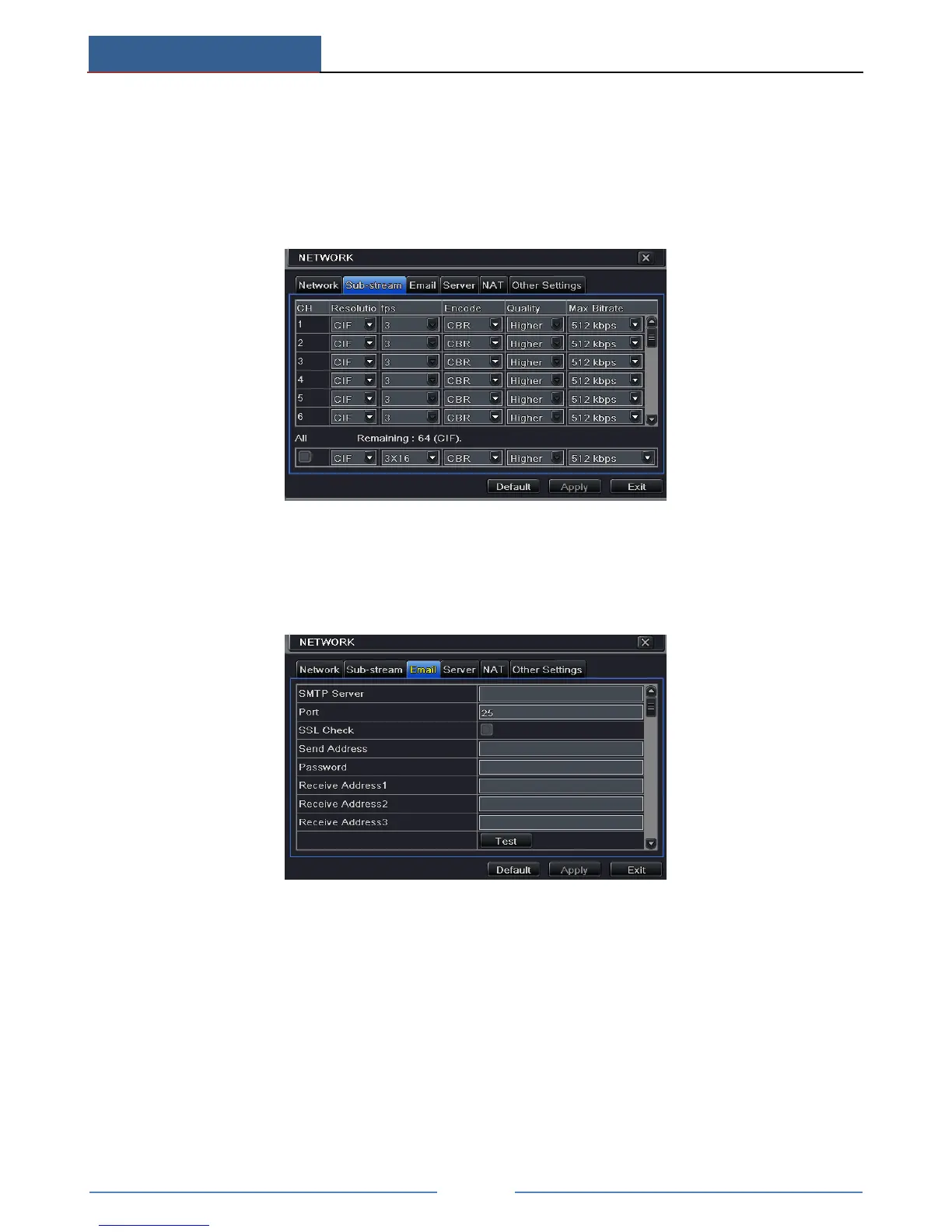
11.2 Sub Stream
To set up sub stream:
① Go to Main MenuSetupNetworkSub Stream interface.
② Select fps, resolution, quality, encode and max bit rate.
③ Select “All” to set the same settings for all channels.
11.3 Email
To set up Email:
① Go to Main MenuSetupNetworkEmail interface.
② Set SMTP Server and port.
SMTP Server/Port: The name and port number of SMTP server. You can set up SSL check
(such as Gmail) according to actual needs.
③ Set sender’s address and password.
④ Set receiver’s email address and click “Test” button to test the validity of the mailbox.
Attaching image: If selected, the system will attach images when sending emails.
11.4 Server
This function is mainly used for connecting ECMS/NVMS. The setting steps are as follows:
① In the server interface, select “Enable” as shown below.



 To Next Page