Checkmark camera name and time stamp. Click “Setting” button to set the position of
the stamp. You can drag the camera name and time stamp at random positions. Refer to
below figures:
Before drag After drag
⑤ Set recycle record. Go to Recycle Record tab. In this tab, it allows to recycle the HDD
space once it is full. If enabled, the system will automatically delete the old records and
recycle the space if it is completely utilized.
6.2 Manual Record
A menu toolbar will display by right clicking in the live view mode. Then click button to
start recording.
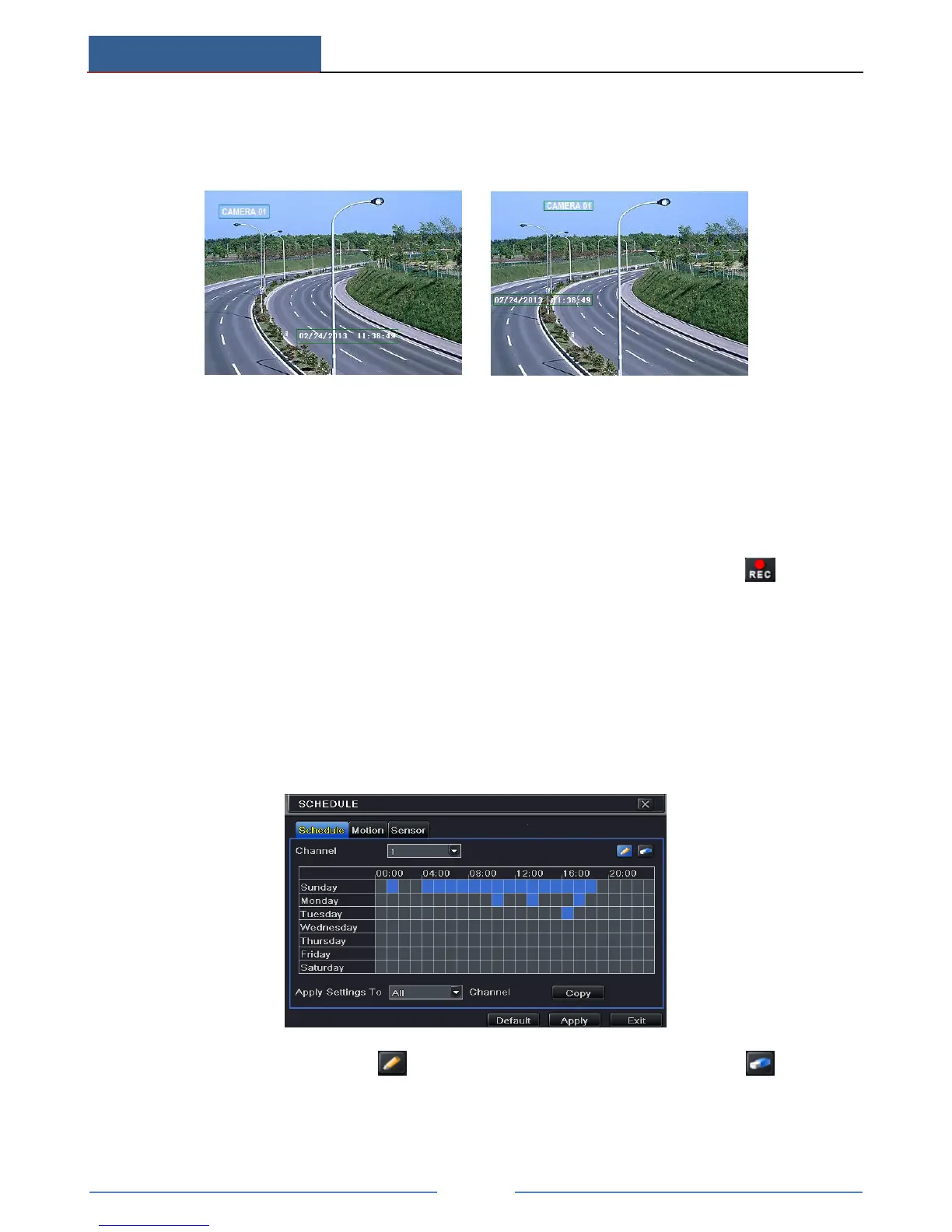
6.3 Schedule Recording
The system allows defining schedule for normal recording for seven days of a week, 24 hours
of a day. Every row denotes an hourly timeline for a day. Click the grid to do relevant setup. A
highlighted area denotes selected timeline. Operate the following steps to set schedule:
① Go to Main MenuSetupSchedule interface.
② Select channel and click button to add a certain day schedule. Click button to
delete the selected schedule.
If you want to apply the schedule setting of a certain channel to other or all channels, you need
to select channel and click “Copy” button.



 To Next Page