13 Device Management
13.1 User Management
13.1.1 Add, Delete & Modify User
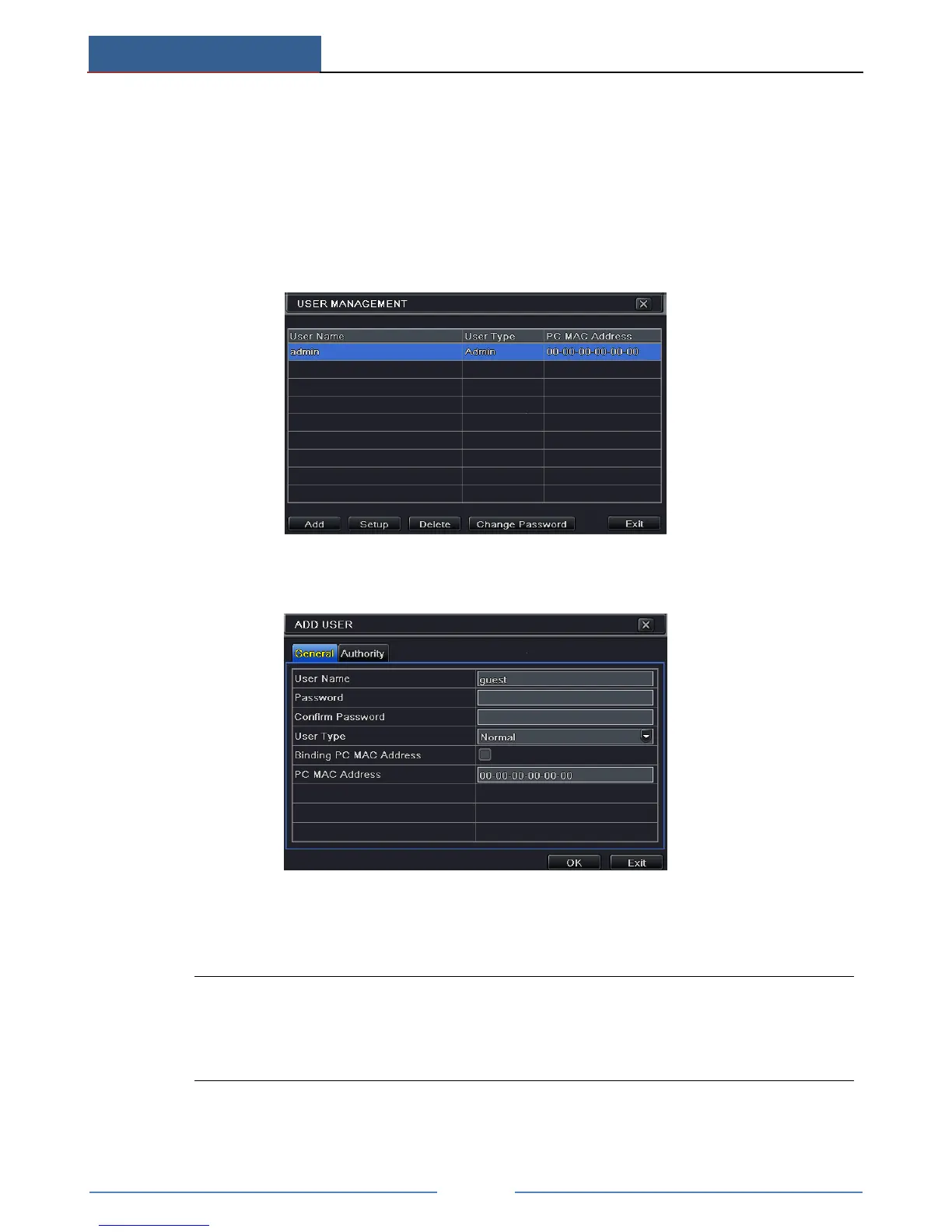
To add user and set up user authority:
① Go to Main MenuSetupUsers.
② Click Add button to display a dialog box as below.
③ In General tab, input username, password and select user type. You can also check
“Binding PC MAC Address” and input this address.
Note: When the default value of binding PC MAC Address is 0, the user is not bound
with the specified computer. If the bind option is used, the user would be able to log
into the AHD Hybrid DVR only through the specific computer (carrying the MAC
address).
④ Click “OK” to save the setting.
⑤ Select Authority tab and then assign the operation rights for particular user.



 To Next Page