5 Add IP Cameras
This chapter mainly introduces how to connect multiple IP cameras through AHD Hybrid DVR.
Once you finish adding IP cameras, you can see the live images through the monitor of the
AHD Hybrid DVR.
To add IP cameras via LAN:
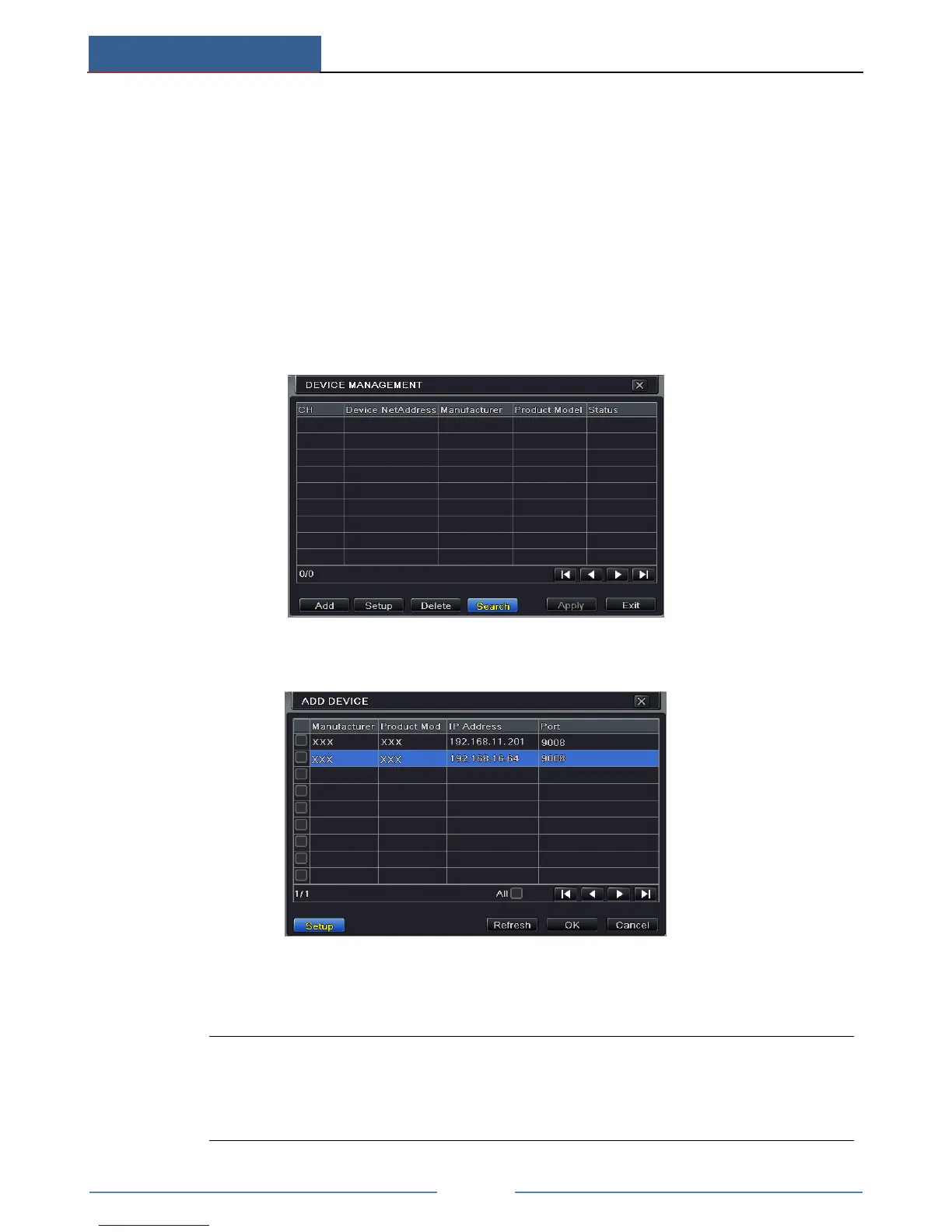
① Please go to Main MenuIP Camera tab. Click “Search” button to search the devices in
the same local network. (The IPC which supports the Onvif protocol may be added
manually.)
② Go to the search tab. Click “Refresh” to refresh the searched devices.
If the IPC is not in the same local network, you can select the device and click “Setup”
to modify the IP address of the searched device.
Note: If the network of IP cameras and AHD Hybrid DVR are in LAN, their IP
address must be in the same network segment. For example: If the IP address of AHD
Hybrid DVR is 192.168.011.007, the IP address of IP camera must be
192.168.011.XXX.



 To Next Page