Zoom in: Single channel large screen electronic amplification. Click the channel which
needs to be zoomed. Right click to select zoom in button to zoom in the image. Double click
or right click to exit.
14.5 Remote Playback & Backup
Remote Playback
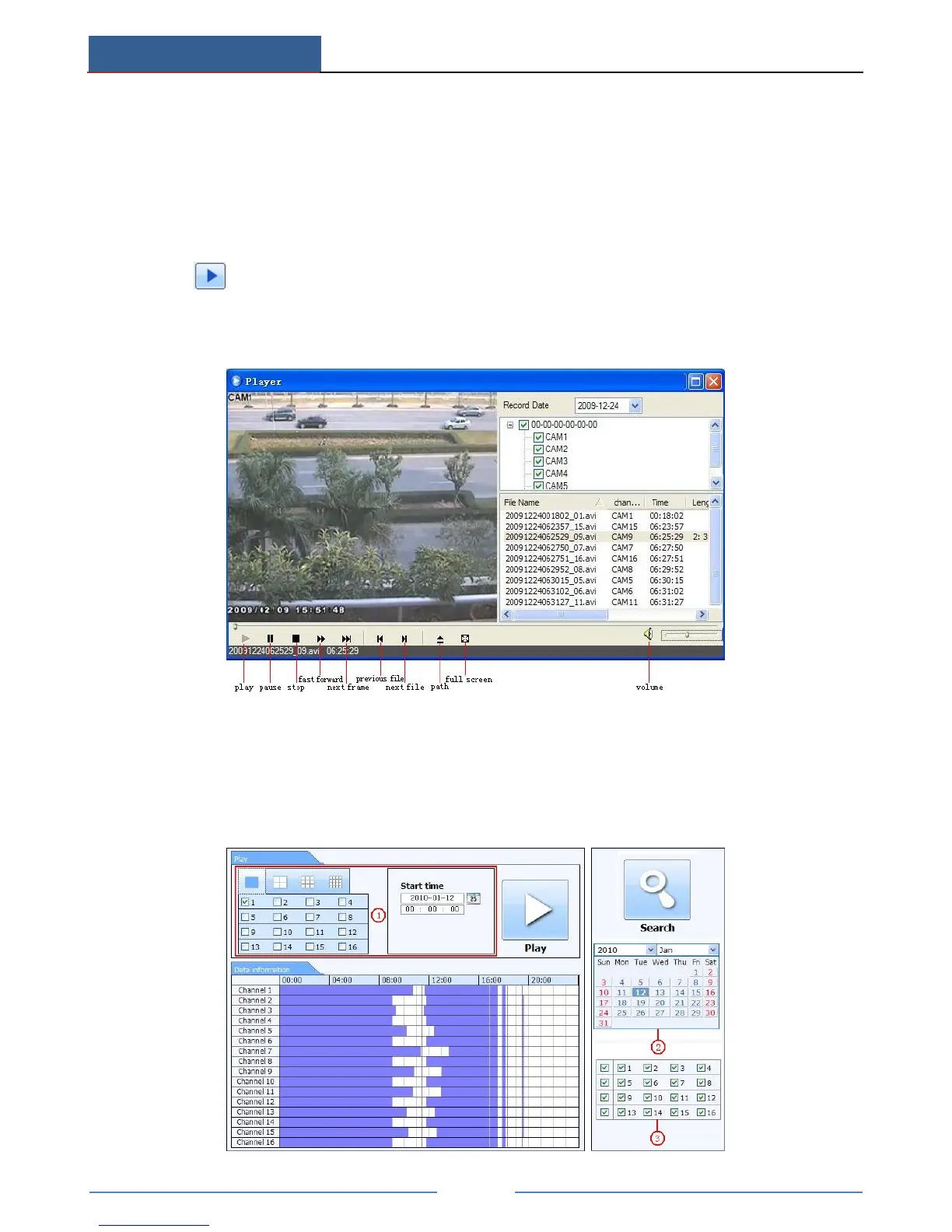
Click button to go to record playback interface.
Select the record date and channels and double-click the file name in the record file list box.
Then you can play that file and preview the picture.
This device supports remote time search, event search and file management.
By Time Search:
Go to SearchTime Search.



 To Next Page