Show Wizard: If selected, the GUI would launch the startup wizard on every boot, allowing
the user to do basic setup.
No Image When Logout: If selected, there will be no image showing when logging out.
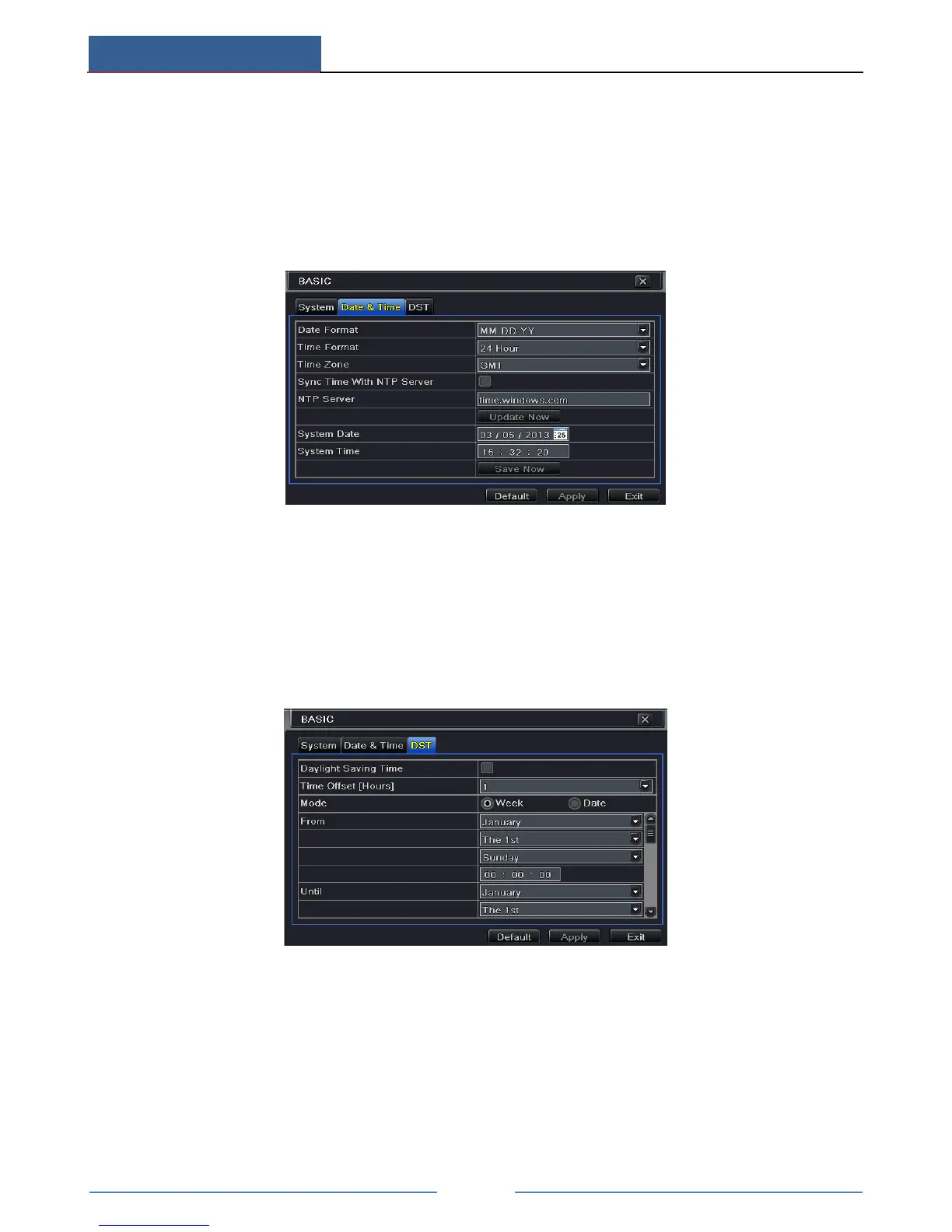
12.1.2 Time & Date
① Go to Main MenuSetupBasicDate & Time interface.
② Set the date format, time format, time zone in this interface; checkmark “Sync time with
NTP server” to refresh NTP server date. You can also adjust system date manually.
③ Click “Apply” button to save the setting.
12.1.3 DST
① Go to Main MenuSetupBasicDST interface.
② In this interface, enable daylight saving time, time offset, mode, start & end
month/week/date, etc.
③ Click “Apply” button to save the setting.
12.2 Advanced Settings
Advanced configuration includes three submenus: reset, import/export and Block/Allow list.



 To Next Page