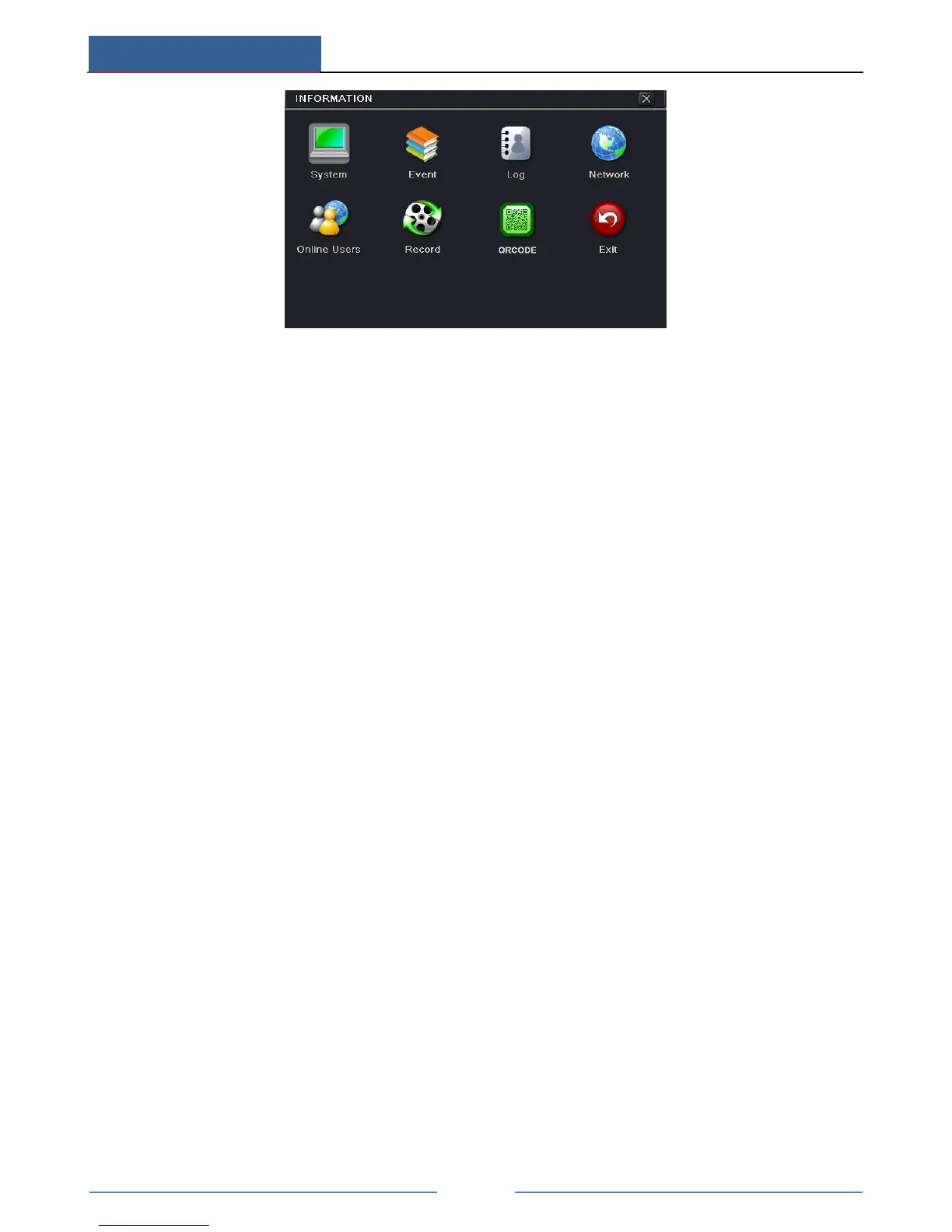
Click “System” to check the hardware version, MCU version, kernel version, device ID, etc.
Click “Event” to search for events like motion, sensor and video loss. The utility provides an
interface to have a date based and a channel based search. This report can further be saved on
a USB flash drive as an html file using the export button.
Click “Log” to search for relevant logs as per set date and event which include Operation,
Setup, Playback, Backup, Search, Check Information and Error. This report can further be
saved on a USB flash drive as an html file using the export button.
Click “Network” to check relevant parameters of network.
Click “Online Users” to check the details of the connected online users.
Click “Record” to check resolution, ftp and record status including sensor alarm recording,
motion recording, manual recording or schedule recording.
Click “QRCODE” to check the QRCODE. You can quickly access the mobile client by
scanning QRCODE.
13.4 Shutdown
Click Main MenuShutdown to pop up a system shutdown window. Click “OK” to confirm
shutdown.
13.5 Upgrade
At present, it only supports USB update. Get the software from your vendor when there is a
new software version.
The setting steps are as follows:
① Copy the upgrade software which gets from vendor into the USB storage device.
② Connect the USB flash drive to the USB port.
③ Go to Main MenuUpgrade tab. You will see the upgrade software name displaying in
the upgrade list box.
④ Select that software and then click Upgrade button. The system will be upgraded
automatically.



 To Next Page