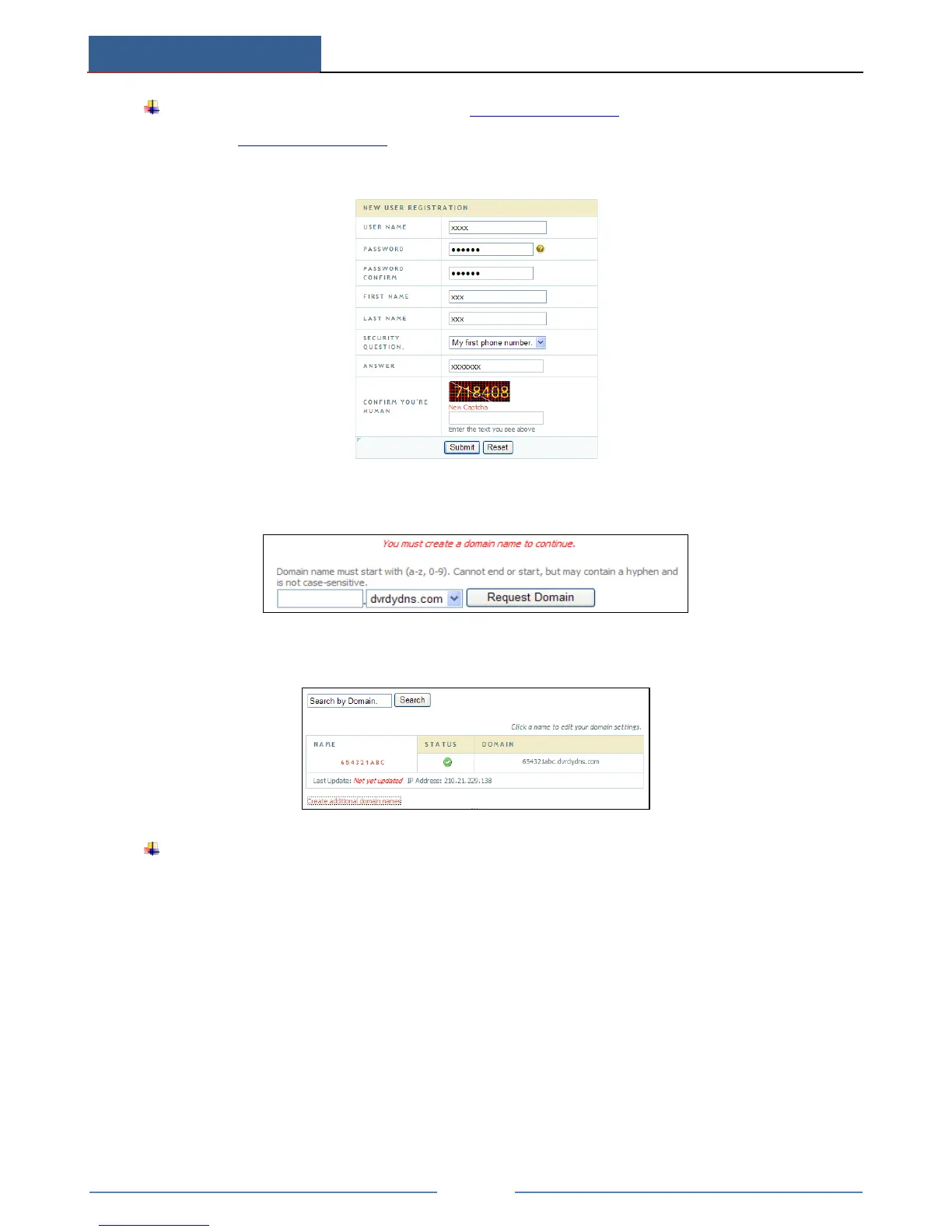
Domain name Registration (Take www.dvrdydns.com for example)
① Input www.dvrdydns.com in the IE address bar to visit its website. Then click
“Registration” button to register as shown below.
② Create domain name.
③ After you successfully request your domain name, you will see your domain in the list.
Application
① Go to Main MenuSetupNetworkOther Settings, checkmark DDNS, select
“dvrdydns” at the DDNS Sever pull down list box and input user name and password.
② Map the server port and IP address in the router (if the user enables UPnP function, he
can skip this step). Click Save button to save the setting.
③ Login IE browser and input registered domain name “http://www.xxx.dvrdydns.com”,
connect to the IE client.



 To Next Page