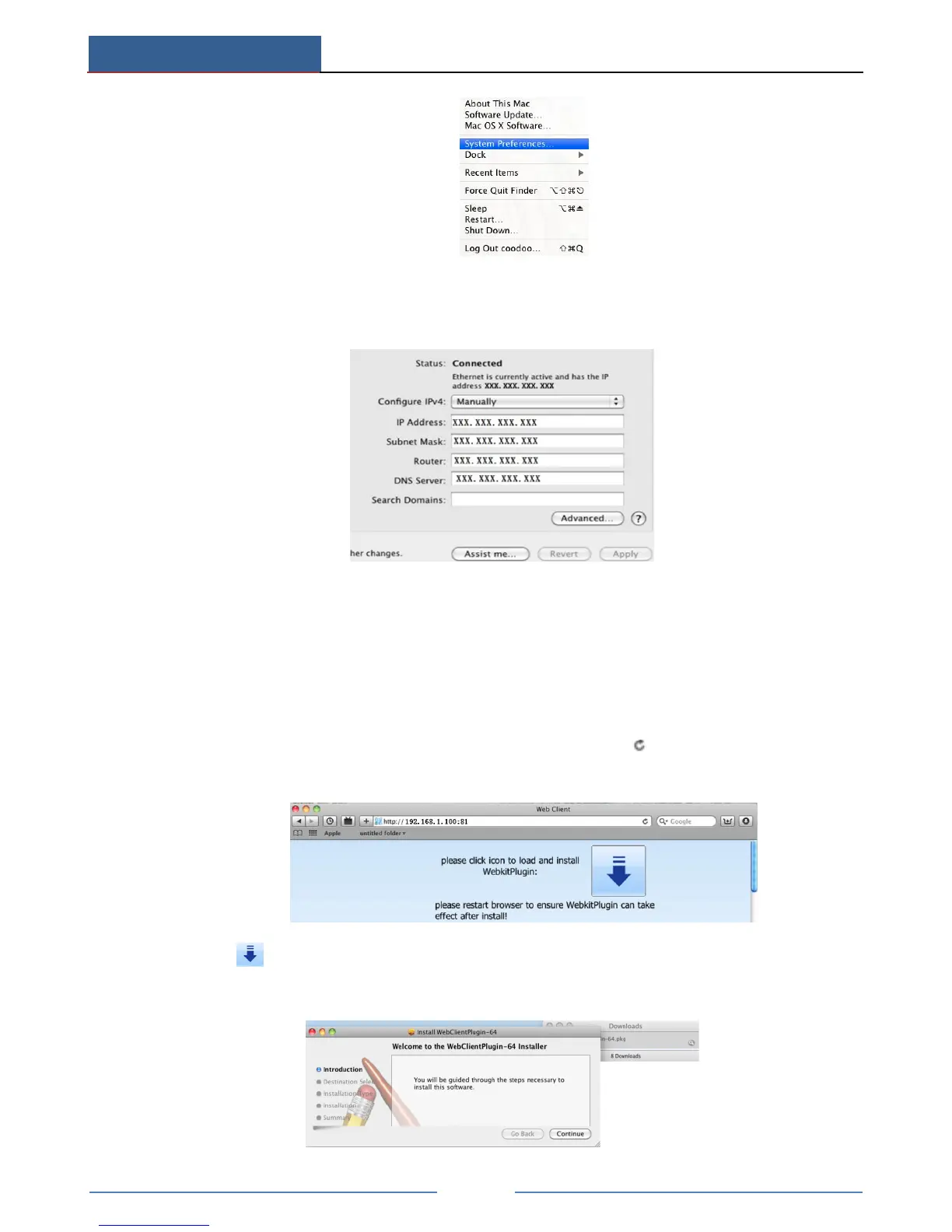
② Go to Network interface and then click “Ethernet Connected” to check the internet
connection of Apple PC.
③ After acquiring the IP address, Subnet Mask and so on, please go to Main
MenuSetupNetwork interface to manually input IP address, Subnet Mask and
Gateway according to the configuration of PC. The network segment should be the same
as the PC. If using DHCP, please enable DHCP in the DVR and router.
④ After the above information is completed, you can enter LAN IP and http port in the
Safari browser. For example: input http://192.168.1.100:81(here 192.168.1.100 is LAN
IP of DVR, 81 is the http port of the device), and click “ ”button. Then the browser
will download Active X control as shown below:
⑤ Click icon and then select the Active X control, the welcome interface will be
shown. Click “Continue” “Install” button, the following window will pop up:



 To Next Page