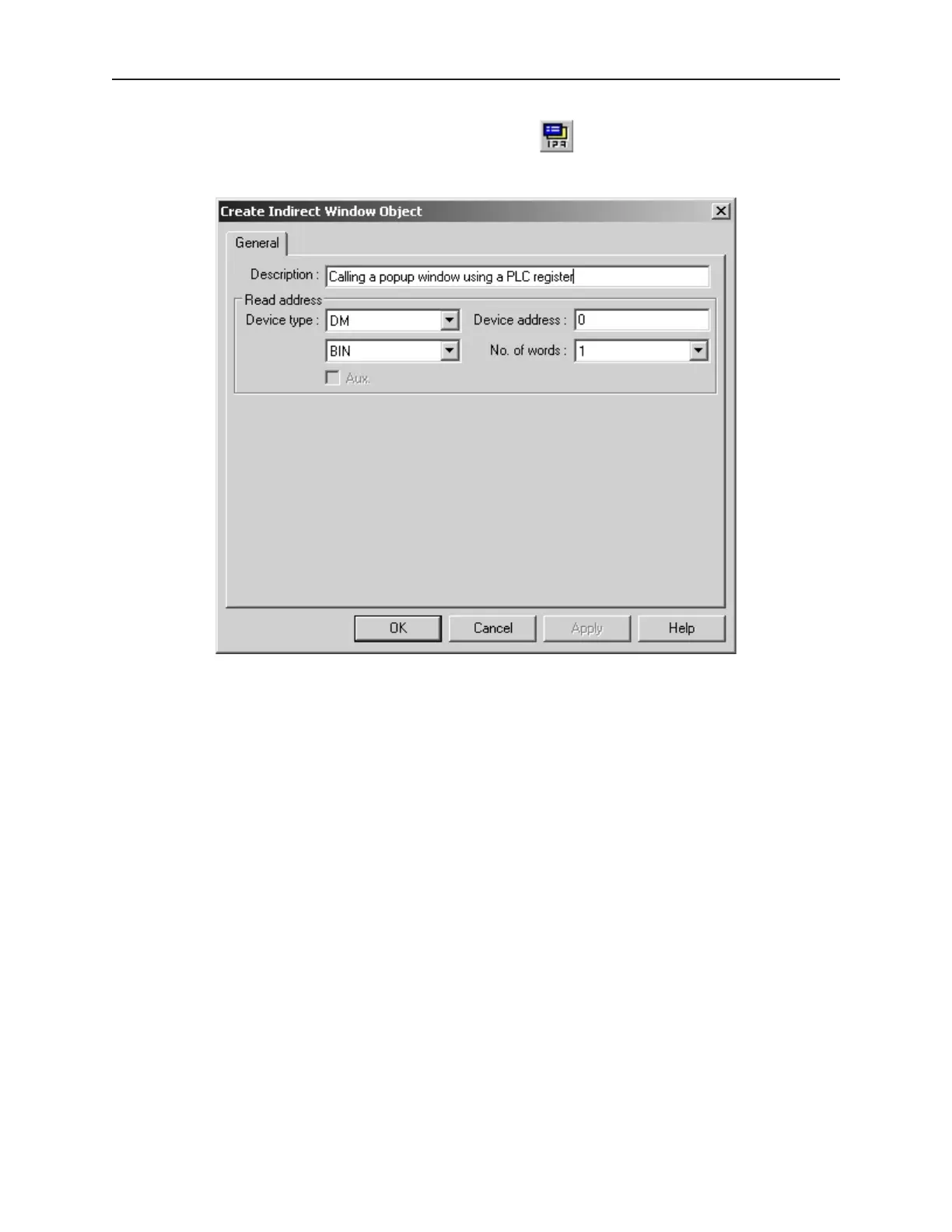
4To call a popup window using the Indirect Window Object
1. From the Parts menu, select Indirect Window. The Create Indirect Window Object dialog
box appears.
2. In the General Tab, select the PLC address according to Device Type and Device Address.
3. Select BIN or BCD format.
4. No. of Words is currently set to 1 and cannot be changed. This represents a 16-bit PLC data
register.
5. Click OK to return to the main screen of EasyBuilder. The mouse cursor will have a square
object that represents the size of the popup window.
6. Place the Indirect Window object where you want the popup window to appear.
1010-1001a, Rev 02
Cre ating Win dows 97



 To Next Page