Chapter 12 - Data and Recipe Transfer Objects
Easybuilder includes a Data Transfer object and a Recipe Transfer object, which enable data to be copied from one
or more registers located in the PLC or the OIT to other registers. The Data Transfer object is used to continuously
transfer data at a predefined rate. The Recipe Transfer object is a touch screen object that transfers data when
activated by the OIT operator.
Us ing the Data Trans fer Ob ject
In some projects you create, you may need to transfer large blocks of data from PLC/OIT registers to other
PLC/OIT registers. The Data Transfer Object is used to copy data from one or more PLC registers or HMI internal
memory to other registers continuously on a timed interval. There is no limit to the number of Data Transfer
Objects that you can create other than the HMI’s available memory. Each Object created can transfer from 1-16
continuous registers or 1-255 coils.
4To create a Data Transfer Object
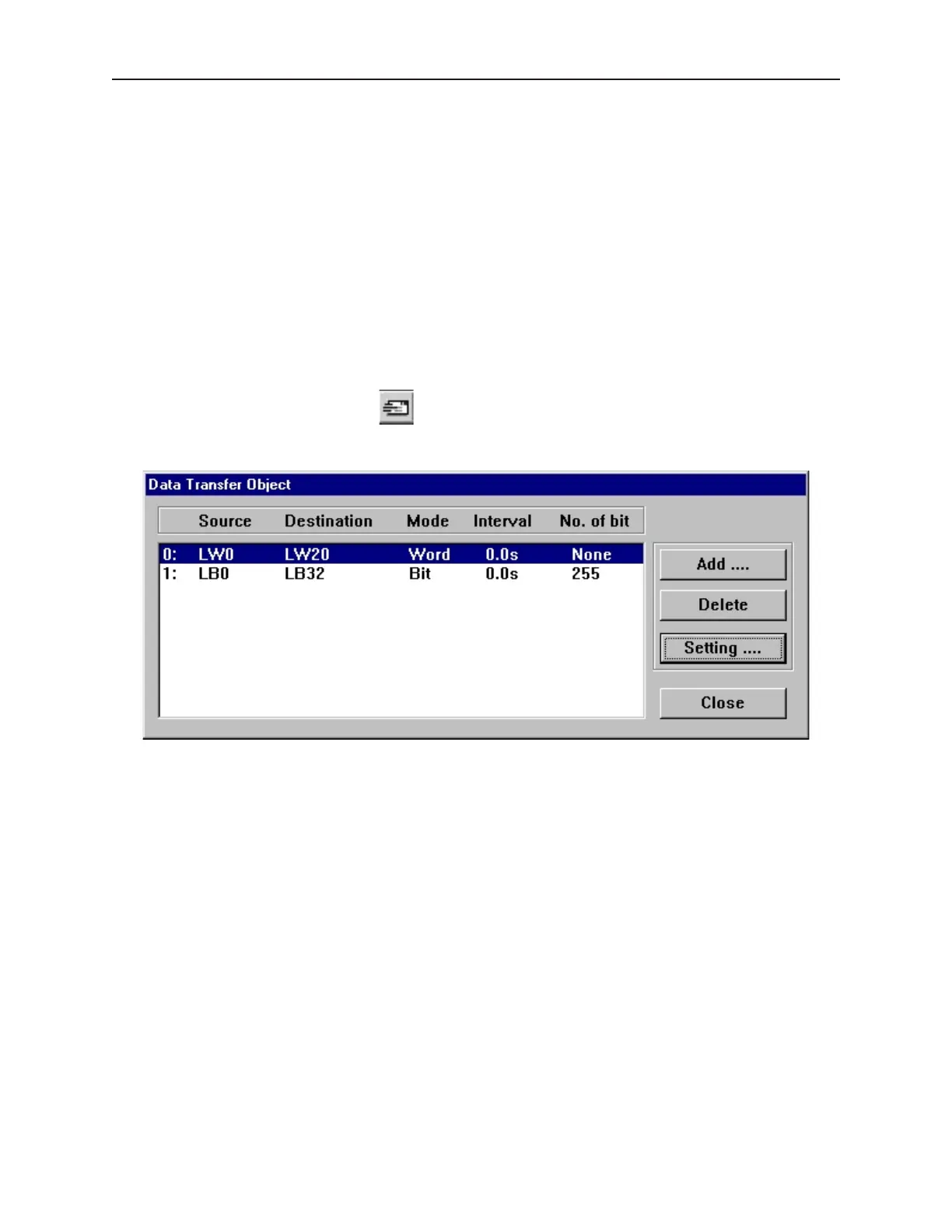
1. From the Parts menu, click Data Transfer. Or click the Data Transfer icon in the Draw
toolbar. The Data Transfer Object dialog box appears.
1010-1001a, Rev 02
Data and Rec ipe Trans fer Objects 239



 To Next Page