Cre ating Trend Dis plays
The Trend Display Object is used to sample the data in a single or multiple 16-bit PLC registers and plot this data on
a time graph. You can configure the Trend Display as a single page or with multiple pages that can be viewed by
scrolling through the pages. The sampling rate and number of plots per page can be customized per trend graph.
You can display a maximum of 16 channels with varying colors to distinguish the channels. Finally, a hold feature
allows you to ‘freeze’ the graph and/or clear the graph.
4 To create a Trend Display Object
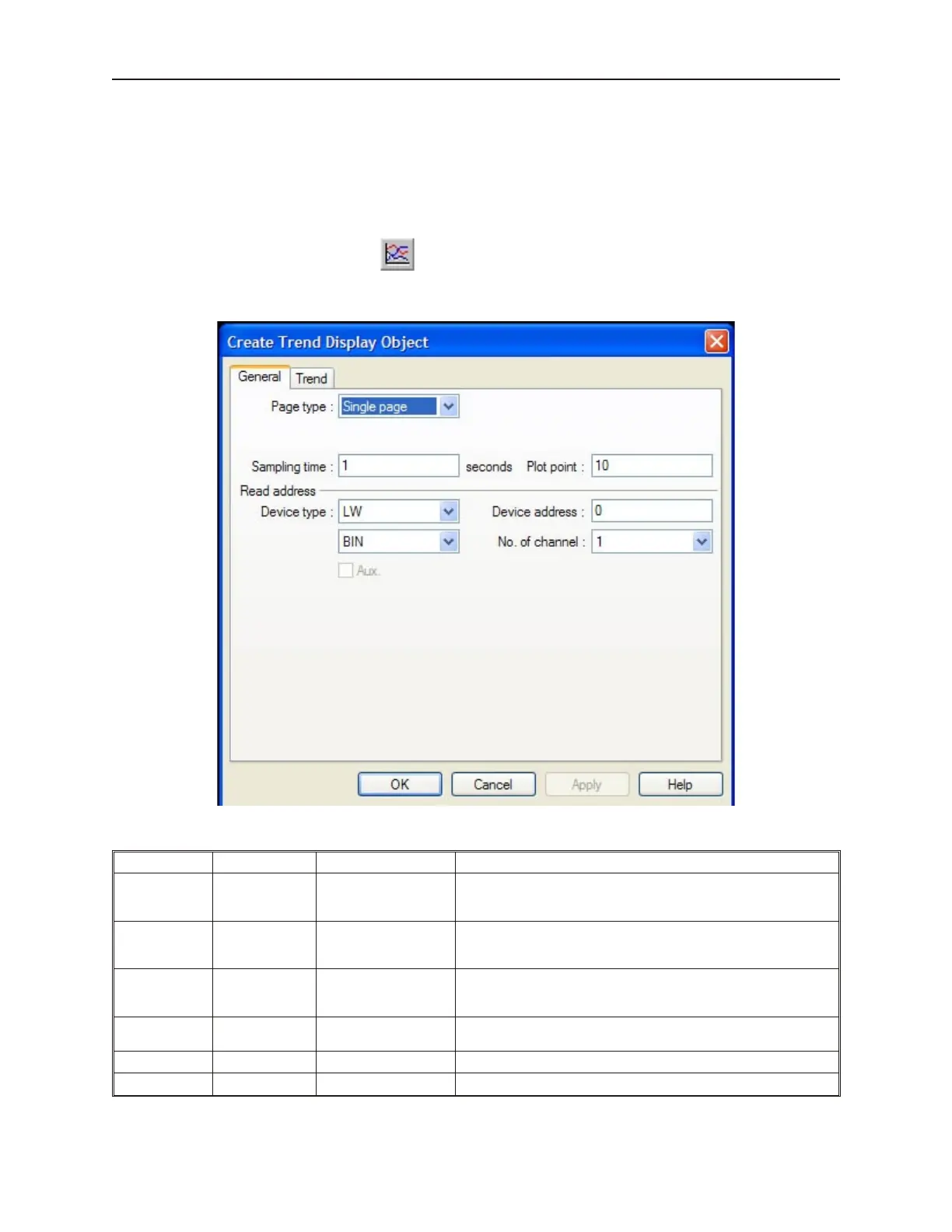
1. From the Parts menu, click Trend Display. Or click the Trend Display icon in the Part2
toolbar. The Create Trend Display Object dialog box appears.
2. In the General frame, select the following attributes:
Function Attribute Range Description
Page Type:
Single page or
Multiple pages
Select Single page or Multiple pages. Multiple pages configure
the trend display as a ‘window’ to the trend graph in which different
segments can be viewed by scrolling.
No. of page: 1 to 31
Available if Multiple pages is selected. You can select the
number of pages you wish to view. Select 1 if you want to view a
single page only but with the hold feature enabled.
Hold style:
Hold trend display or
Hold trend display &
clear
Available if Multiple pages is selected. Select Hold trend display
to have the option of freezing the display. Select Hold trend
display & clear if you want to clear the display.
Attribute:
Start from left or Start
from right
Available if Multiple pages is selected. Option for where plotting
begins.
Sampling time: 1 to 65535 (seconds) Time interval between sampling and plotting of data
Plot point: 10 to 255 Number of times that a sampling occurs per page.
1010-1001a, Rev 02
218 Sil ver Se ries In stal la tion & Op er a tion Man ual



 To Next Page