7. Right-click to Copy, Paste, or Clear a character.
8. After you are satisfied with the changes made, click Save from the File menu.
It is generally good practice to copy the font files to backup files before you make any
changes so that you can restore them later, if necessary.
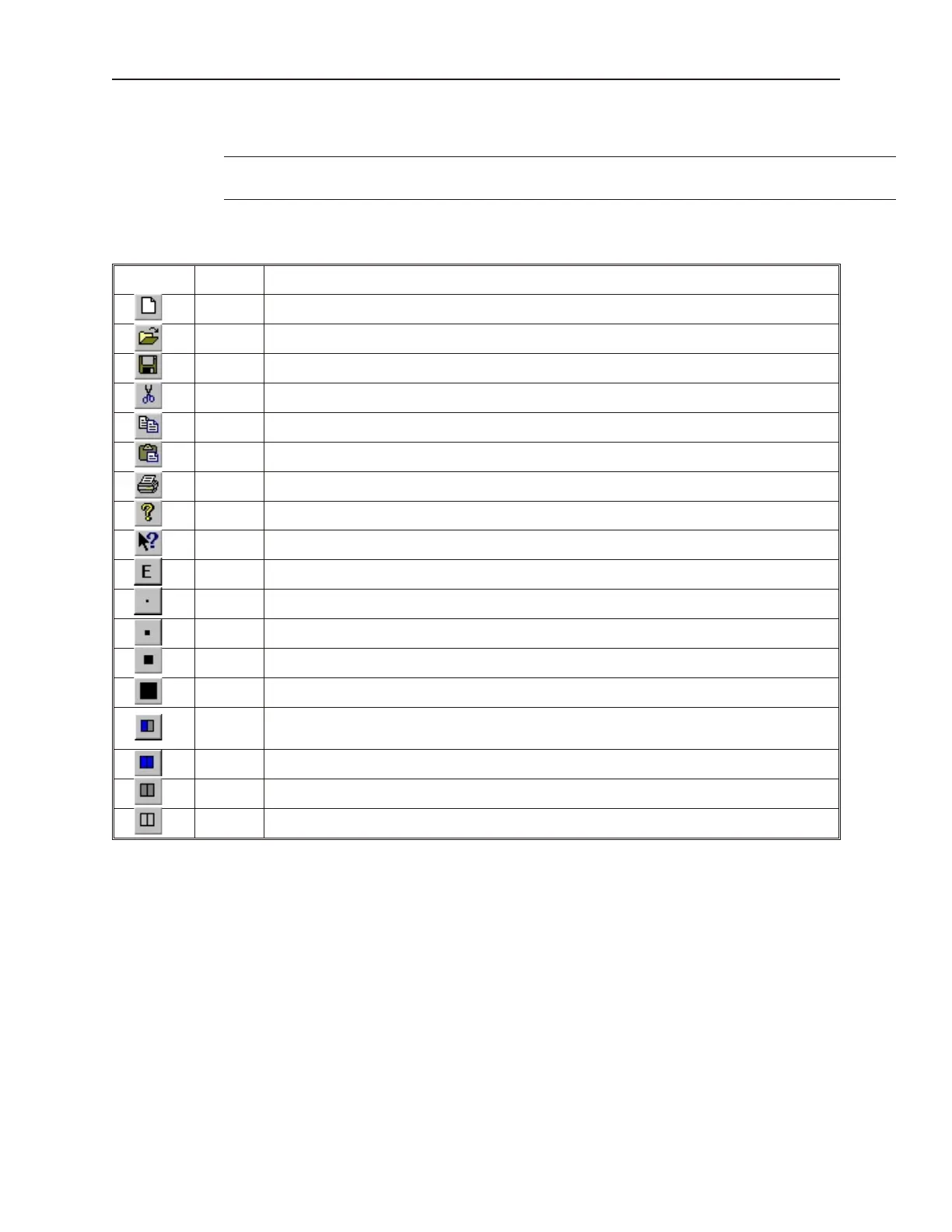
The table below describes the use for each icon on the toolbar.
Icon Name Description
New Starts a new font file.
Open Opens an existing font file.
Save Saves the font file.
Cut Not currently used. Right click on any character to copy, paste, or clear it.
Copy Not currently used. Right click on any character to copy, paste, or clear it.
Paste Not currently used. Right click on any character to copy, paste, or clear it.
Print Not currently available.
About Used to show the version of EasyASCIIFontMaker.
Help Not currently available.
Edit Puts the application into Edit mode so that characters can be modified.
View x1 Shows how the characters look in various Zoom modes.
View x2 Shows how the characters look in various Zoom modes.
View x3 Shows how the characters look in various Zoom modes.
View x4 Shows how the characters look in various Zoom modes.
Toggle
In Edit mode, using this format allows you to click once to fill a square in the character block. Click
again to clear the square.
On In Edit mode, this format always fills a square when it is clicked.
Off In Edit mode, this format always clears a square when it is clicked.
None Use this format to ensure that no characters are changed.
The EasyBuilder Ap pli ca tion
This section guides you in how to operate the EasyBuilder application. However, it does not show you how to
program your OIT or how to create graphics objects. These topics are reserved for later chapters. This section
shows the fundamental operation of EasyBuilder from saving files, printing projects, and selecting the target PLC to
showing how graphics objects can be easily manipulated in the EasyBuilder work area. When you have completed
this chapter, you will be better able to use the features that are explained in later chapters.
1010-1001a, Rev 02
38 Sil ver Se ries In stal la tion & Op er a tion Man ual



 To Next Page