The EasyASCIIFontMaker
The EasyASCIIFontMaker application allows you to modify the text font characters that are supplied with
EZware-500. This feature of the Silver Series OITs enables you to create any special text characters that you may
need. In fact, you can even create an entirely new font.
EasyBuilder’s De fault Text Fonts
EasyBuilder uses three font types to display text in eight different font sizes: 8, 16, 24, 32, 48, 64, 72, and 96.
· The Type 8 font is used to display the size 8 font characters. The font characters are stored in a file in the
EZware-500 directory called ASCFONT.8.
· The Type 16 font is used to display the size 16, 32, and 64 font characters. These font characters are stored
in a file called ASCFONT.16.
· The Type 24 font is used to display the size 24, 48, 72, and 96 font characters. These font characters are
stored in a file called ASCFONT.24.
Using the EasyASCIIFontMaker
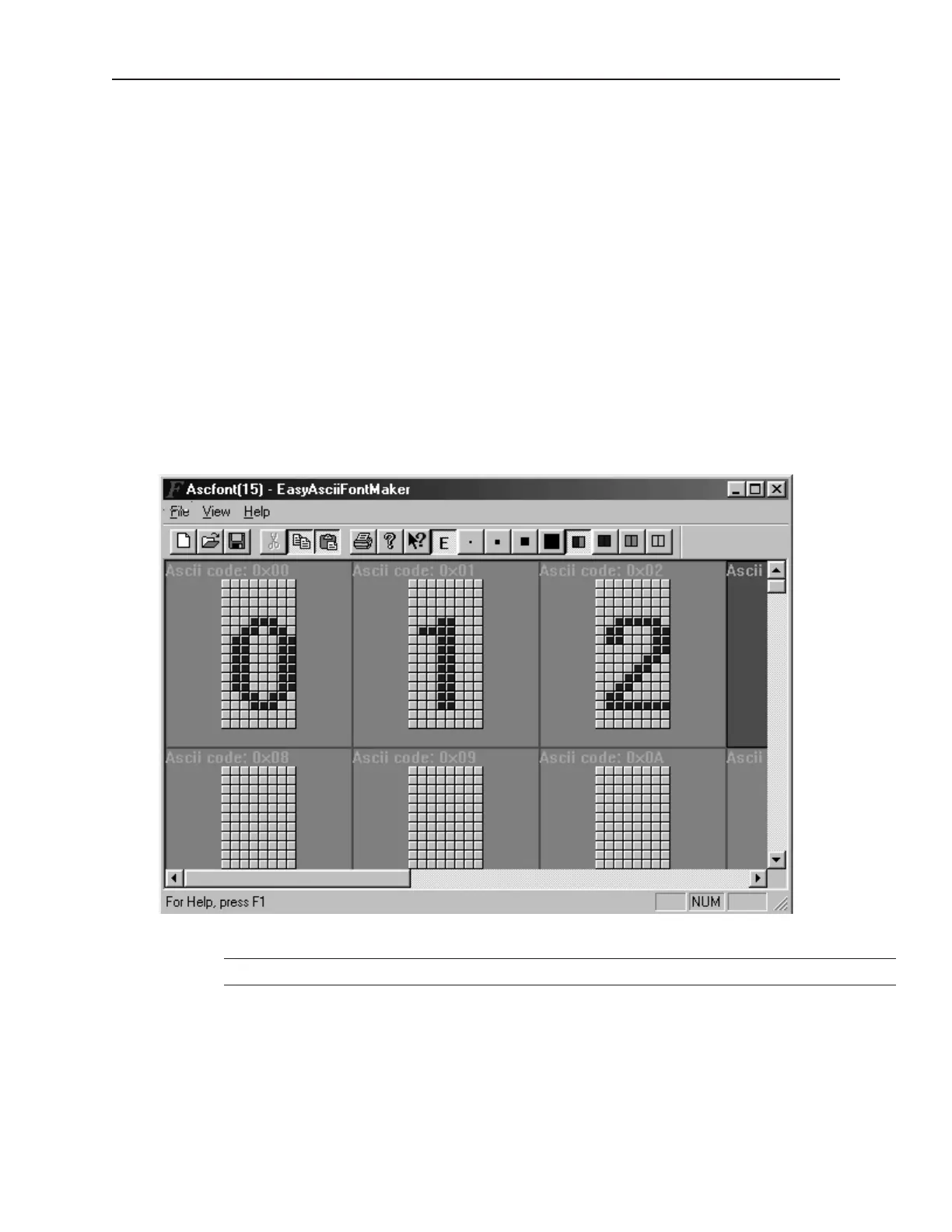
The fol low ing il lus tra tion shows the ASCIIFontMaker ap pli ca tion screen with the ASCFONT.16 file opened:
4To modify a font file
1. Start the EasyASCIIFontMaker application.
You must close the EasyBuilder application before you can modify a font file.
2. Click Open from the File menu. Open the font file you wish to modify.
3. Click Edit from the View menu to place the application into edit mode.
4. Click Toggle from the View menu to be able to modify a character.
5. Click the particular character that you wish to modify.
6. Click on any square with the character block to draw. Clicking the same square again while
in Toggle mode will clear the square.
1010-1001a, Rev 02
Using EZware-500 37



 To Next Page