Clean and deburr the panel cutout before the OIT is installed.
Mount the OIT to the Panel
STEPS:
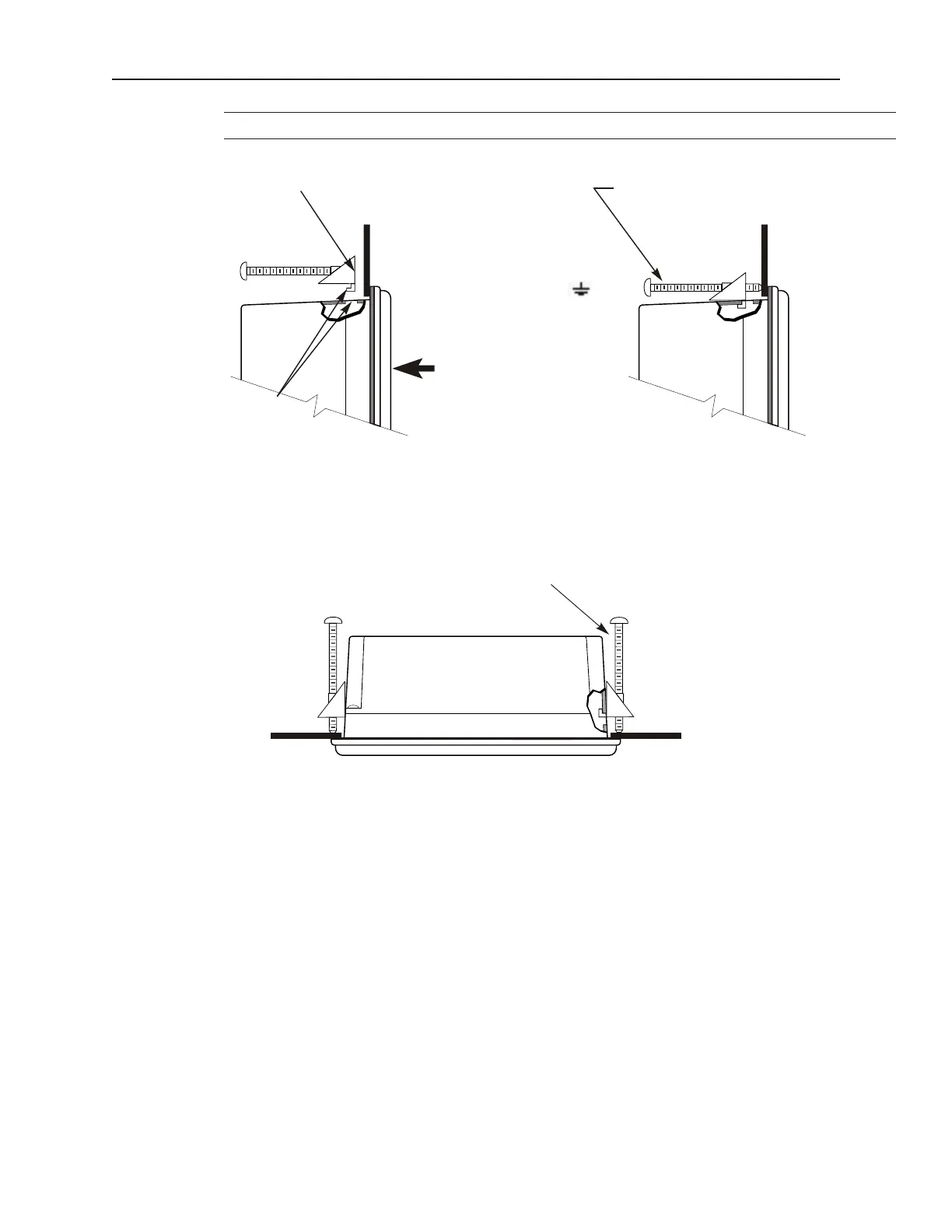
1. Prepare the screw clamps by positioning the metal brackets at the midpoints of the screws. Position the
screws so that the ends don’t protrude from the plastic portions.
2. Set the OIT in the panel cutout and hold it in place until all clamps are in position.
3. Tighten the screw clamps until all are uniformly snug.
CAUTION: Do not over-tighten the screws beyond snugness, or you may damage the housing.
REINSTALLATION: Because the gasket will take a “set” to the panel, be sure to reinstall the OIT to the same
panel cutout when a NEMA 4 seal is required. For best results, also replace the gasket itself.
Con fig u ra tion Wir ing
The OIT must be configured for a particular protocol before use. The EZware-500 software (used on a PC with
Windows 95 or higher) is used for configuring the OIT. For detailed instructions on installing and using the
software, please refer to the software documentation section of this manual.
1010-1001a, Rev 02
14 Sil ver Se ries In stal la tion & Op er a tion Man ual
Screw clamp locking
tabs go through the
slots
Tighten all screw clamps until
they are uniformly snug
Ends of screws must not
protrude from the clamp
Screw Clamp Placement Clamps Tightened
Hold the OIT against
the panel until all screw
clamps are in position
PanelPanel
In stall ing Screws on the OIT
Position 4 screw clamps
(2 each side)
Panel



 To Next Page