Chapter 14 - Using a Printer With the HMI530T/550T
The HMI530/550 models support Epson ESC/P2, SP, and HP PCL/Simple Page Mode printers. The
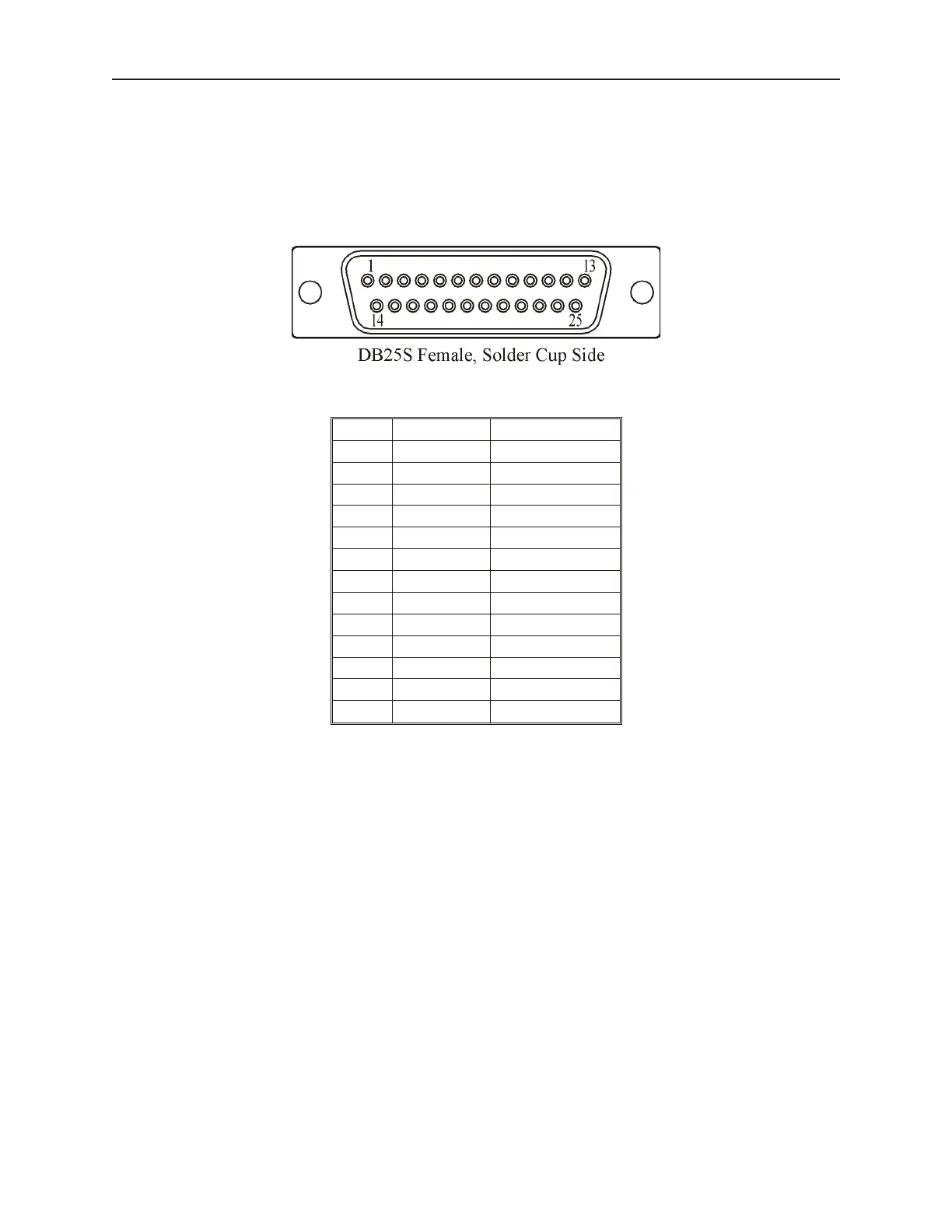
HMI530T/550T provides a standard 25-pin female connector for connection to the printer with the following pin
configuration.
Printer pinout (25p D-Female)
Pin Description In/Out
1 STB OUT
2 DATA0 OUT
3 DATA1 OUT
4 DATA2 OUT
5 DATA3 OUT
6 DATA4 OUT
7 DATA5 OUT
8 DATA6 OUT
9 DATA7 OUT
11 BUSY OUT
15 ERROR IN
16 INIT OUT
17-25 GND –
The HMI504T/HMI520T Models do not support a printer.
Con fig uring the HMI530T/550T for a Printer
1. From EasyBuilder’s Edit menu, select System Parameters.
2. Select the General tab.
3. In the Print area (near the bottom of the dialog box), set the Printer to the desired printer. If
None is selected, no printing will occur.
4. If each printed Event is to have a unique serial number printed with it, check the Print
Sequence Number checkbox.
5. If each printed Event is to have the current time printed with it, check the Print Time Tag
checkbox.
6. In the drop-down list, select how the HMI530T/550T is to handle printer errors:
• No er ror de tec tion: Printer er rors are not de tected, and data is lost.
• Error detection (show message): The HMI displays a printer error message, and the data to
print is buffered until the printer is ready.
• Error detection (set local bit): The OIT sets local bit LB9016, and the data to print is buffered
until the printer is ready. Bit LB9016 is cleared when the printer is ready.
• The Sequence Number and Time Tag options apply only to Event data. Printed Windows will
not have a Sequence Number or Time Tag printed with them.
1010-1001a, Rev 02
Using a Printer with the HMI530/550 261



 To Next Page