4To create a Change Message Board Pen Color key
1. From the Parts menu, select Function Key. The Create Function Key Object dialog box
appears.
2. Click the General tab to display the General form.
3. Click the Message Board option.
4. Click the Set operation mode pull-down box and select Set pen color.
5. Click the Attributes button to select the color you want to use.
6. Click OK to exit the Create Function Key Object dialog box.
7. Place the new touch screen object on the window screen.
When this key is pressed, it will change the color used when a message is written on the board.
Clear the Mes sage Board
Using the Function Key Object, you can program a touch screen object to clear the message board. The touch
screen object can be placed onto the message board or any other window.
4To create a Clear Message Board key
1. From the Parts menu, select Function Key. The Create Function Key Object dialog box
appears.
2. Click the General tab to display the General form.
3. Click the Message Board option.
4. Click the Set operation mode pull-down box and select Clear board.
5. Click the Shape tab to select the shape that you want to use.
6. Click the Label tab to select the label.
7. Click OK to exit the Create Function Key Object dialog box.
8. Place the new touch screen object on the window screen. When this key is pressed, it will
clear any messages written on the message board.
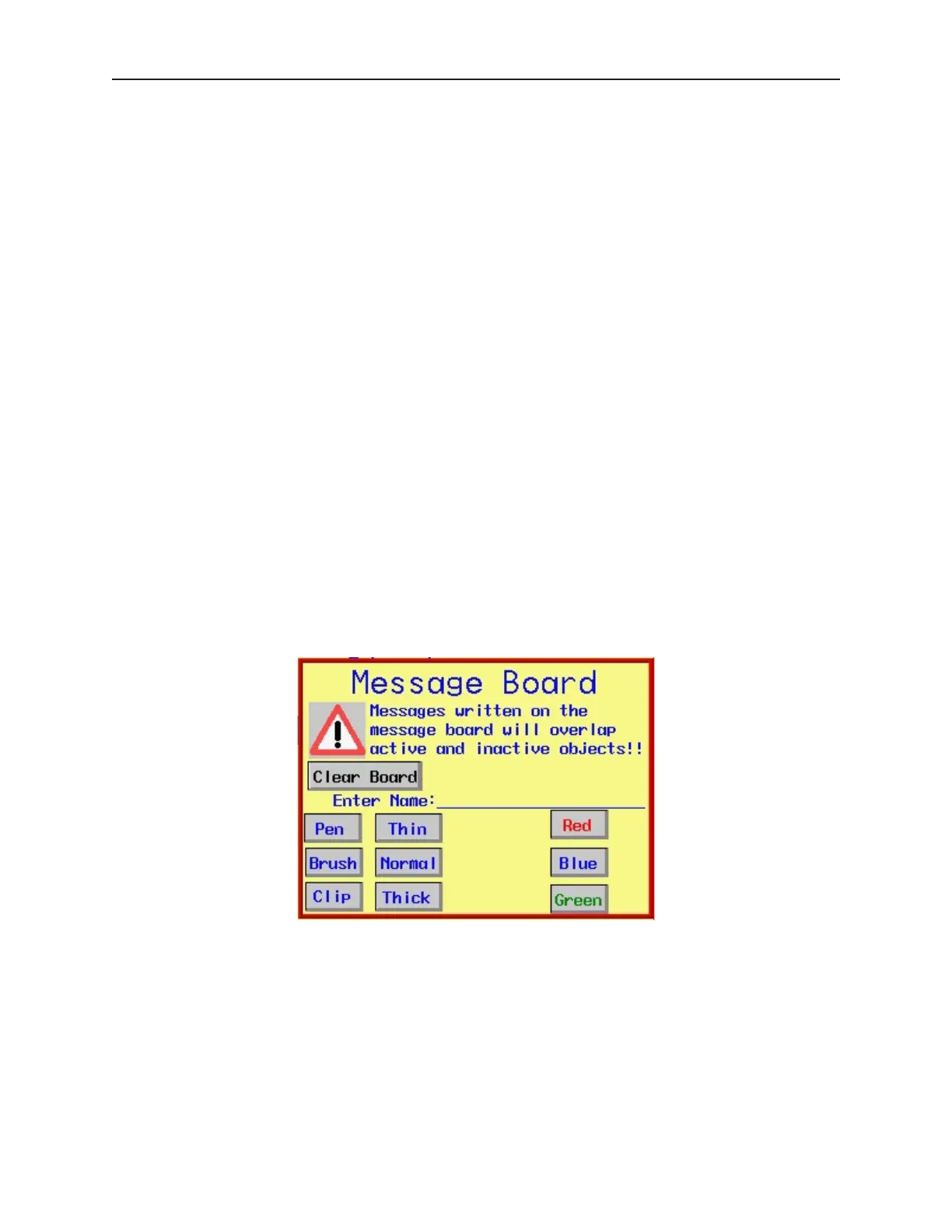
Below is an illustration of how a message board might look with all of the options available on the message board.
In this example, the OIT operator can change the operation mode of the message board by pressing the Pen, Brush,
or Clip keys. The Pen Style can be changed by pressing the Thin, Normal, and Thick keys. The Pen Color is
changed by pressing the Red, Blue, or Green keys. Finally, any messages written on the board by the OIT operator
can be erased by pressing the Clear Board key.
1010-1001a, Rev 02
122 Sil ver Se ries In stal la tion & Op er a tion Man ual



 To Next Page