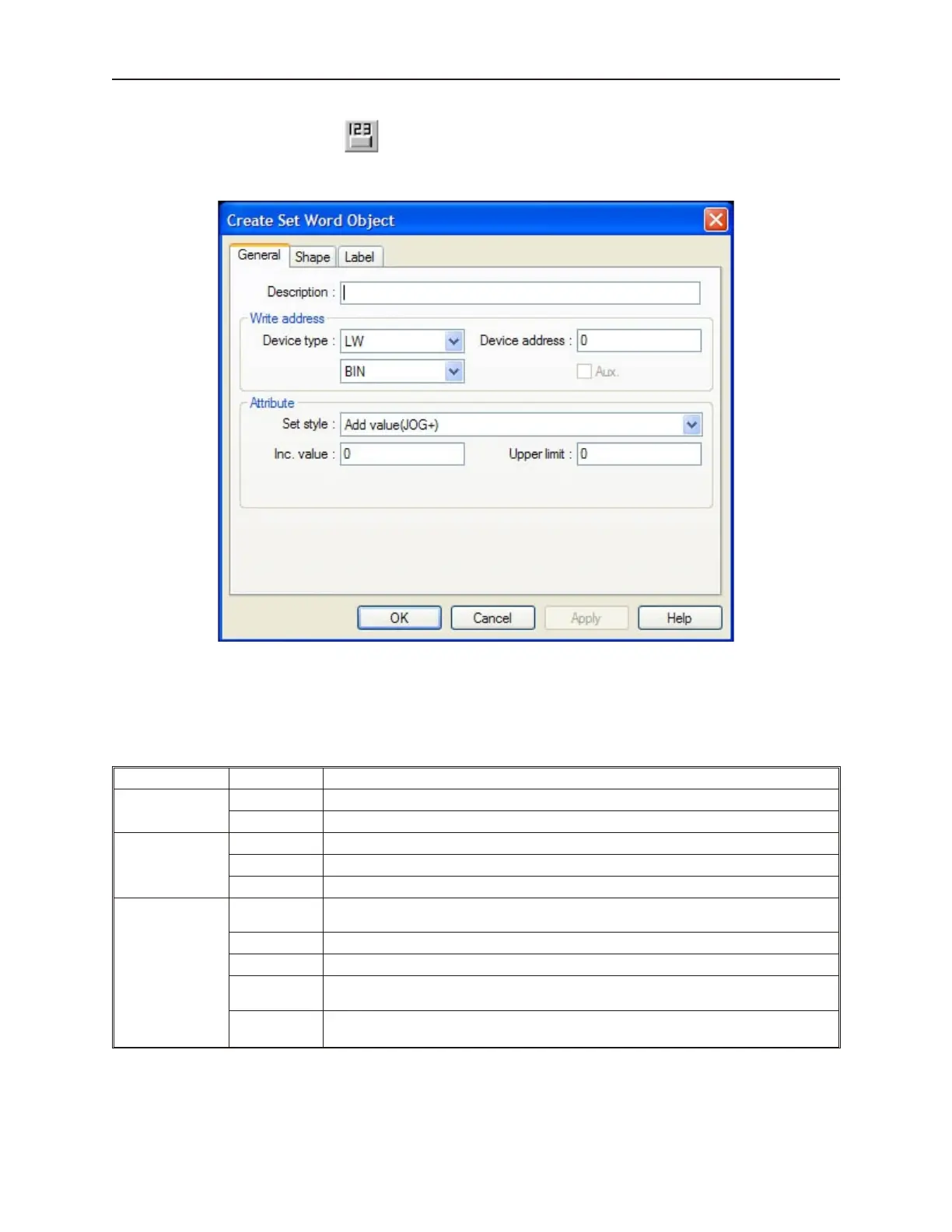
4To create a Set Word Object
1. From the Parts menu, click Set Word. Or click the Set Word icon in the Part1 toolbar. The
Create Set Word Object dialog box appears.
2. Use the Description: box to enter a title for the Set Word part. A description is not necessary
but does help you identify the purpose of the part.
3. In the Write address frame, select the PLC coil or OIT internal memory address. You can
select BIN (binary) or BCD format.
4. In the Attribute frame, select how you want the Set Word object to operate:
Set Style Option Description
Set Constant
Places a 16-bit number in a PLC register when pressed.
Set Value: Constant used. Range: -32768 to 65535
Add value
(JOG+)
Increases the value in a 16-bit PLC register by a step value each time it is pressed.
Inc.value: Amount of the step value. Range: 1 to 32767
Upper limit: The upper range allowed. Range: -32768 to 32767
Sub value (JOG-)
Increases the value in a 16-bit PLC register by a step value each time it is pressed. If the
key is held down, then it will continue to increase by the step value at a predefined rate.
Inc. value: Amount of the step value. Range: 1 to 32767
Upper limit: The upper range allowed. Range: -32768 to 32767
JOG delay:
The amount of delay after the key is held down before automatic incrementing occurs.
Range: 0.1 to 1.5 seconds
JOG speed:
The rate at which the automatic incrementing occurs.
Range: 0.1 to 1.5 seconds
1010-1001a, Rev 02
180 Sil ver Se ries In stal la tion & Op er a tion Man ual



 To Next Page