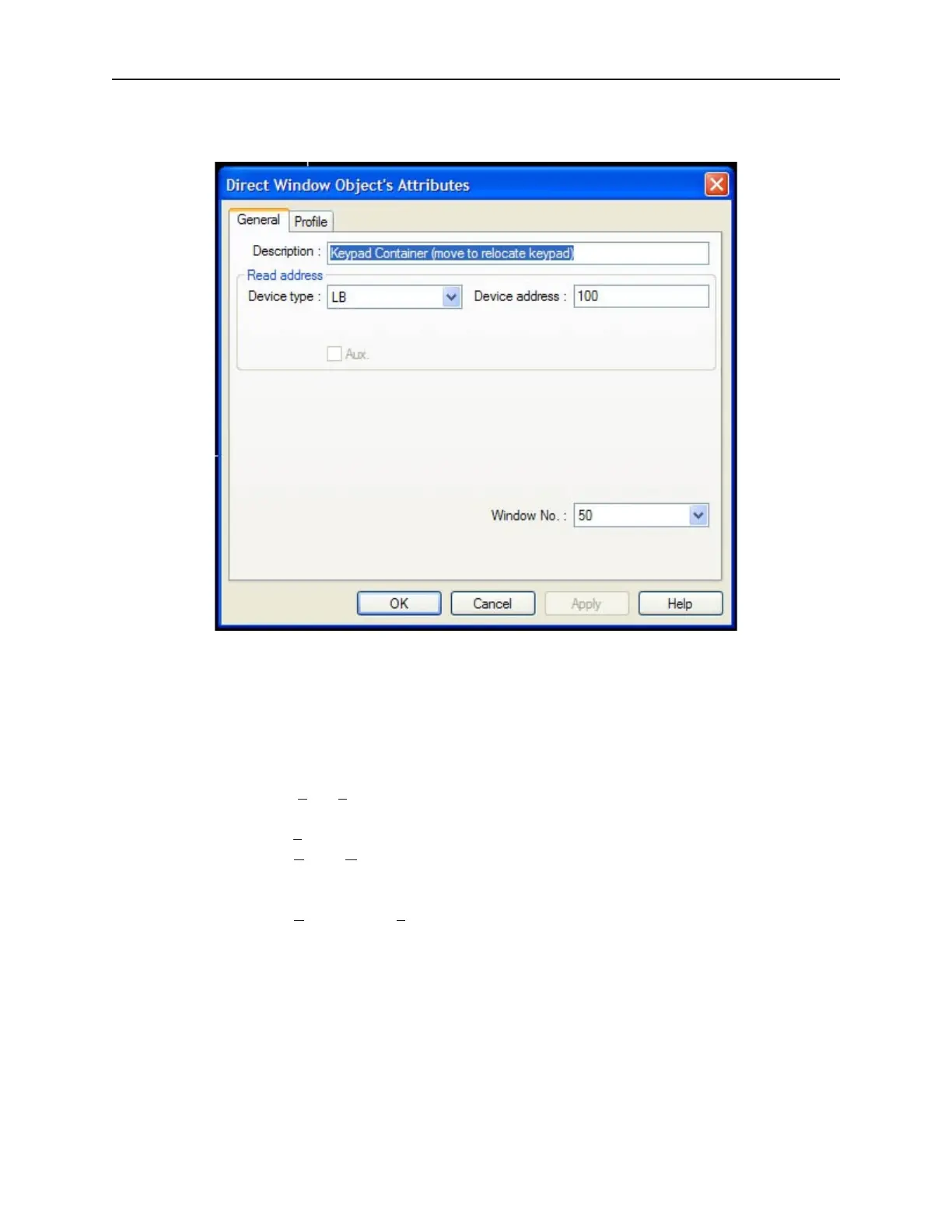
white outline of a square. Double click on the white outline to configure the settings. The
Direct Window Object's Attributes dialog appears.
4. Verify the following sections:
• In the Read Address: section…
• De vice Type: — LB
• Device Address: — 100
• Window No.: — 50
5. Click OK.
4 To save, compile and simulate the keypad:
1 .Select File—Save from the menu listings.
2 File name — Name the project
3. Click Save
4. Select Tools—Compile… to compile the project.
5. Click COMPILE.
6. After the computer has compiled the project, click CLOSE.
7. Select Tools—Offline Simulation from the menu listings. The offline simulator with your
project appears.
8. Once in Simulation mode, click on the Numeric Input object. The Decimal keypad should
appear.
9. Enter 1234. The value is entered into the register.
10. Press the ENT key. The Decimal keypad automatically closes.
1010-1001a, Rev 02
Us ing and Cre at ing Keypads 211



 To Next Page