SetData(AllDone ,LB_Binplc ,1,1) // done with the macro,
clear the bit // that called it. (LB:1)
End Macro_Command
The macro was named “AddTwo” and the bit that executed this macro was LB:1. After the macro was written, a
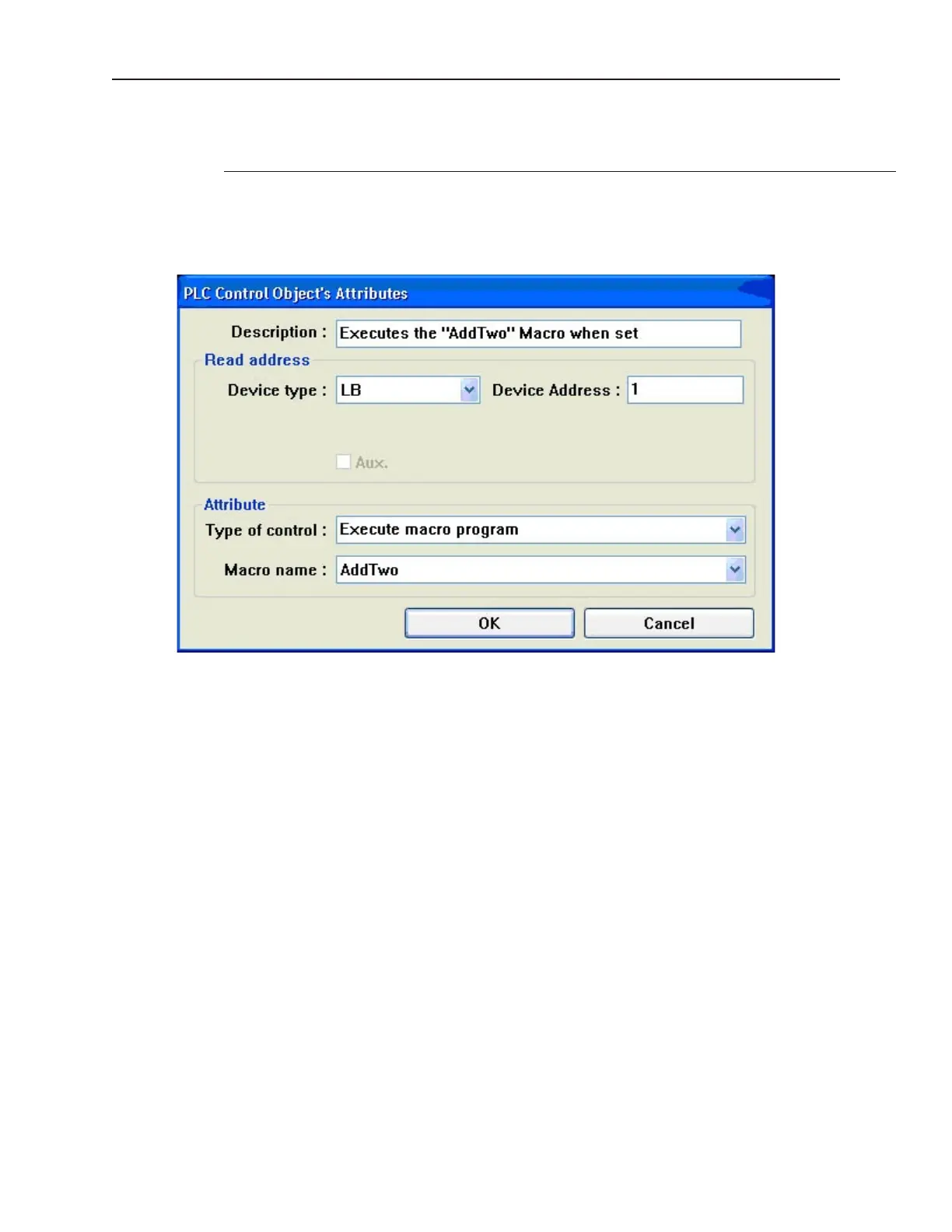
‘PLC Control Object’ was added where the ‘Type of control’ was selected first to be ‘Execute macro program’.
Then the device type showed what bit types were available. A ‘LB’ was selected and the address ‘1’ was entered.
Finally, the macro name was selected (in older software, you would select the macro number instead of the name).
Below shows the PLC control object attribute window.
1010-1001a, Rev 02
246 Sil ver Se ries In stal la tion & Op er a tion Man ual
PLC Ob ject's Attributes



 To Next Page