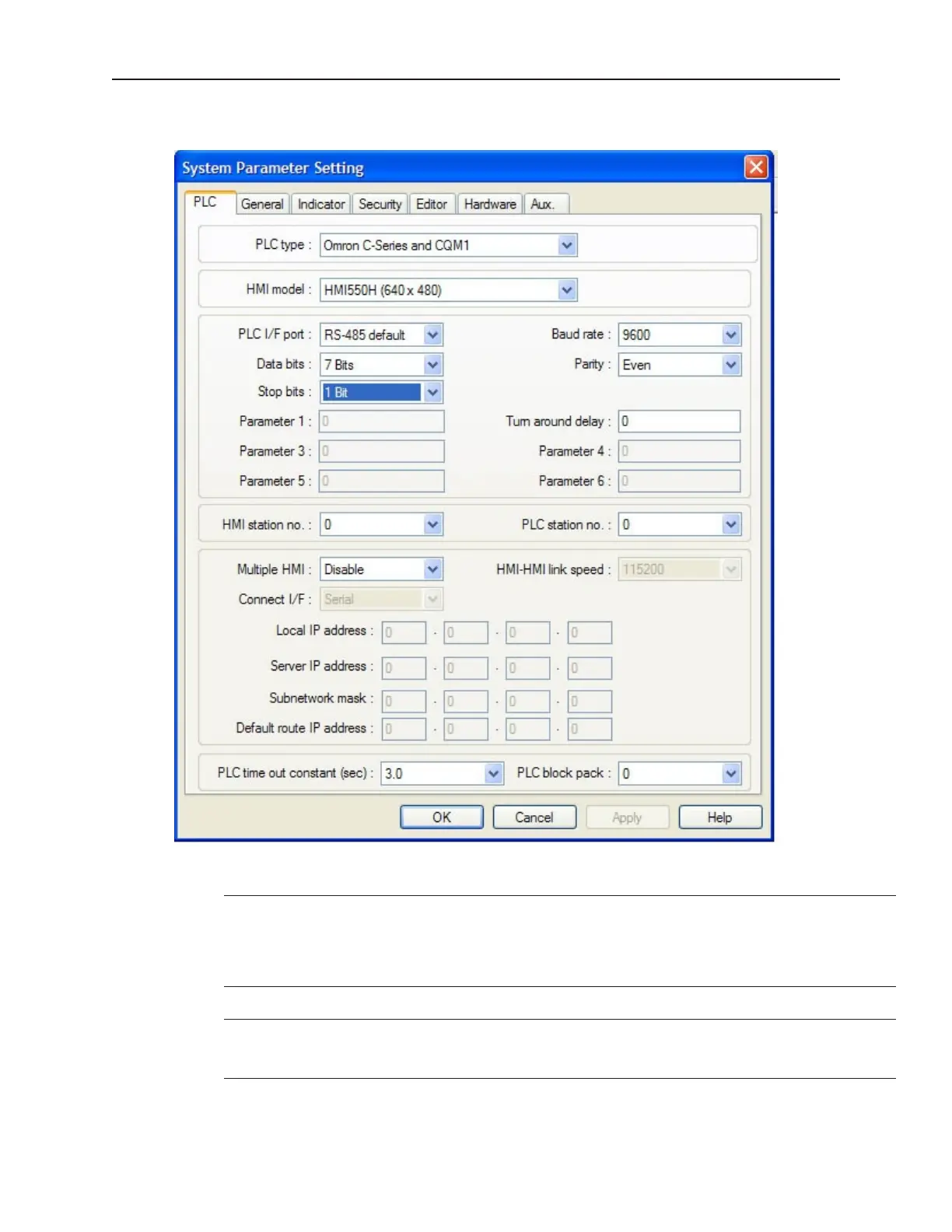
PLC Set tings Con fig u ra tion
4To configure PLC settings
1. Select the appropriate PLC driver from the PLC pull-down menu.
You can “export” a project created for one PLC brand to a different PLC brand by
loading the project file into EasyBuilder, then entering a different PLC type in this box.
EasyBuilder will go through your entire project and attempt to change each reference
to PLC data registers to a logical selection for the new PLC protocol; however, se
strongly recommend that you review these changes to assure that they are satisfactory.
2. If you haven’t already done so, select the appropriate OIT model.
You can “export” a project created for one OIT model to a different OIT model. If the
original project was created for the 4-shade blue OIT, changing to the color version
causes EasyBuilder to select a standard set of colors to represent each blue shade.
3. Set the serial port type the OIT will use to communicate with the PLC.
1010-1001a, Rev 02
Using EZware-500 59



 To Next Page