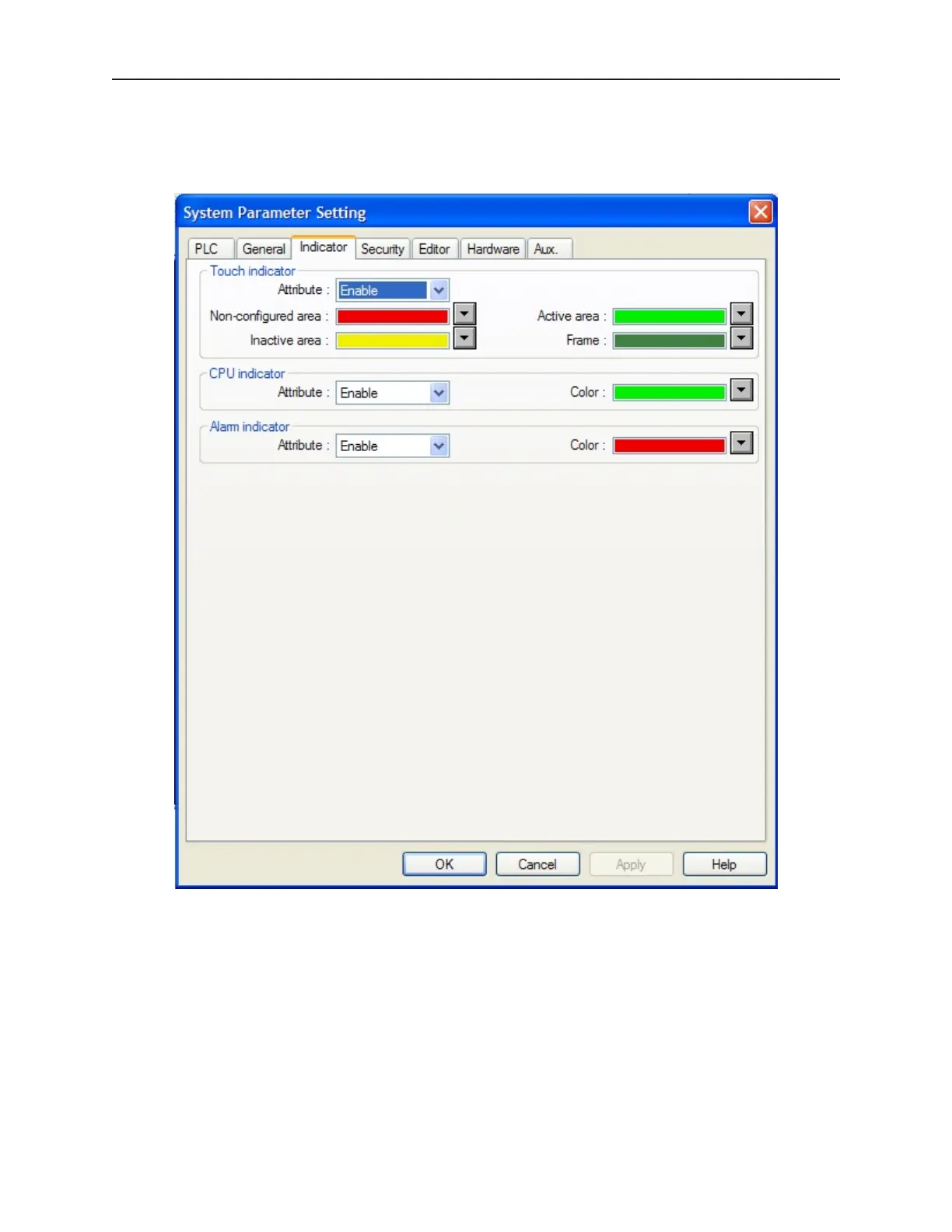
In di ca tor Set tings Con fig u ra tion
The indicator tab is used to configure different parameters associated with the task bar. The task bar contains three
optional indicators; Touch, CPU and Alarm.
The Touch Indicator
· Attribute: Enables or disables the touch indicator.
· Non-configured area: Sets the background color of the touch indicator when a non-configured area on the
touch screen is touched.
· Inactive area: Sets the background color of the touch indicator when an inactive area on the touchscreen is
touched. An inactive area is an area that contains a touchable object that is currently disabled.
· Active area: Sets the background color of the touch indicator when an active area on the touchscreen is
touched. An active area is an area that contains a touchable object.
· Frame: Sets the color of the circle containing the touch indicator.
1010-1001a, Rev 02
Using EZware-500 63



 To Next Page