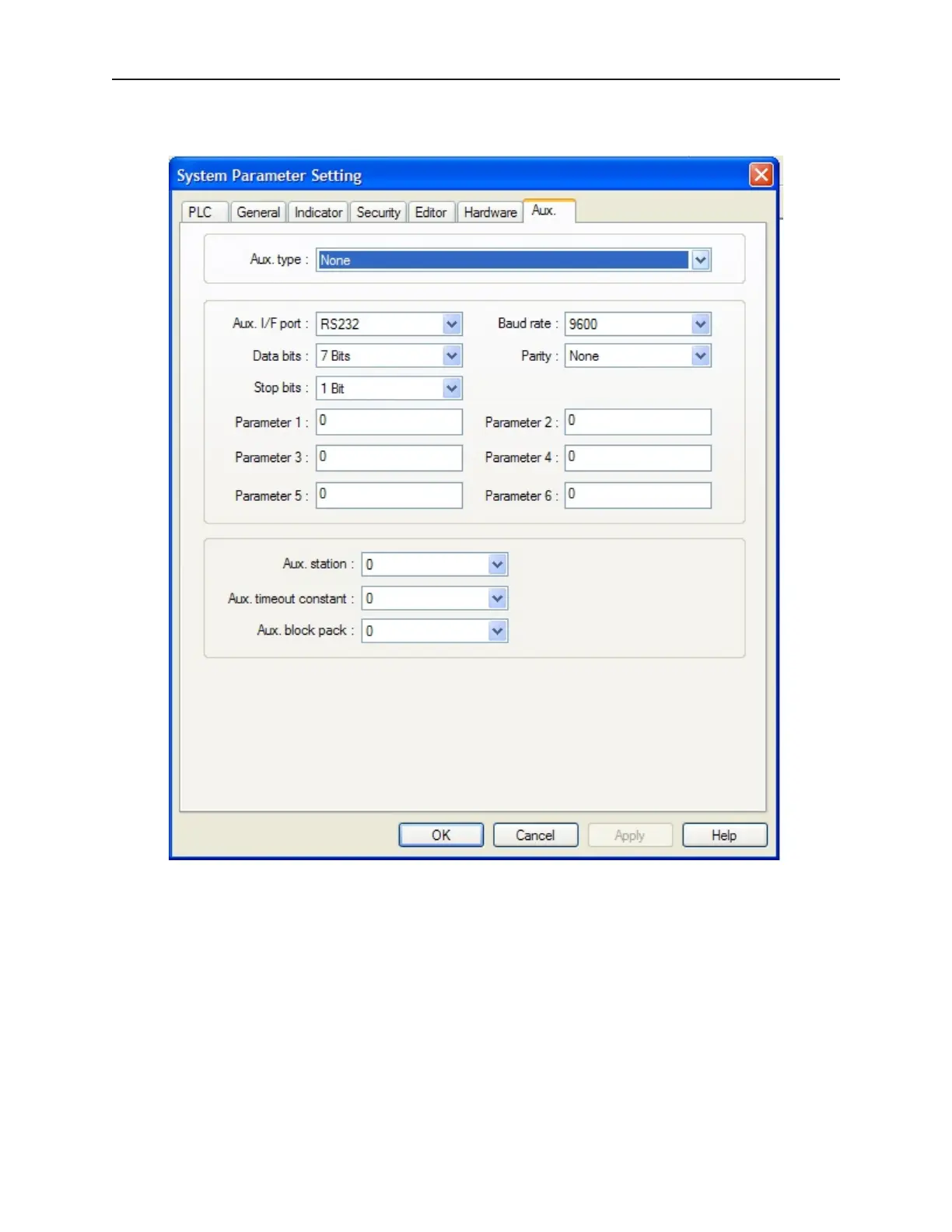
In Edit-System Parameters-{Aux} tab dialog set the Aux port driver (Aux type) and communications parameter.
4To set up the Aux I/F port parameters
1. Select the Aux Port driver.
2. Select the hardware port to use for auxiliary communications.
3. Select the Aux port communications timing parameters. Set the communications parameters
to match your PLC.
4. Set Data bits, Stop bits, Baud rate and Parity. These must match your PLC settings.
5. Set parameters 1-6, which are dependent on the individual driver selected.
4 To set Aux ID and general parameters
1. Set Aux station. This is used when the Aux device has a node or station identifier. The OIT
needs the station number to initiate communications. Set as needed or leave at 0 if not used.
Station numbers are 0-127 (use the range as appropriate for PLC type.)
1010-1001a, Rev 02
Us ing EZware-500 77



 To Next Page