19
5.3.4 MENU MODE INTERFACE
Activation
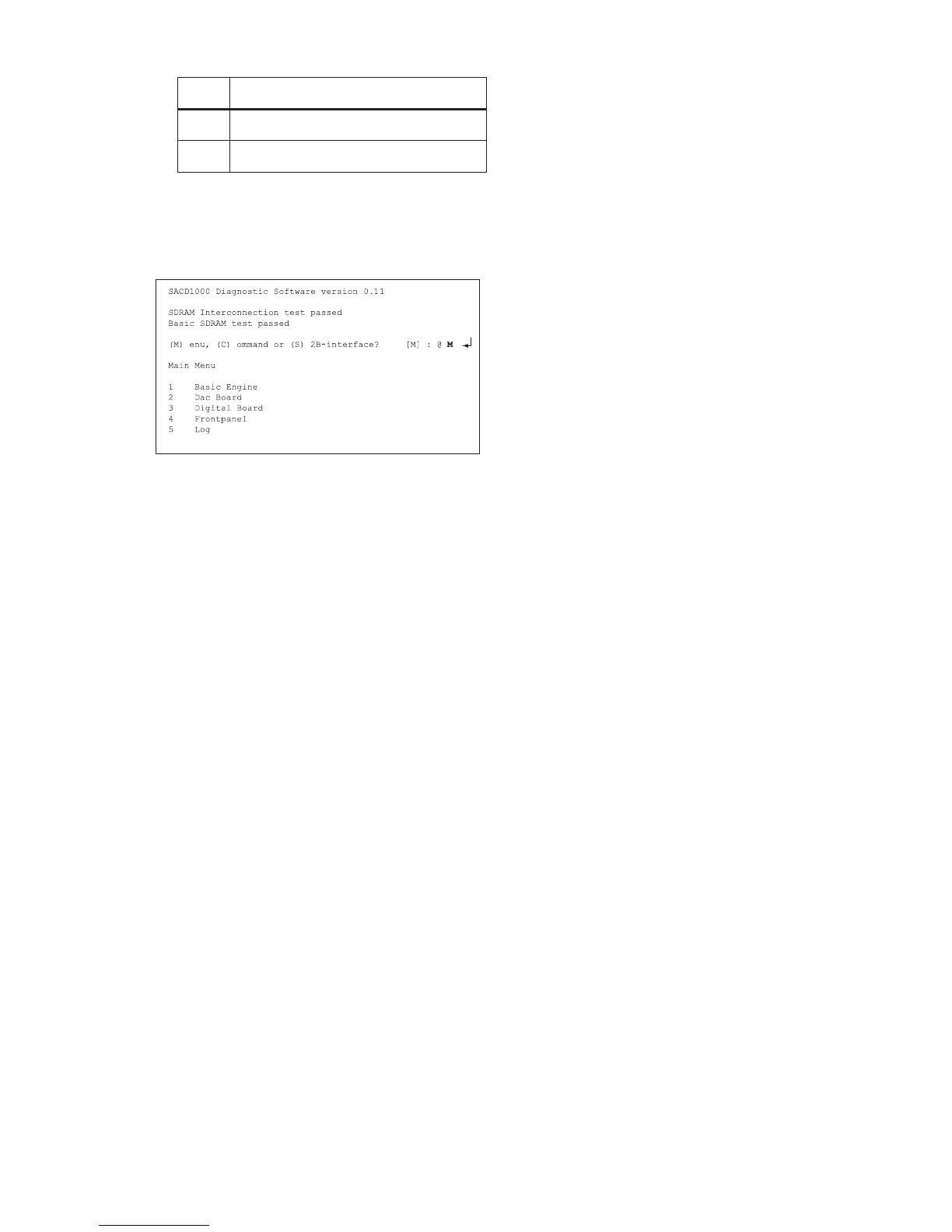
Switch the player on and the following text will appear on the
screen of the terminal (program):
Figure 5-9
The first line indicates that the Diagnostic software has been
activated and contains the version number. The next lines
are the successful result of the SDRAM interconnection test
and the basic SDRAM test. The last line allows the user to
choose between the three possible interface forms. If
pressing M has made a choice for Menu Interface, the Main
Menu will appear.
Menu structure
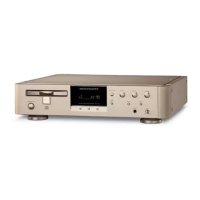
The following menu structure is given after starting up the
SA-12S1 player in menu mode. The symbol
→ indicates that the current menu choice will invoke the
display of a submenu. The number between [ ] mean the
nucleus number. These numbers will not be shown on the
screen.
Main Menu
1. Basic Engine →
2. Dac Board →
3. Digital Board →
4. Front panel →
5. Log →
Basic Engine Menu
1. Disc Motor →
2. Focus →
3. Grooves →
4. Laser →
5. Radial →
6. Scripts →
7. Tray →
8. Reset [603]
9. S2B Pass [600]
10. S2B Echo [601]
11. Version [602]
Disc Motor Menu
1. Motor On [606]
2. Motor Off [607]
Focus Menu
1. Focus On [604]
2. Focus Off [605]
Grooves Menu
1. Inside of the Disc [612]
2. Middle of the Disc [613]
3. Outside of the Disc [614]
Laser Menu
1. DVD Laser On [635]
2. CD Laser On [636]
3. Lasers Off [637]
Radial Menu
1. On [608]
2. Off [609]
Sledge Menu
1. Move Inwards [610]
2. Move Outwards [611]
Tray Menu
1. Open [616]
2. Close [615]
DAC Board Menu
1. Clock →
2. DAC Mode →
3. Filter SACD →
4. I2C →
5. Mute →
6. Reset [1303]
DAC Clock Menu
1. Clock Internal [1306]
2. Clock External [1307]
3. Clock Frequency SACD [1314]
4. Clock Frequency CDDA [1315]
DAC Mode Menu
1. Mode CDDA [1310]
2. Mode DVD48 [1311]
3. Mode DVD96 [1312]
4. Mode DSD [1313]
DAC Filter Menu
1. Filter SACD [1304]
2. Filter Non-SACD [1305]
DAC IIC Menu
1. I2C Test [1300]
2. I2C Enable Pin On [1301]
3. I2C Enable Pin Off [1302]
DAC Mute Menu
1. Mute On [1308]
2. Mute Off [1309]
Digital Board Menu
1. Furore →
2. Host Decoder →
3. Miscellaneous →
Furore Menu
1. SDRAM Write/Read High [1201]
2. SDRAM Write/Read Low [1200]
3. SDRAM Write/Read Fast High [1203]
4. SDRAM Write/Read Fast Low [1202]
5. Version [1204]
Host Decoder Menu
1. Audio Mute →
2. Centre On Stereo →
3. Colourbar →
4. De-Emphasis →
1410 Scart Low Steers pin 16 on the scart connector
with the value low (0 to 2 V).
1411 Scart Medium Steers pin 16 on the scart connec-
tor with the value medium (4.5 to 7 V).
[xx yy]
Number
Nuclei
CL 06532152_015.eps
181200



 To Next Page