128 Appendix B: Technical information
To interface with the above connector, use a standard Camera Link cable. You can
purchase such a cable from your video source manufacturer, 3M Interconnect
Solutions for Factory Automation, Intercon 1, or other third parties. Note that
this cable is not available from Matrox.
External auxiliary I/O connector 0
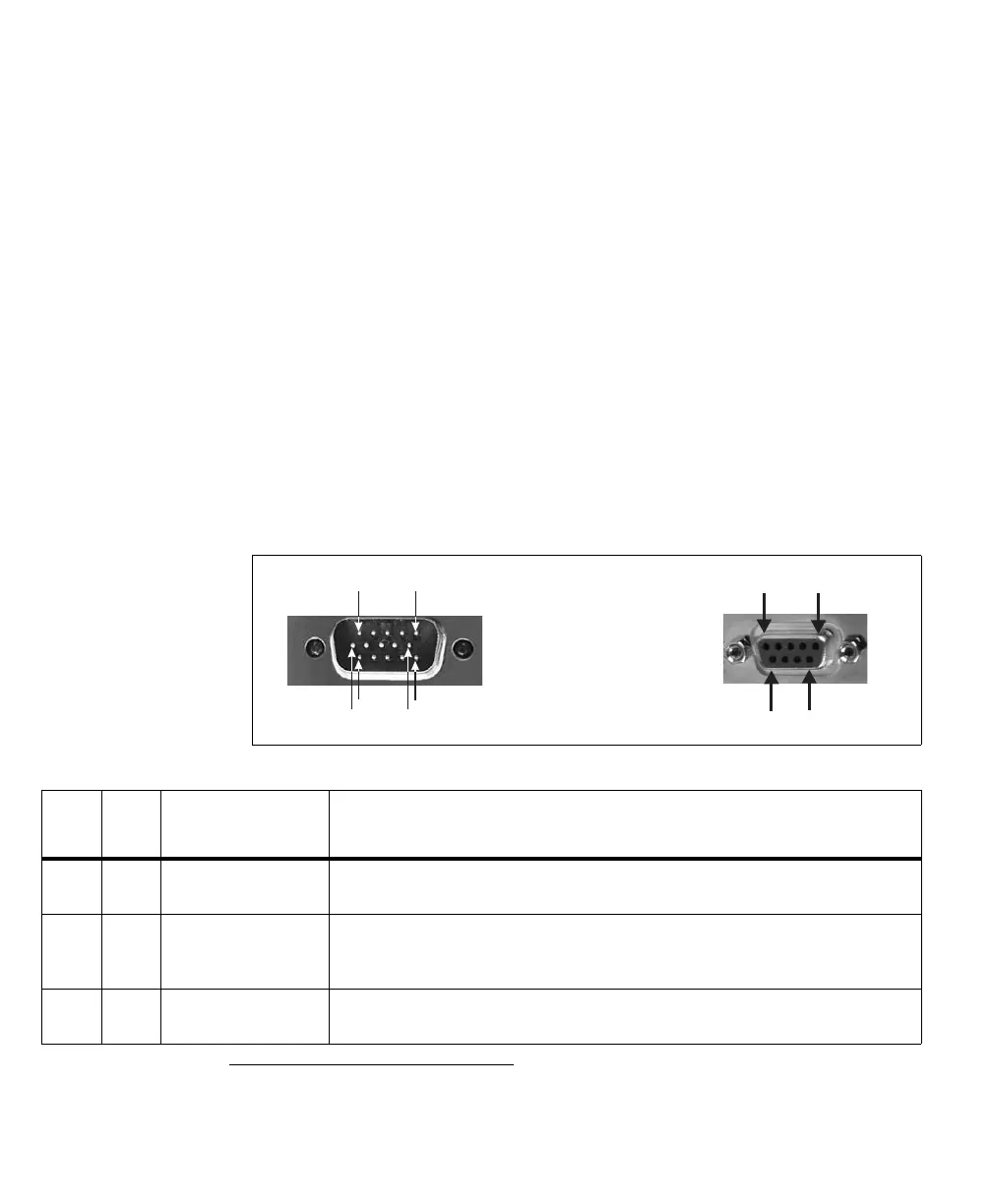
External auxiliary I/O connector 0 is a high-density DB-15 male or DB-9
1
female
connector, located on the Matrox Solios eCL/XCL-B bracket. It is used to transmit
timing and synchronization signals, and transmit/receive auxiliary signals.
❖ The DB-15 auxiliary I/O connector on Matrox Solios eCL/XCL-B is not
compatible with VGA devices. Connecting the DB-15 connector on Matrox
Solios eCL/XCL-B to a VGA monitor or any other VGA device might damage
both the VGA device and the Matrox Solios board.
The pinout for the auxiliary I/O connector is as follows.
1. If you purchase the SOLCLBACCxxPAK accessory kit, you can replace the DB-15 auxiliary I/O connector with the optional DB-9 con-
nector. In this case, the DB-9 connector has the same pinout as auxiliary I/O connector 1 (DB-9) on the adapter board of other
Matrox Solios eCL/XCL boards. Note however, when using the optional DB-9 connector, some DB-15 signals are not available.
96
1
5
15
10
11
6
Pinout
for
DB-15
Pinout
for
DB-9
Signal Description
1 1 P0_TTL_AUX_IO_0 TTL auxiliary input/output 0.
Supported signals: exposure output 2, trigger input 0, field input, or user-defined input/output 2.
2 - P0_TTL_AUX_IO_1 TTL auxiliary input/output 1.
Supported signals: exposure output 0, exposure output 3, trigger input 1, or user-defined
input/output 3.
3 - P0_TTL_AUX_IO_2 TTL auxiliary input/output 2.
Supported signals: exposure output 1, trigger input 2, or user-defined input/output 4,











 To Next Page