71
Recording your source video to disk
Audio file type selection
When recording a video input, you can also record the input’s audio. If you
choose to record audio (see “Audio settings” below), audio will be embedded in
the resulting video file. Unless you choose to record embedded audio only,
separate .wav or .aac audio files will also be created.
Under
Audio File Type for each VS4 input, select the type of separate audio files
that you want to create:
•
WAV Records PCM audio to separate .wav files.
•
AAC Records AAC audio to separate .aac files.
Audio settings
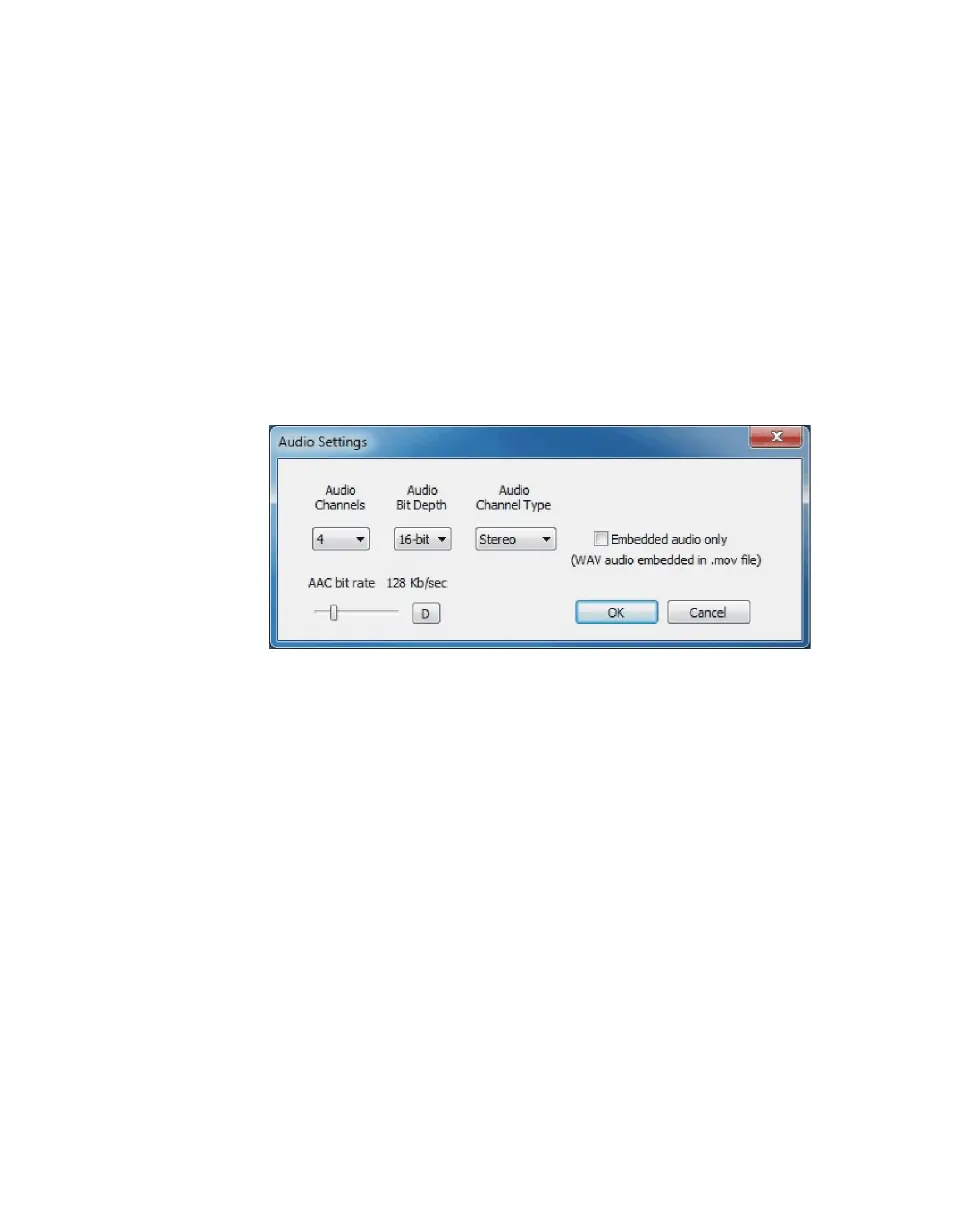
Click
Audio Settings for each VS4 input to specify the settings that you want
for your recorded audio:
•
Audio Channels Specifies the number of channels to record from your
VS4 input:
$ When 0 is selected for this option, audio is not recorded. Therefore, audio
will not be embedded in the video file, and separate audio files will not be
created.
$ When 2, 4, 6, or 8 is selected, the Matrox ISO recording tool embeds the
first audio pair (channels 1-2) from your input source in the video file.
Unless you choose to record embedded audio only, separate .wav or .aac
audio files will be created for the first two, four, six, or eight audio
channels from your audio source respectively.
•
Audio Bit Depth If 2, 4, 6, or 8 is selected for Audio Channels, select
the bit depth that you want for your recorded audio.
•
Audio Channel Type If 2, 4, 6, or 8 is selected for Audio Channels,
select the channel type that you want for your recorded audio:
$ Mono Creates a separate .wav or .aac audio file for every selected
channel. For example, if four audio channels are selected, four mono
audio files will be created. The embedded audio in an .mov file will also



 To Next Page