EasyManua.ls Logo

MAXDATA M-BOOK 600 - Page 110

MAXDATA M-BOOK 600
248 pages
Print Icon
To Next Page IconTo Next Page
To Previous Page IconTo Previous Page
Loading...
Upgrading The Computer
6 - 8 Upgrading the Hard Disk Drive
6
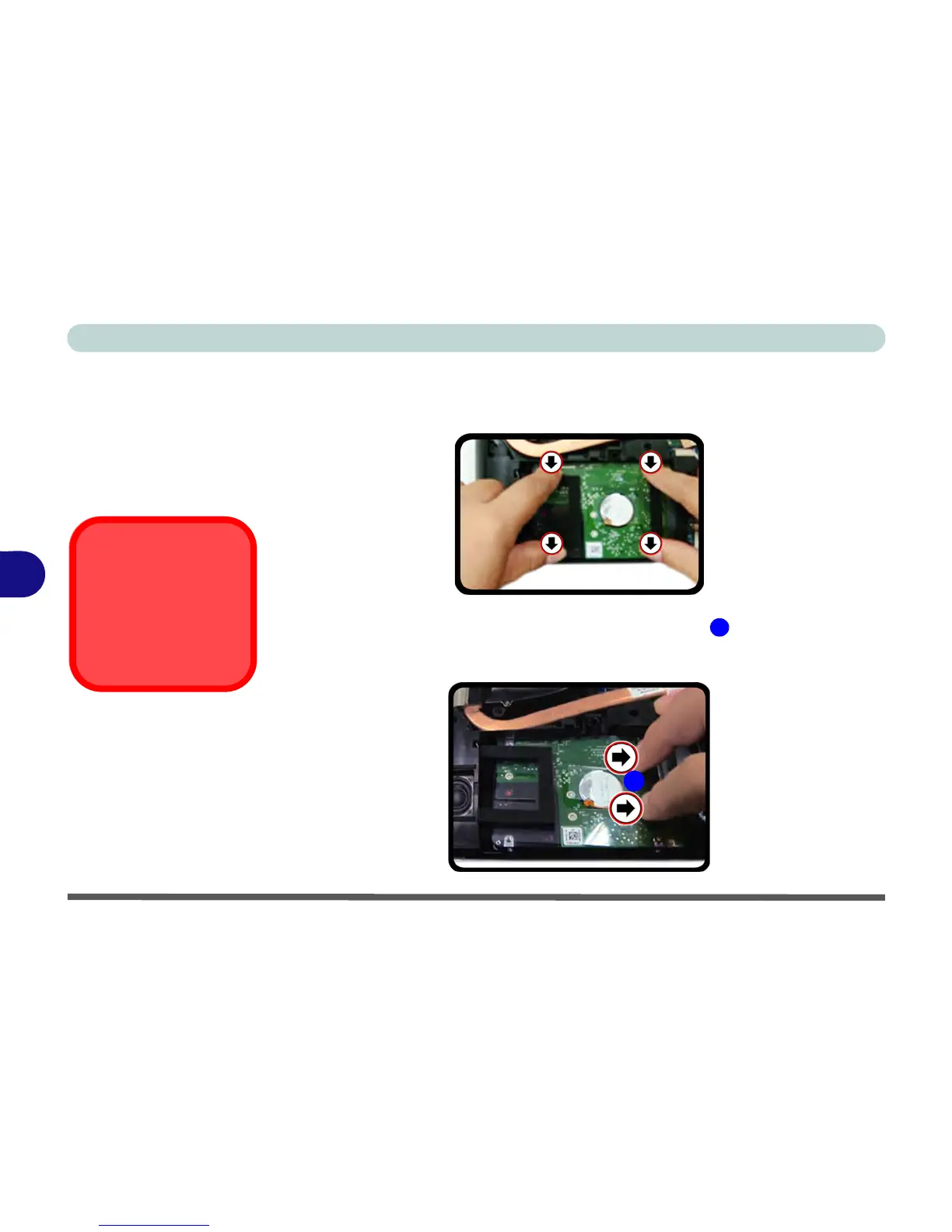
Reinserting the HDD
1. To reinsert the HDD assembly hold it carefully at the four corners between your
thumb and forefinger.
2. Insert the HDD directly down into the bay vertically
.
3. Press and slide the HDD assembly at the area illustrated (do not press on the
center area - see sidebar) the direction of arrows to make sure the HDD fits
securely into the connector.

Figure 6 - 6
Hard Disk Insertion
Hard Disk Handling
Do not press down on the
center off the hard disk as
tis area houses the hard
disk drive motor.
Figure 6 - 7
Hard Disk Connect
1
1

Table of Contents

Other manuals for MAXDATA M-BOOK 600

Related product manuals