Using the BlackArmor Manager Features 121
Maxtor Black Armor
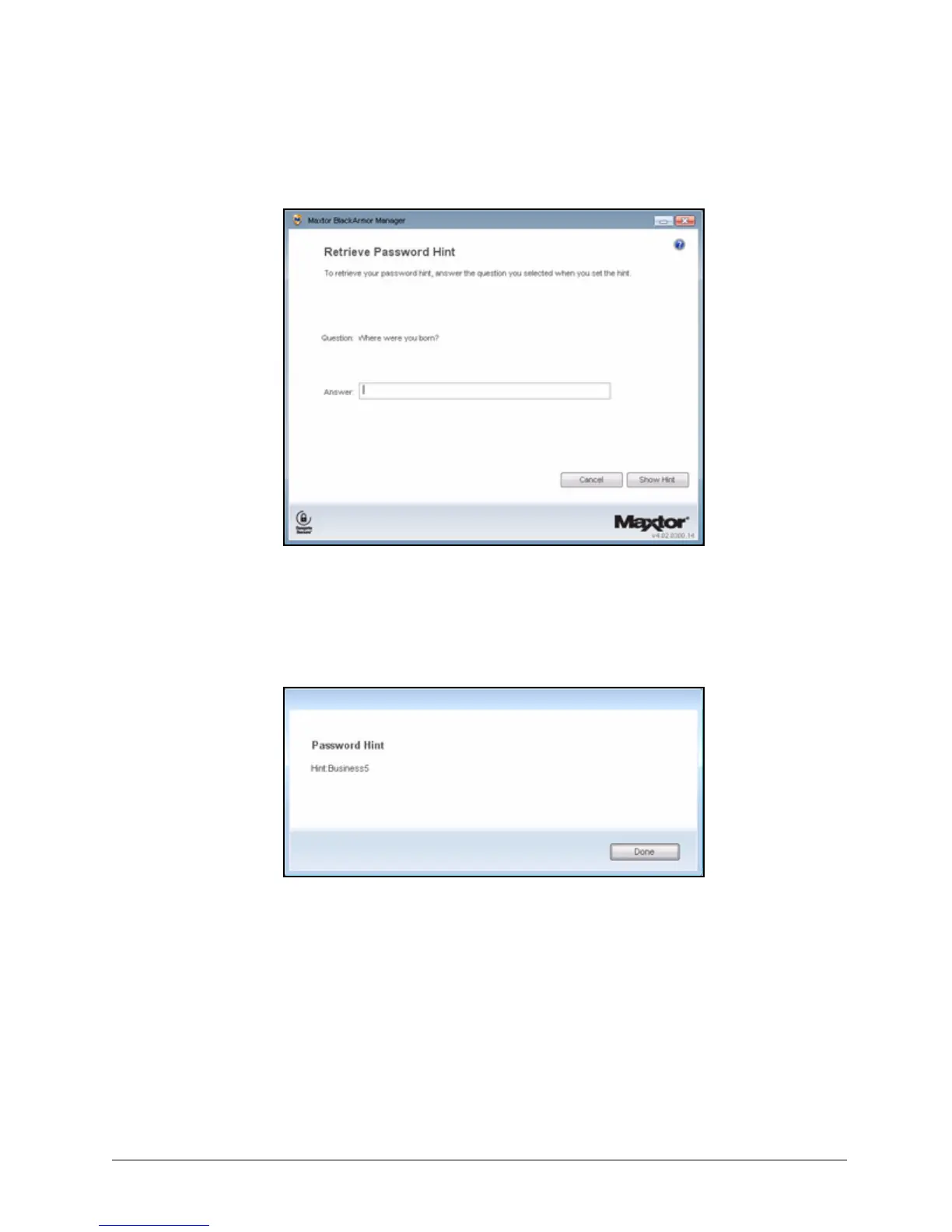
The Retrieve Password Hint window opens:
Step 3: Enter the answer to the security question you selected when you set the password
hint and click Show Hint.
The Password Hint window displays the password hint:
Step 4: Click Done to return to the Unlock window and enter your password.
If you still cannot remember your password after retrieving your password hint, you
must erase your BlackArmor drive in order to continue to use the drive. You can
erase your drive only in the Maxtor Manager application.
Note: For information on erasing your BlackArmor drive, see Erasing the BlackArmor Drive.
Figure 144: Retrieve Password Hint
Figure 145: Password Hint













 To Next Page