McHale Fusion 3 Baler & Wrapper
42
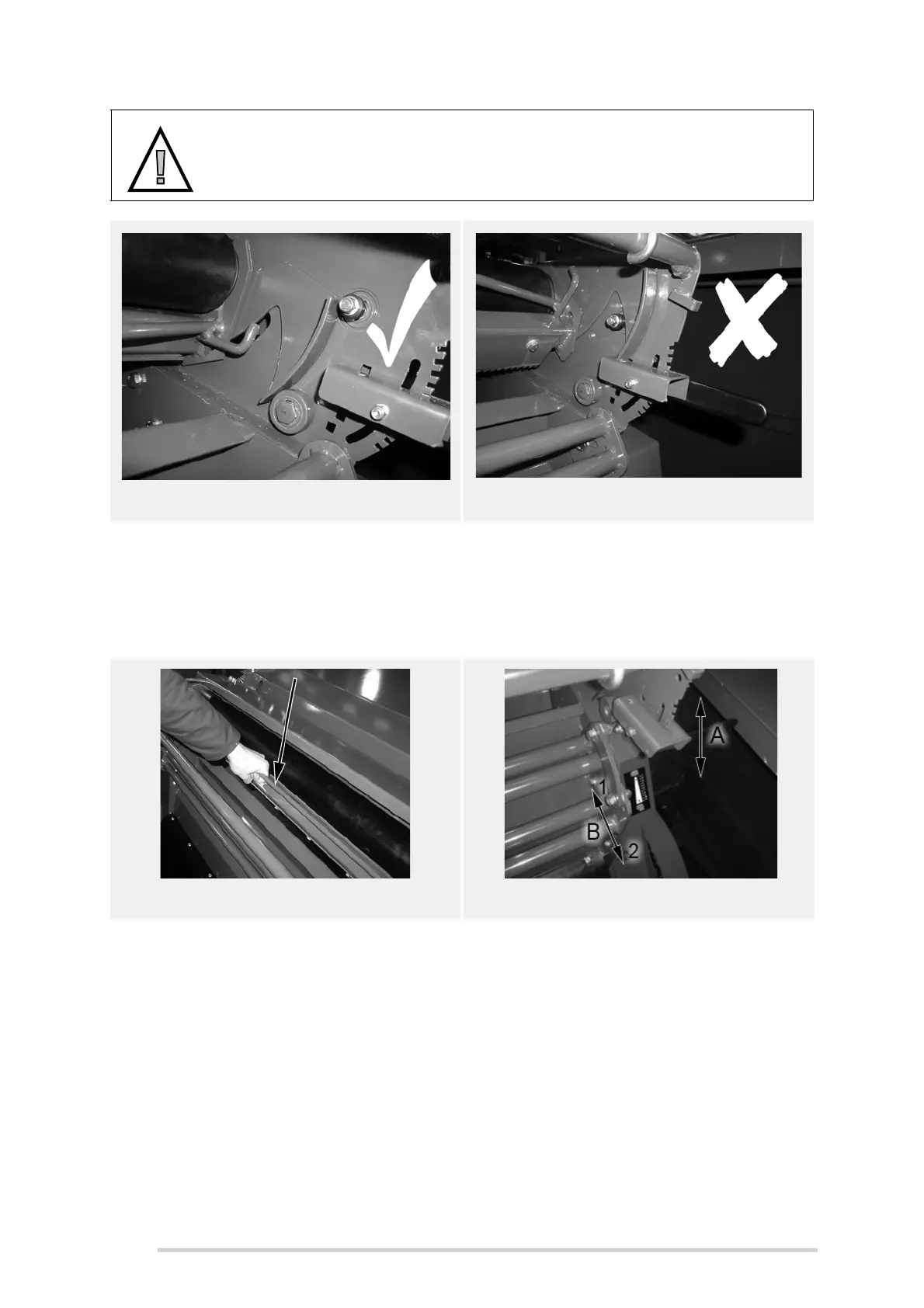
If the knife hasn’t tripped, trip the knife by following the procedure below:
1. Ensure the PTO is disengaged, the tractor is shut-down with the ignition key
removed and the machine is safely parked with wheels chocked, i.e. cannot
roll.
2. Climb onto the baler platform. Carefully pull upwards on the knife frame bar,
see figure 6.d, and while applying upwards pressure on the bar, release the bill
hook, by pushing it off the adjuster. Refer to figures 6.b and 6.c.
3. Allow knife to return to it’s spring loaded position.
4. Adjust the net amount adjuster accordingly, refer to table 6.1 “Calculated net
settings”for settings.
5. Once the desired setting is selected, replace the bill hook onto the adjuster by
pulling upwards on the knife frame bar. Ensure that the bill hook rests on the
adjuster, as shown in Figure 6.c.
Adjustment is achieved by pushing the adjustment lever (A) to the right in order to
release the latch from the notches. Choose the desired notch, upwards or downwards,
for less or more net, to be applied as shown in figures 6.e before re-engaging. The
CAUTION: Adjusting the net cutter
Never attempt to adjust the net cutter setting until the knife has tripped,
see Figures 6.b and 6.c.
Figure 6.b - Adjustable Position Figure 6.c - Non-Adjustable Position
Figure 6.d - Knife bar frame
Figure 6.e - Net cutter setting
Knife tripped, bill hook off adjuster!
CAN ADJUST
Knife not tripped, bill hook on adjuster!
DO NOT ADJUST



 To Next Page