13
qq
Service manual for medifa 6000 mobile operating tables, version 2.0
4.3 Checking the oil level
To check the oil level, you should first expose the table column as described in chapter
“Removal of the column cladding” described.
Proceed as follows to check the oil level in the hydraulic system:
1. Move the table to the lowest position.
2. In addition, tilt the table to the head-down position, as far as this is possible without any collision.
3. Then tilt the table to the left (as seen by the patient), as far as this is possible without any collision.
4. Fold the backrest down, as far as this is possible without any collision.
5. For the 601920 operating table, you must also lower the leg plates, as far as this is possible without any collision.
6. On operating tables 601700 and 601920 you must also lower the upper backrest, as far as this is possible without any
collision.
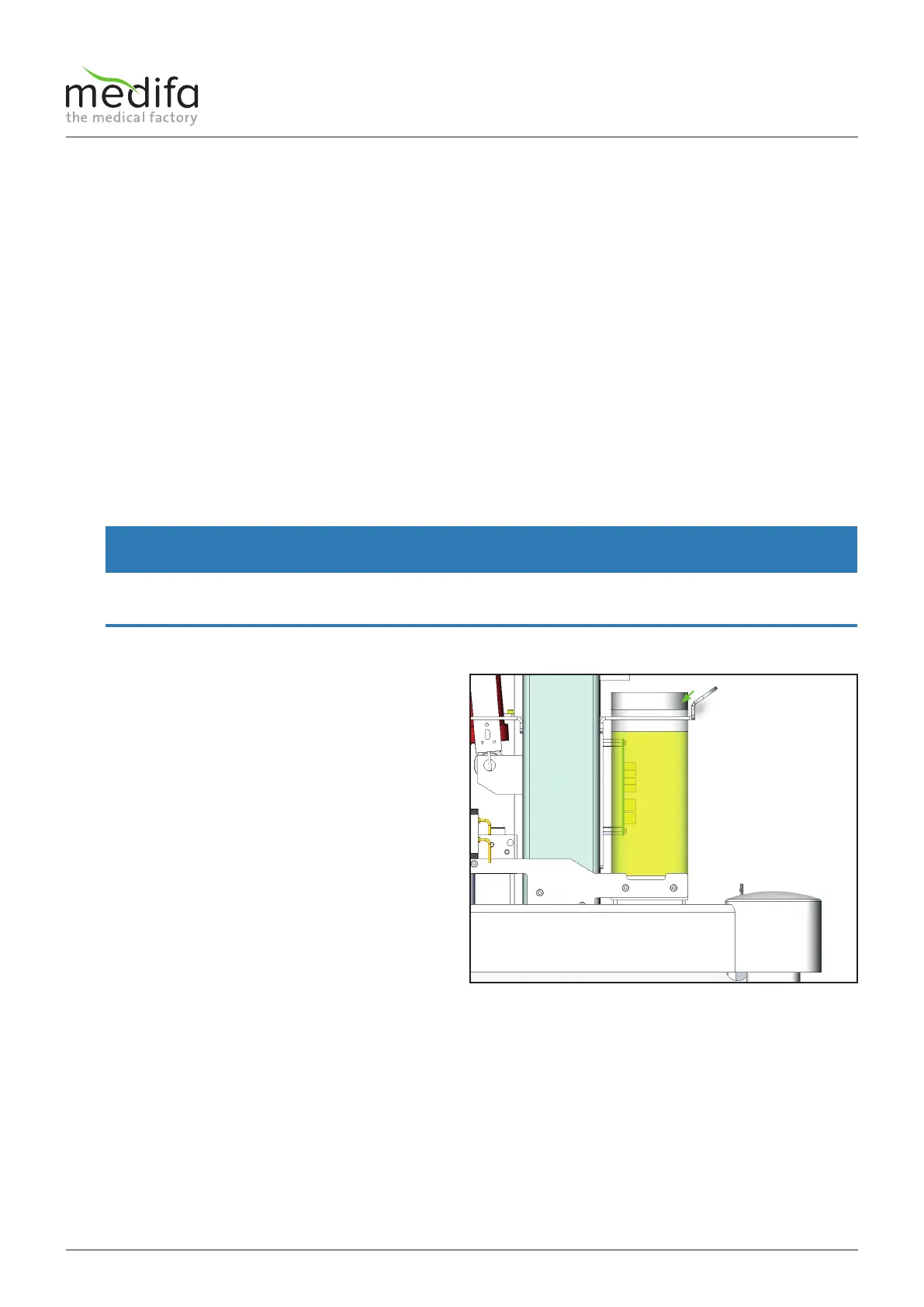
All installed cylinders are now largely retracted. This means that the highest possible filling level in the oil tank must be
ensured! Ideally the oil level is approx. 20 mm below the upper tank cap
WARNING
Avoid collisions between the top frame and the base!
Serious damage can occur if all the previously described functions are moved to the end position!
To top up the oil, remove the filler cap [1] and top up the
hydraulic oil via a funnel!
Oil type: ARAL VITAM EN 32
Figure 12
Components column / top frame


 To Next Page