29
qq
ee
qq
ee
ee
ee
ww
Service manual for medifa 6000 mobile operating tables, version 2.0
4.7 Replacing the hydraulic unit
To replace the hydraulic unit, the following components
must be removed:
• Column cladding including column keyboard board
(see chapter Disassembly of column cladding)
First cut through the cable holders of the unit to expose
the cables.
Next, loosen the cable clamp of the power supply line.
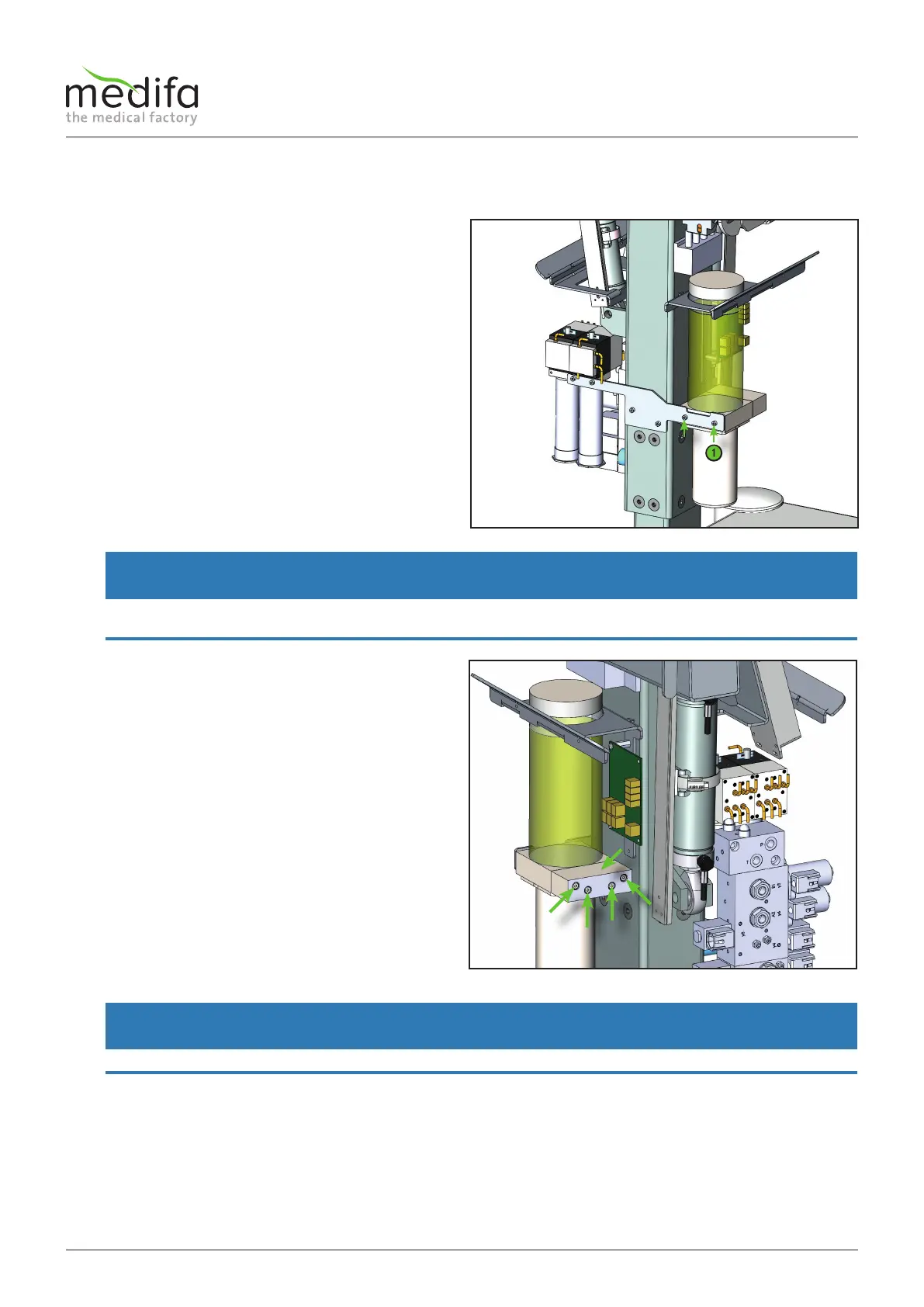
Then remove the two screws [1] in the holding plate unit
to detach it from the table.
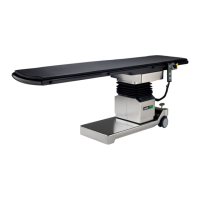
Before the terminal block [2] is unscrewed from the
pump-motor unit, the remaining oil must first be poured
into a clean container so that it can subsequently be filled
into the tank of the new pump-motor unit. After the tank
of the unit to be removed has been emptied, the terminal
block [2] can be unscrewed with the four screws [3] and
connected directly to the new unit.
In the last step, the new unit can be fixed to the bracket,
the oil tank can be filled and the power supply can be
restored.
WARNING
Before the screws [1] are removed during dismantling, another person should be assigned to secure the unit, otherwise it
could fall down!
WARNING
Oil may leak when loosening the terminal block [2].
Figure 44
Figure 45
Components column / top frame


 To Next Page