19
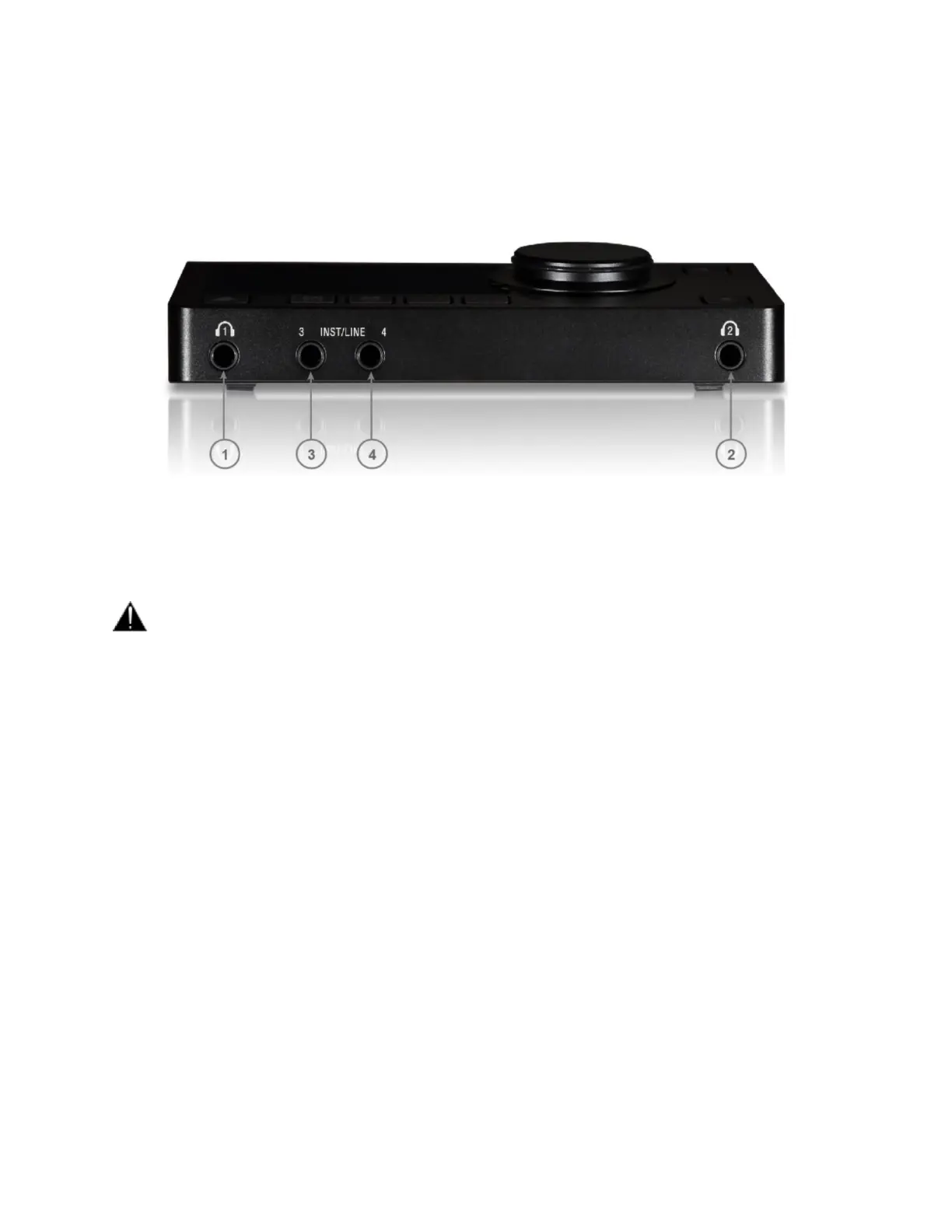
FRONT PANEL
1. Headphones #1: Independent headphones socket with Stereo jack ¼” connector
Warning: Depending of the impedance of your headphone set, it is important to make sure that the
Headphones output level is set accordingly. For further details refer to the Anubis Settings>IO>Outputs
Headphones description
2. Headphones #2: Independent headphones socket with Stereo jack ¼” connector
3 & 4. Instrument/Line: ¼” connector Jack can be connected to phone type (unbalanced or balanced) plugs
for Hi-Z or Line inputs. For connection to a drum machine, synthesizer, electric guitar (active or passive
pickups), electric bass (active or passive pickups), direct box, pedal board or in order to connect an external
analog processing chain.
Note: Connecting a jack into the input 4 will be overriding the built-in talkback microphone as both share the
same input. It is recommended that you mute or cut the input 4 when disconnecting the Jack to avoid potential
feedback.



 To Next Page