65
MONITOR PAGE
The monitor page is the mother of the Monitoring pages, allowing you to select the fundamental
functions of your monitoring setup. A Monitor set will only appear once created in the Anubis
Settings, properly configured and assigned to a specific button (hardware key or softkey). Refer
to the Settings Sources and Monitors section for all details. Your speaker set will come into
display once you select the key that it is assigned to. By default, Anubis comes with some
predefined Monitor sets that can be used right away, those can be reconfigured or deleted as one
wishes.
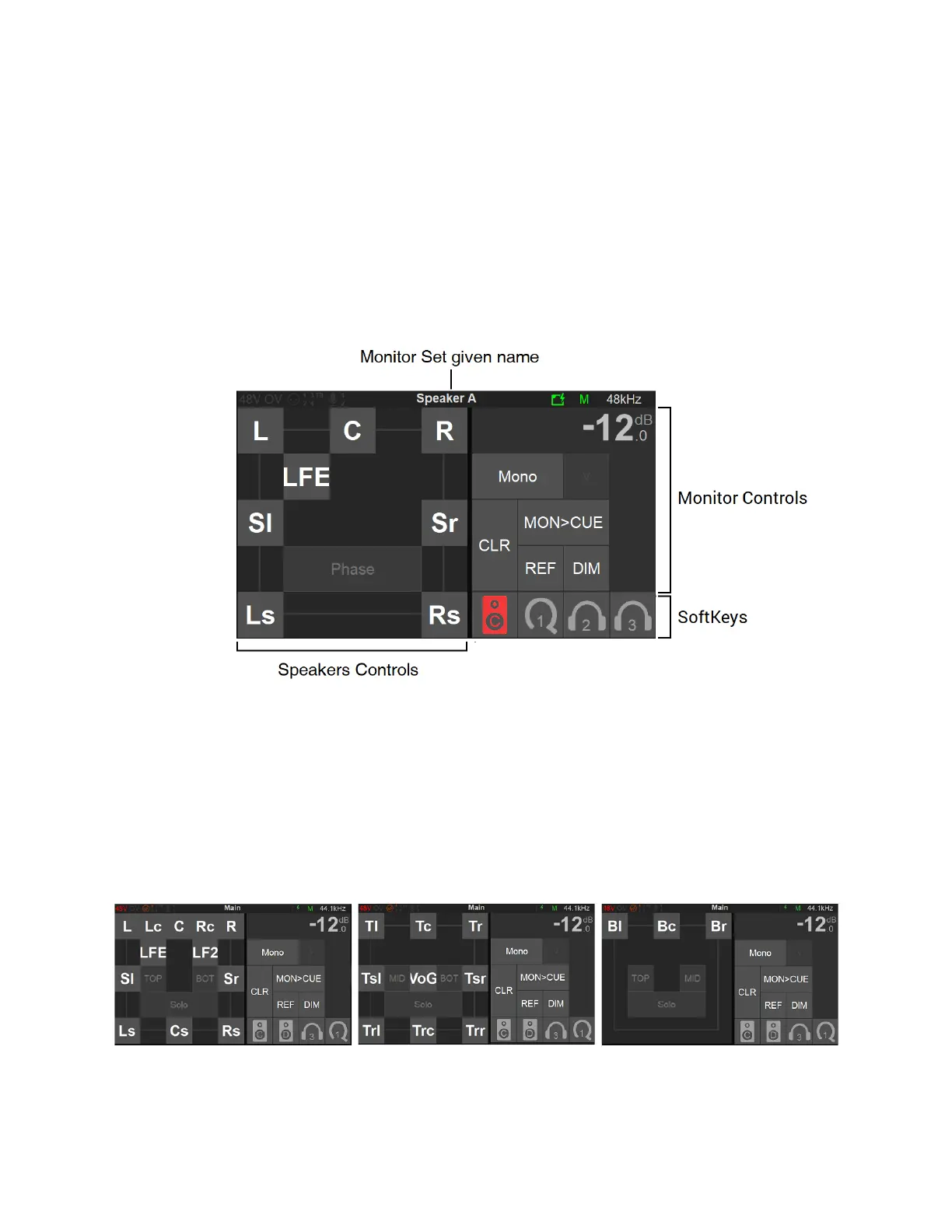
Speakers Set Controls (left section)
Get full control over your monitoring setup by having control over your Speakers. Each Speaker
of a Monitoring Set is represented by a button given the name of the speaker channel type.
Typically, L (left) and R (right) for a Stereo Monitor Set.
Multichannel Immersive sets with 3D elevation will be represented in layers. Access to each of
the level layers by using the; Mid, Top and Bottom layer view options.
Mid Layer Top Layer Bottom Layer



 To Next Page