28
Switching ON MERGING+ANUBIS
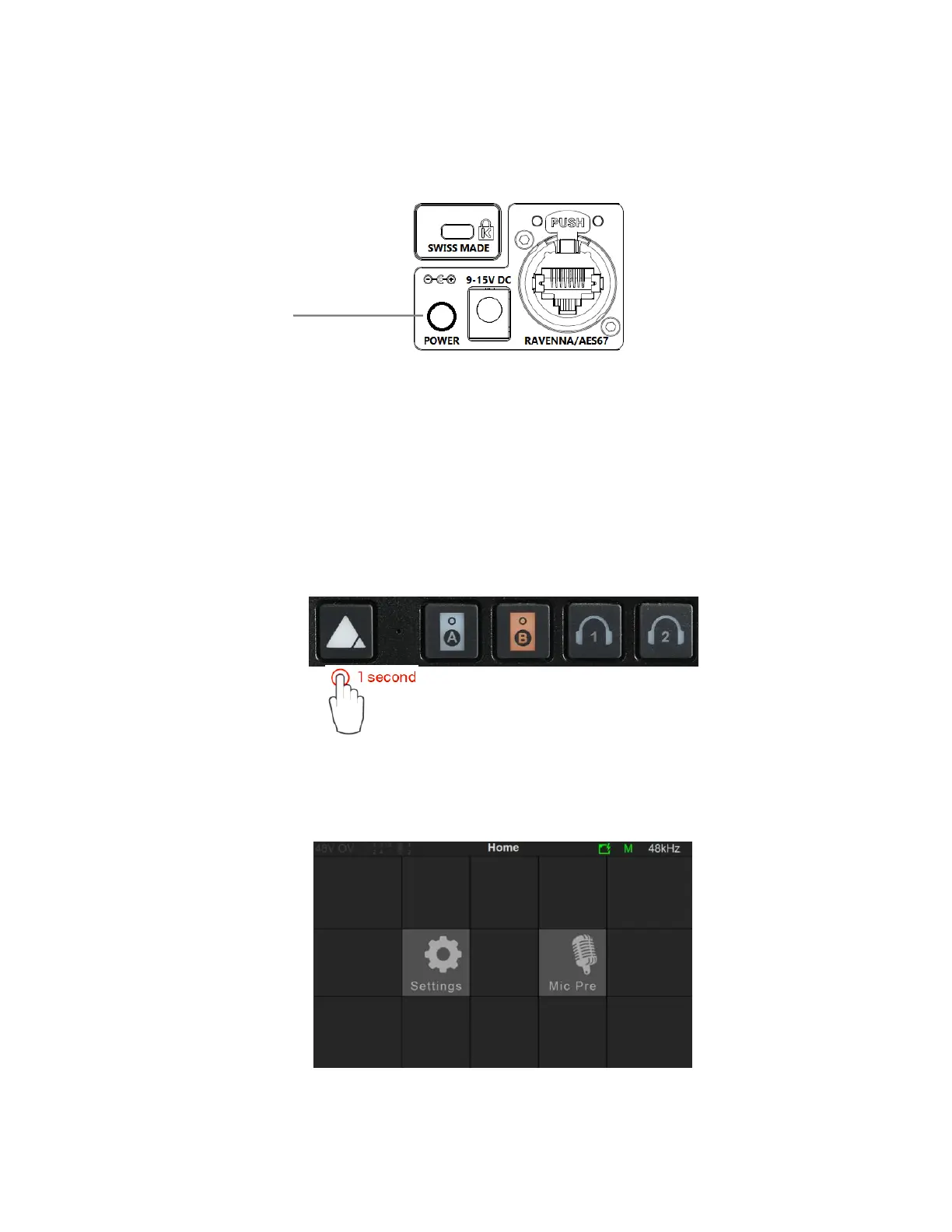
1. Press the switch on the unit’s rear panel next to the DC input, as shown on the Back-Panel figure.
Pressed = ON
Released = OFF
2. The Anubis Soft buttons will light up orange when the unit initiates the boot-up sequence, the TFT
display will follow soon after. During this time the unit will perform a series of self-test and
initialization routines.
3. Once the Anubis TFT display shows the Monitor page, the unit is ready for use.
Note: To turn OFF Anubis, press the POWER button to the Released state.
4. Hold press the Anubis Home pyramid button for 1 second to open the Home page.
The Anubis Home page provides access to the Settings and Preamps pages. The Home page is
not in the 3 Main pages cycle. It can anytime be accessed by long pressing the Anubis Home
button.
More details on the Anubis main pages and settings in the Monitoring Mission chapter.



 To Next Page