27
POWER SUPPLY
Anubis can be powered from a DC Power Supply (12V) and/or from PoE (Power over Ethernet).
Using the DC power supply source
1. First connect the included Power Supply Mains adapter to an AC outlet.
Note: The DC power source can also be coming from a 12V battery.
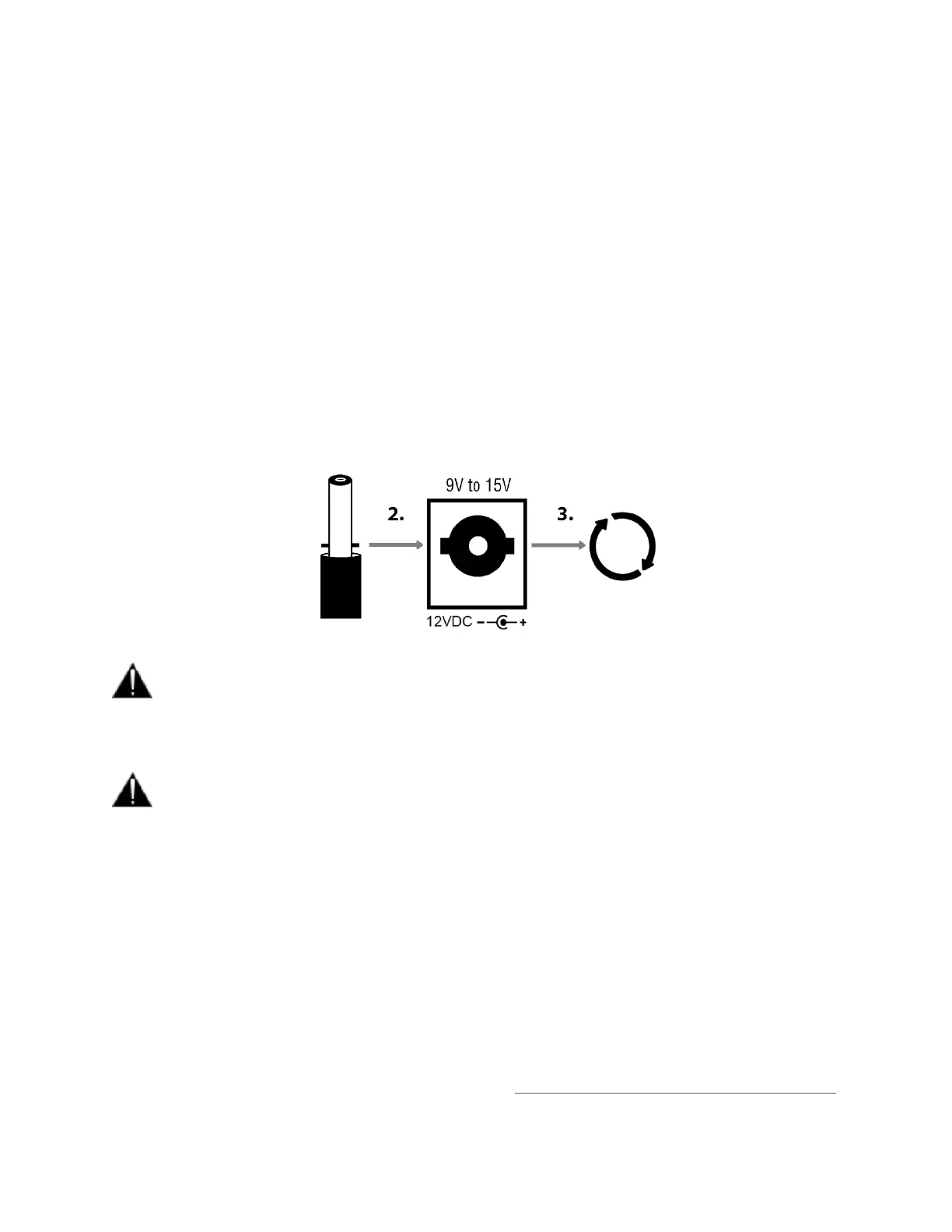
2. Connect the locking power supply to the rear panel of your Anubis. In order to do so align the two tabs
on the power cable's connector to the notches on the Anubis input male connector.
3. Then rotate the barrel clockwise until latched, this will secure the connection and prevent accidental
disconnection or a bad electrical contact.
The DC power input accepts voltages from 9V to 15V, with a maximum power consumption of
18W. Do not exceed the maximum DC input voltage or the unit may be damaged. Merging highly
recommends using the 12V power supply provided with Anubis.
Check that the power cable has the correct plug for the power outlet to which it will be connected.
If the wrong Mains cable has been supplied, do not attempt to modify it but contact your Merging
Technologies dealer for a replacement.
Using the Power-over-Ethernet (PoE) source
Anubis can alternatively be powered from PoE (Power over Ethernet) or in parallel to the DC Power, if
redundancy is required.
PoE requirements:
▪ A suitable PoE+ equipped switch and/or external midspan PoE+ injector
▪ IEEE 802.3at class 0 Power-over-Ethernet standard
▪ 37.0 V (Min) – 48.0 V (Typical) - 57.0 V (Max) @ 1–2 A
Note: Recommended PoE Switches are available RAVENNA/AES67 Certified Network Switches



 To Next Page