75
ANUBIS USE CASES
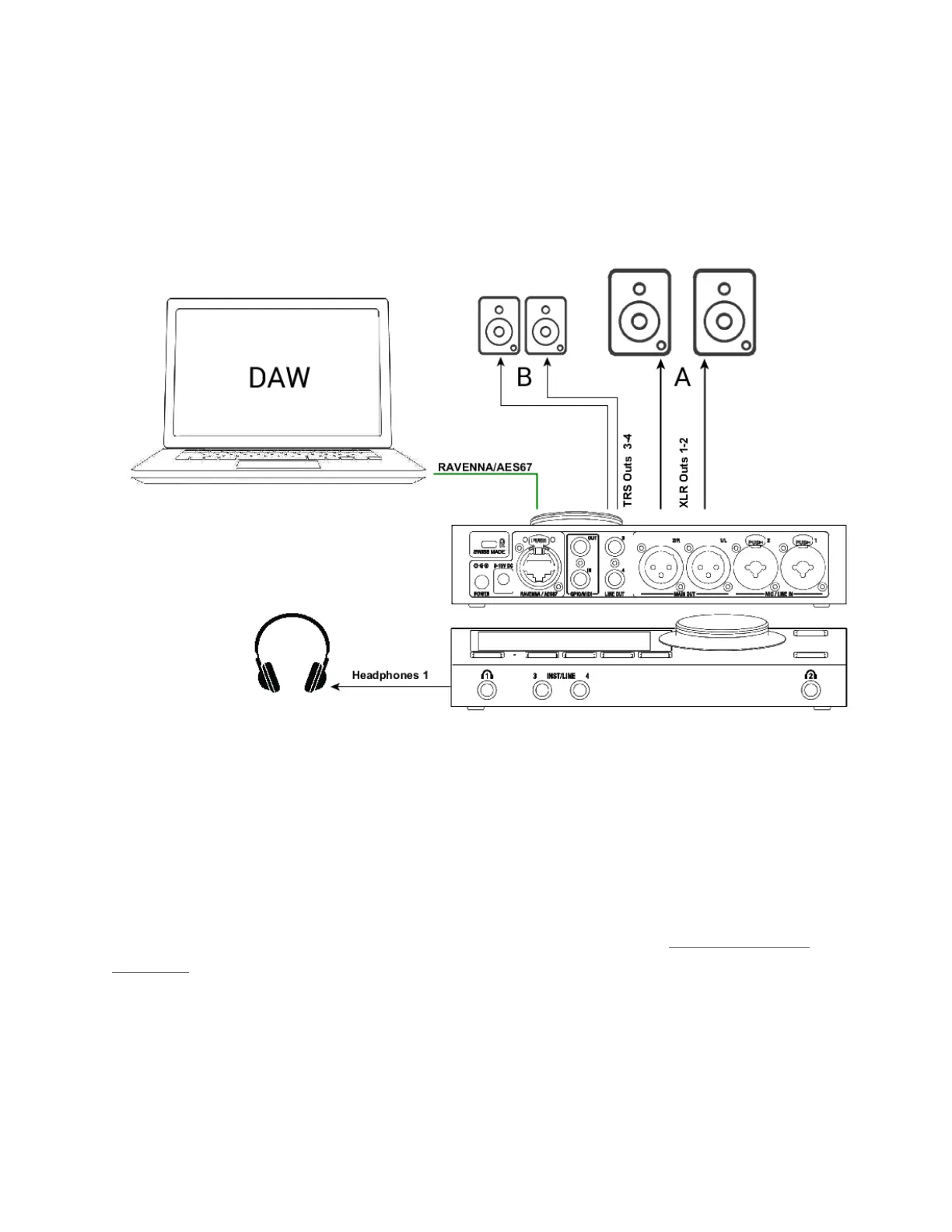
BASIC MONITORING SETUP
SetUp:
Using a Main Speaker Set and headphones in order to Monitor the DAW Main playout Source.
Prerequisites:
First follow the User Manual section on the Drivers Installation Procedure (Drivers Installation
Procedure) and ensure that you have correctly connected and powered up your Anubis.
Connect your Active Monitors (or Power Amp) to the Anubis physical Outputs XLR 1 and 2 and/or
TRS outputs 3-4 if you have alternate Monitors in your setup.



 To Next Page