49
Type
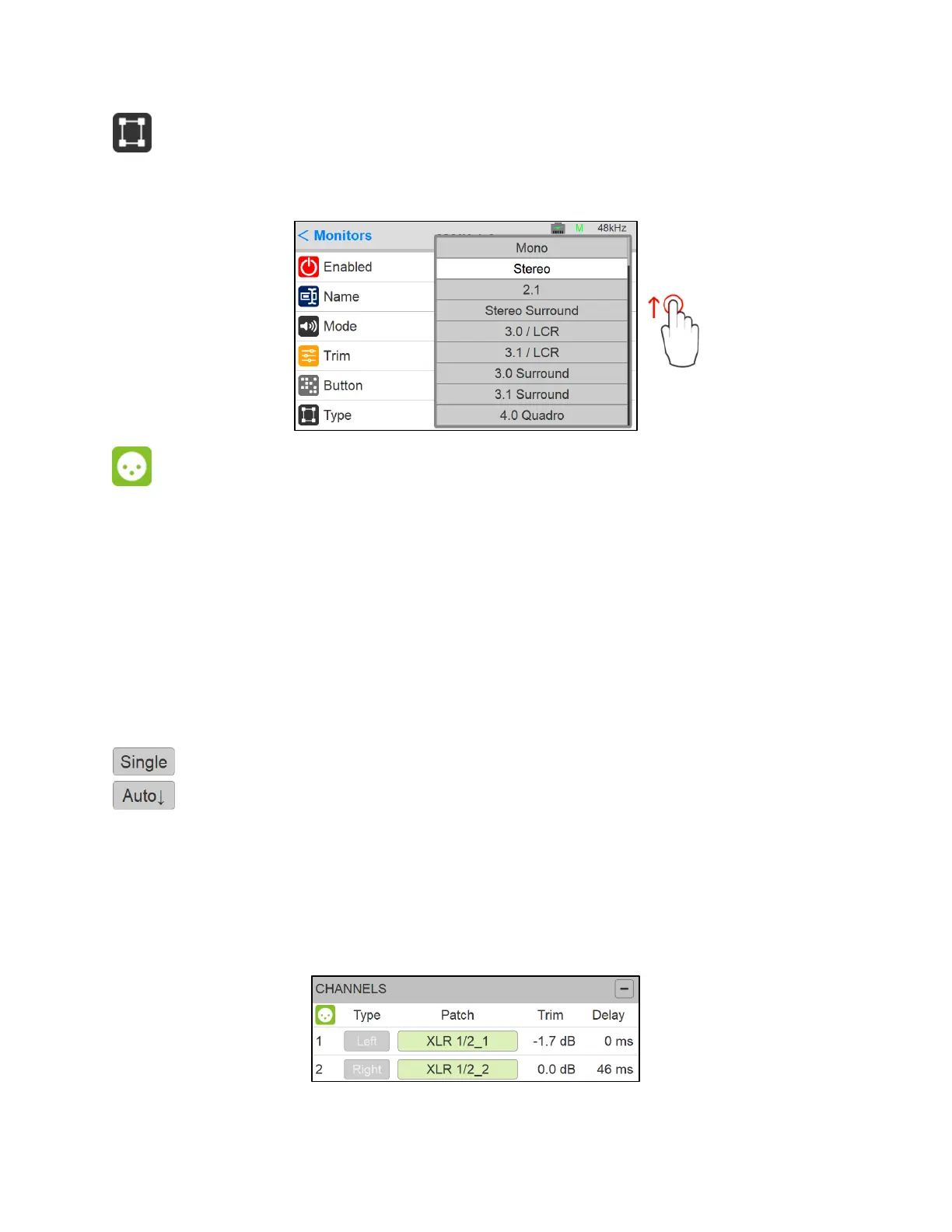
Select the Monitor set type. Predefined Monitors are available from mono to 22.2 Channels
mappings. Scroll to see all available entries.
Channel
Number: channel number enumeration of the Source
Type: The channel type is predefined in accordance with the selected Monitor Type
Patch: Configure the Monitor routing. Users can patch an Anubis Hardware Output Monitor, an
external source (e.g. Paired device) or RAVENNA/AES67 Stream. The Patch list starts with the
Anubis Hardware inputs followed by the RAVENNA/AES67 Stream, the latter cannot be created
from the Anubis. Use ANEMAN to do so.
Scroll to view the entire listing.
Patches a single channel at a time.
Patches automatically the channels following the selected one (downwards). Quick way
of patching multichannel Sources or Monitors.
Trim: A channel trim is available for each speaker. Range: -12dB to 12dB
Delay: Set a delay to the speaker of your choice. Apply by turning the Anubis Rotary Knob.
Range: 0ms to 150ms by steps of 1ms
Figure 6 Example: Configured Patch Monitor



 To Next Page