5.8 Carrying out a determination
■■■■■■■■■■■■■■■■■■■■■■
46
■■■■■■■■
899 Coulometer
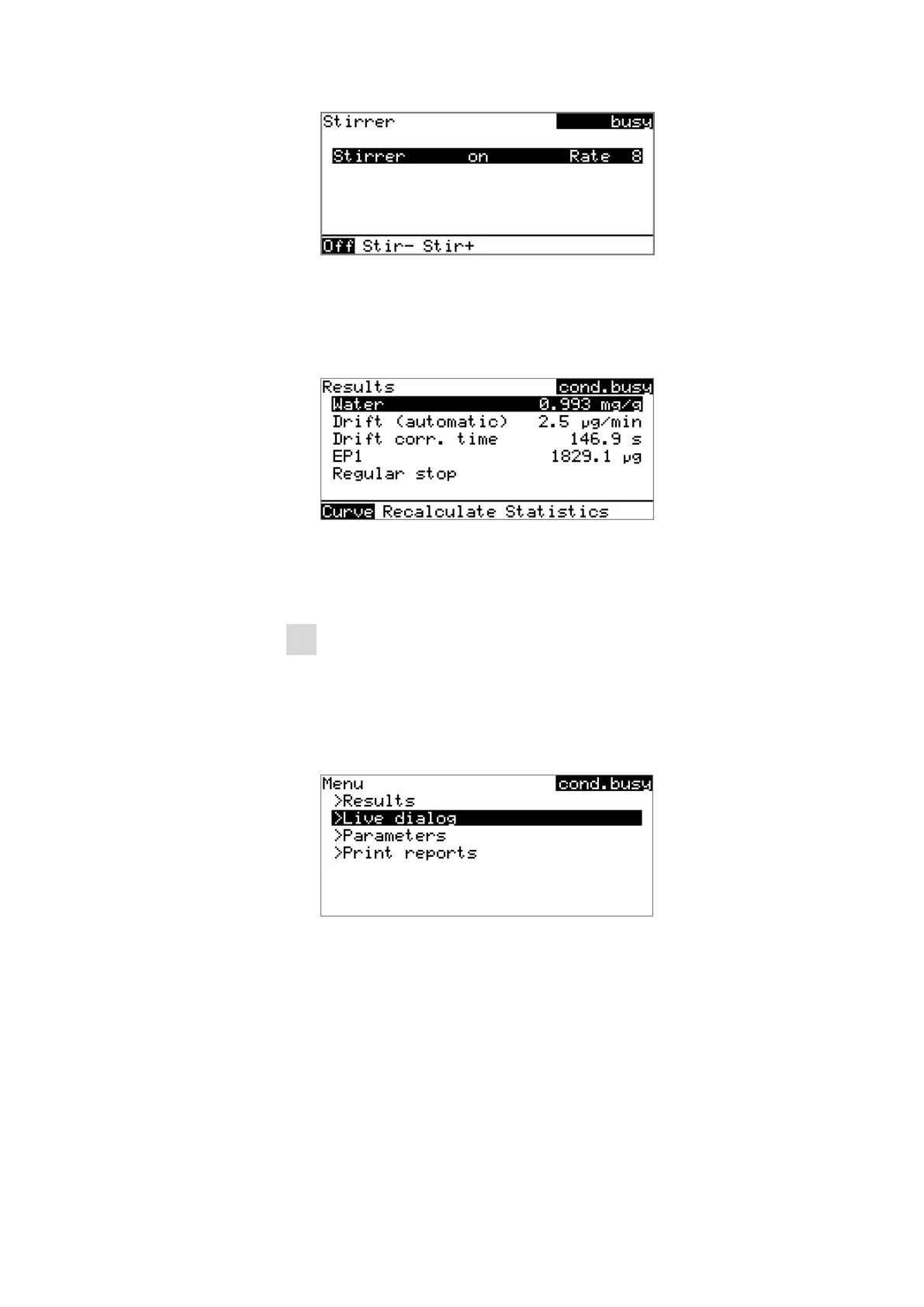
The stirring rate can be reduced with Stir- and increased with Stir+.
Off switches the stirrer off. On is now displayed instead. This can be
used to switch the stirrer back on. This dialog is exited with [BACK].
After the completion of the titration, the results dialog is displayed:
Conditioning is restarted automatically in the background. You can
see the current status of the conditioning in the status display at the
upper right in the dialog window (cond.busy or cond.ok).
6
Returning to the conditioning dialog
■ Press [BACK].
The main dialog with the sample data of the previously ended
titration is displayed.
■ Select Menu and press [OK].
■ Select the menu item Live dialog and press [OK].
The current status of the conditioning is displayed (see instruction
step 2).
If you wish to start the next titration, repeat the actions starting with
instruction step 3.
Canceling a determination manually
A determination can be canceled at any time with the [STOP] key.












 To Next Page