XTreme-EMS Operating Manual Page 24
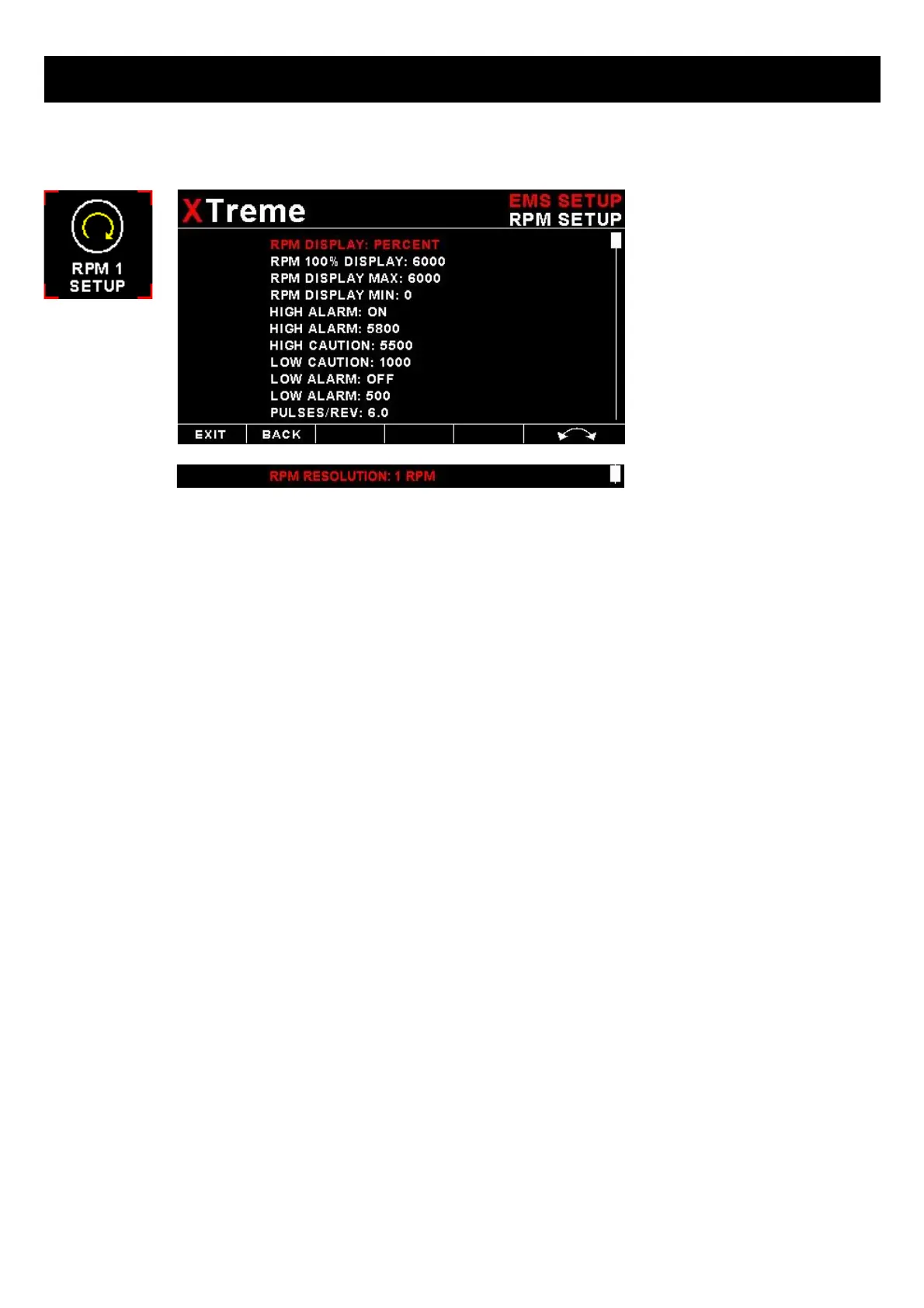
4.3.1 RPM 1 Setup
RPM DISPLAY:
Select if you want the RPM to be displayed in “RPM” or “PERCENT” .If you do not want any RPM information then set this
parameter to "OFF". If the rotor RPM is set to "RPM" or "PERECENT" then the engine RPM display will automatically be
enabled.
RPM 100% DISPLAY:
Select the maximum value that you want the RPM to correlate to 100%.
RPM DISPLAY MAX:
Select the maximum RPM that you want the RPM dial to show. This can give you increased display resolution.
RPM DISPLAY MIN:
Select the minimum RPM that you want the RPM dial to show. This can give you increased display resolution.
HIGH ALARM:
This enables or disables the RPM high alarm.
HIGH ALARM:
Enter the RPM threshold for when the high alarm must be activated. Any RPM value above this value will activate the
alarm.
HIGH CAUTION:
Enter the RPM value for the high caution. This is the lower value of the upper yellow band.
LOW CAUTION:
Enter the RPM value for the low caution. This is the upper value of the lower yellow band.
LOW ALARM:
This enables or disables the RPM low alarm.
LOW ALARM:
Enter the RPM threshold for when the low alarm must be activated. Any RPM value below this value will activate the
alarm.



 To Next Page