XTreme-EMS Operating Manual Page 40
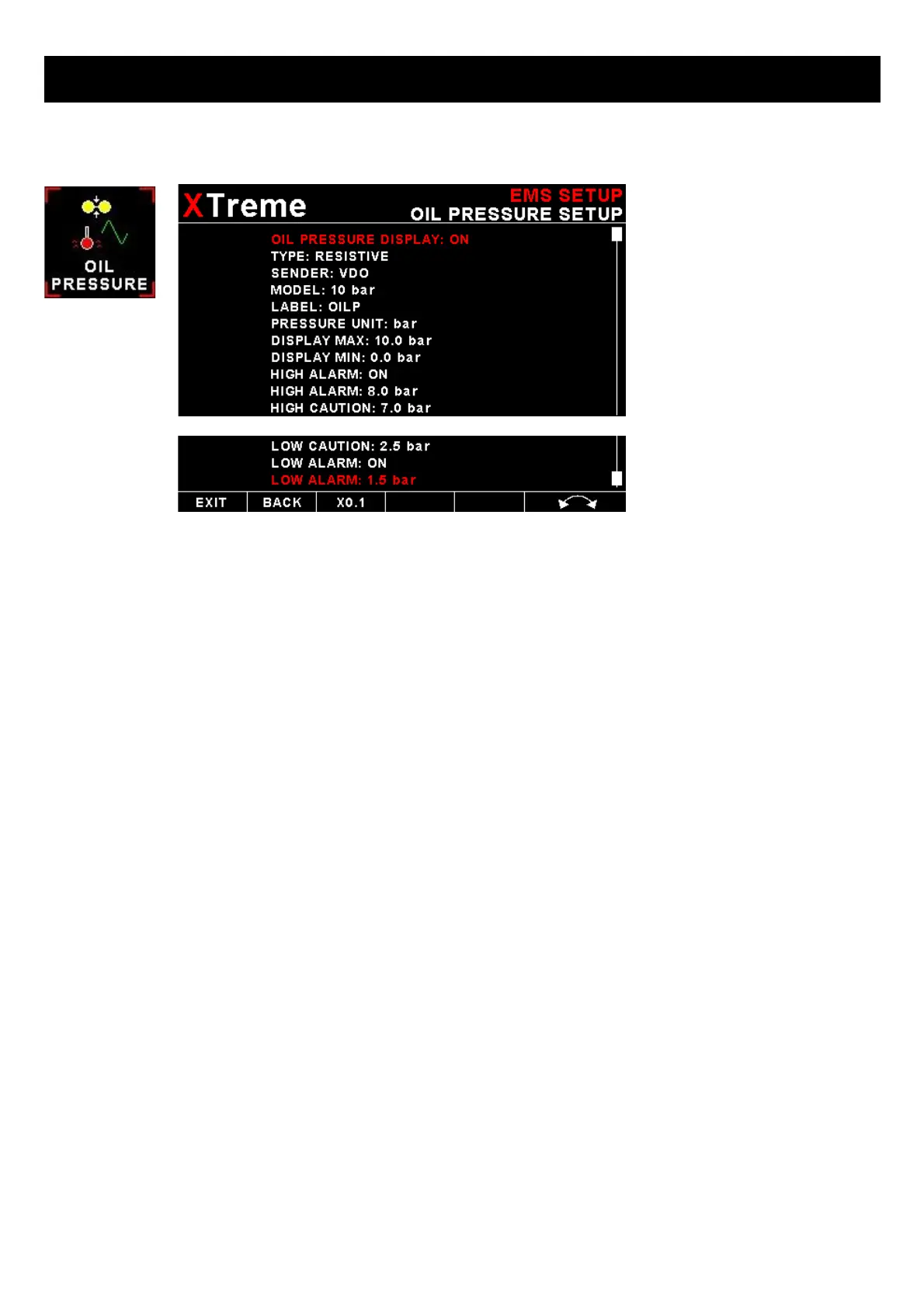
4.3.7 Oil Pressure Setup
OIL PRESSURE DISPLAY:
This enables or disables the oil pressure display
TYPE:
Select if you are using a resistive, voltage or current output pressure sender.
If the “RESISTIVE” pressure sender is selected
SENDER:
Select what type of resistive pressure sender you are using. Select “VDO” for VDO / resistive senders, “USER” for a
custom sender.
MODEL:
Select which VDO pressure sender you are using. A selection between a VDO 2, 5 or 10 Bar can be selected.
If the “VOLTAGE” pressure sender is selected
Sender:
Select the type of voltage sender you are using. Select “UMA” for UMA senders, "0.5-4.5V" for voltage senders, or
“USER” for a custom voltage sender.
Model:
For UMA senders select the UMA model number.
If the “CURRENT” pressure sender is selected
Sender:
Select the type of current sender you are using. Select “4-20mA” for Rotax 912/914 4-20mA sender or “USER” for a
custom 4-20mA sender.



 To Next Page